Chat with us if you have any questions!

Chime 2.7.16
Releases:
- v2.7.9816.02 (July 21, 2020)
Details:
- Added a new report under Text Analytics: Resolved Sessions
Chime 2.7.15
Releases:
- v2.7.9814.03 (June 18, 2020)
- v2.7.9812.02 (April 21, 2020)
Details:
- When the queue is unavailable because of the schedule, send the Queue Offline message to the seeker instead of the Timed Out text resource
- Added a feature to clear out questions from sessions at the end of a chat (5)
- Added a feature in the Admin > Theming area to not show guest images in the Session Details (2)
- Added in a new graph for Chat Statistics For One Day report with hourly intervals instead of 15-minute intervals
- Added in a new session comments report
Chime 2.7.14
Releases:
- v2.7.9808.02 (March 30, 2020)
- v2.7.9803.02 (March 10, 2020)
Details:
-
Release 2.7.9808.02
- Fix to handle duplicate notifications when users leave the chat session due to intermittent network availability
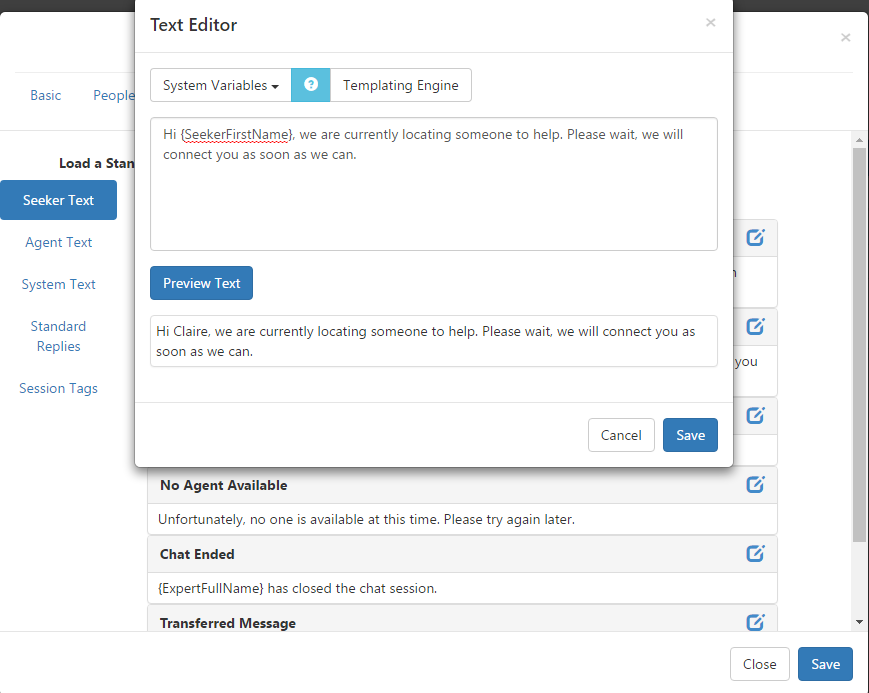
- The text resources can now support different text depending on the skill-tag that is assigned to the chat
- For example, this queue has English and German enabled as skill-tag choices, so that a seeker can select their language (1)
- The Welcome Message text resource is configured to show an English message if the English skill-tag is selected, and a German message if German is selected
- This is done with the xml-ish markup <tag tag="[skill-tag value]"></tag> (1)
- All of this markup will be replaced with the message contained in between <tag> and </tag>, and any other tagged sections will be removed, when rendered and delivered to the seeker/agent
- If there is no skill tag selected, or a skill tag is selected that doesn't match anything in the text resource, then the first tagged section will be used as a fallback
- For example, if I picked Dutch as the skill-tag, then the English resource would be sent to me in the welcome message, because it is first
- If there is some text that is not contained in the <tag></tag> blocks, it will always be rendered. Not sure we would ever want to do that, but that is how it would work
- If there aren't any skill-tag sections defined, then the text resource will behave as it has done before.
- For example, here, I haven't provided any skill-tag specific text for the Expert Connected Message (1)
Release 2.7.9803.02
Chime 2.7.13
Releases:
- v2.7.9800.05 (February 3, 2020)
Details:
- Added certificate-based authentication for Azure AD lookups
- Updated API route for Comment and Rating to use sessionID whenever possible
Chime 2.7.12
Releases:
- v2.7.9799.02 (January 21, 2020)
Details:
- Fixes for incorrect labels in monthly report graphs due to timezone and daylight savings time shifts
- Fixes for Longest Idle Routing while the queue is in FIFO mode
- Option to select dispatcher account type, when using on-premise Lync/Skype for Business with Azure AD authentication
Chime 2.7.11
Releases:
- v2.7.9796.04 (October 21, 2019)
Details:
- Fix for race condition where agent is prompted for another chat after accepting a chat, which can cause them to handle more than their Max Concurrent Chat limit
- Fix for Global Consolidated Queue Stats reporting incorrect number of TimedOut chats across multiple queues
Chime 2.7.10
Releases:
- v2.7.9795.02 (July 30, 2019)
- v2.7.9794.02 (July 29, 2019)
Details:
- In some on-premise deployments, checking client capabilities for HTML message support could occur before the connection was fully established, and force messages to fall back to plain-text only support.
- Fix for a race condition which could occur when a guest dropped the chat session while the agent was accepting the chat, which would result in the chat terminating, but still being recorded as connected.
- Warm Transfer to a Level Two agent that is not in the queue
- An agent may transfer a chat to another Skype user that is not a member of the queue.
- These transfers will be tracked by Chime, and details will be reported in the session details, routing history, and in a new report.
- Fix for an issue where the "Rate the session" page would error out and not record the guest's comment and rating
Chime 2.7.9
Releases:
- v2.7.9792.0 (April 30, 2019)
Details:
- Added an option in email settings and the settings.xml file to disable message timestamps on chat transcript emails sent to guests (add key="showtimestampsintranscript" value="True" )
- Fixes for bugs resulting when the SIP URI of an agent is changed
- Improvements to robustness of communication between the queue and parent Chime processes.
- Chats that are being handled by a pre-chat virtual agent will now show a new status (Pre-Chat) on the dashboard details and monitoring panels, and only show as Waiting when they are actually being routed to an agent
- When an agent signs out of Skype for Business, their active chat count will always reset to 0.
- Fixed an issue with Microsoft.Azure.ActiveDirectory.GraphClient.dll library failing to install correctly on upgrades.
- Chats that have been deflected by a pre-chat virtual agent cannot continue and route to an agent.
- Office 365 UCWA error handling improvements
- Search by seeker email in Dashboard/Session History is now case-insensitive
- Fix for bug where Connected Time would sometimes not be recorded correctly if a transient database connectivity error occurred.
- Fix for display of agent active chat count on Desk Agents panel of queue dashboard.
- Performance improvements in sending outage notifications to guests using Skype for Business
Chime 2.7.8
Releases:
- v2.7.9788.0 (March 5, 2019)
Details:
- Add timer to force UCWA availability to be set regularly (correctly render bot presence on contact list)
- Undo the changes that prevent screensharing from working with on-prem
- Resolve high CPU usage condition with reconnection attempt
Chime 2.7.7
Releases:
- v2.7.9784.0 (February 13, 2019)
Details:
- Fix issue that could cause Office 365 queues to stop retrieving events from the UCWA API
- Fix edge condition when an agent declines a chat and the guest drops simultaneously.
- Fix timeout when waiting for prompt to agent to accept chat that caused Network Errors in routing.
- Ability to send a direct message to waiting seekers from the queue monitoring panel.
Chime 2.7.6
Releases:
- v2.7.9782.0 (February 5, 2019)
Details:
- Performance and stability improvements for Conversation Virtual Agents under load.
- Improvements to robustness and failure recovery of UCWA Office 365 Skype connections.
- Fixes for network errors and timeouts when attempting to route to an agent on Office 365 Skype.
- Prevent restarting a queue while it is already restarting, resulting in issues with the queue dashboard
- Running Chime as the SYSTEM service account will no longer report that the Chime service account is invalid in the Health Monitor.
Chime 2.7.5
Releases:
- v2.7.9776.0 (December 18, 2018)
- v2.7.9777.0 (January 4, 2019)
- v2.7.9778.0 (January 15, 2019)
Details:
Install and Configuration
- Improve error messages when validating SQL connection with the Configuration Wizard tool.
- Add option to show the password on the SQL configuration dialog of the Configuration Wizard tool.
- Improved dialog and flow for assigning an SSL certificate for Chime using the Configuration Wizard.
- Show the correct configured URL to launch Chime on the Configuration Wizard if using a custom DNS name.
- Change labels to refer to Azure AD Application ID instead of Azure AD Client ID, to match labeling used now in the Azure portal.
- Include field in installer for setting the application ID for the UCWA Connector Azure AD application registration.
Charting and Reporting
- Fix issue with timezone conversions on the Agents Available Over Time chart.
- Add chart showing amount of time that agents were available vs time spent handling chats - Available Time vs In-Chat Time by Agent
- Add chart showing presence history for all agents in a queue.
- Add ability to load additional new charts as plugins from the /Reports directory.
Alerting
- Considerably faster delivery of large alerts.
- Fix for issue in alerting where presence information for alert recipients would not be recorded until after starting to send the alert to the recipient.
- Add ability to change the account details for the web client Lync/Skype account using the Chime Web UI, rather than only via the Configuration Wizard tool.
General Usage
- Fix for rare timeout error when opening agent Lync context window which could cause queue to restart.
- Fixes for Broadcast Routing algorithm when one available agent could not be contacted.
- Fix for issue where error in pre-chat Virtual Agent could leave chat Waiting, and prevent routing to an agent.
- Fix for issue where agent types 'y' to accept chat, but cannot be connected to the chat.
- Improved error message when starting a queue with an invalid dispatcher password.
- Agent Dashboard link should always be visible for agents in the top navigation bar for agents on the Chime web interface.
- Fix issue where sometimes Lync Context Window will show the main Chime landing page instead of the correct context page for the current chat, with no way to reach the chat context page.
- Fix where updated passwords for alias dispatchers would not be applied when trying to restart aliases from the queue dashboard Aliases tab.
- Fix for error that could occur and prevent starting a queue if it had no alias dispatchers assigned.
- Fix issue with timezone conversions that could result in incorrect date ranges when using the Advanced feature on the Logs page to download logs for a queue.
- Fix API that returns available queue dispatcher URIs to include alias dispatchers in addition to primary queue dispatchers.
- Add option to show log entries on the Logs page in either oldest-first or most-recent-first.
- Updated: Agents can no longer end a conversation with a guest by removing them from the participants list in the Skype for Business client.
Web Client
- Fix for issue where sometimes seeker information would not be passed from the web client to the queue for Office 365 queues.
- Fix issues with submitting guest ratings and comments using the web client.
- Fix issues with file uploads from the web client.
- Add ability to customize the message displayed in the web client when a queue is not available, by using the Queue Offline text resource.
Chime 2.7.4
Releases:
- v2.7.9766.0 (October 24, 2018)
Details:
- Fixes for threading issues that could cause a queue to stop processing new incoming chats, and require a queue restart.
- Fixes for threading issues with Virtual Agents that could cause a chat to remain stuck in Waiting and not route to an agent.
- Fixes for caching issues that could show inconsistent counts of Waiting chats between different components of the queue dashboard.
- Improve synchronization between queues to prevent agents from being prompted to accept more chats than their Max Concurrent limit should allow.
- Improve synchronization of active chat counts between the engine and the display on the queue dashboard.
- Fixes for inconsistency of recorded wait time when guests abandon chats while being processed by a virtual agent or while being connected to an agent.
- Reduce time required to connect an agent with the guest when using Skype context window extensions, to reduce wait times.
- When an agent is removed from a queue while Disabled, then added back to the queue, the Dashboard UI should correctly show that the agent is still Disabled.
- Improvements to error notifications when queues lose connectivity to Lync servers and resiliency on password changes.
- Fixes to prevent adding duplicate entries for an agent via the Queue Settings UI.
- Support for exporting reports in local timezone in addition to UTC.
- Loading indicator for Advanced Logs and improved load time when collecting data on available log files for download.
- Configuration Wizard improvements:
- Installer should maintain Active Directory connections that are configured to use GC:// rather than LDAP://
- Improved SSL/TLS configuration dialog in the Configuration Wizard
- Optional integration with Microsoft ApplicationInsights for monitoring and logging.
- Option to verify the integrity of the Chime application database with the Config Wizard
- Automatic backup of settings.xml when editing via the Config Wizard settings editor
- Fallback method for creating alerts if the database used does not support bulk inserts.
- Additional public APIs for retrieving available skill tags for queues and agents
Chime 2.7.3
Releases:
- v2.7.9761 (August 30, 2018)
Details:
- Queue Dashboard – Monitoring and Details panels should now have the same default sorting.
- Active sessions page loaded by the Agent Assist/Translate tool should now work with alias dispatchers..
- Option in Admin/Settings/Advanced to control the agent presence checking rate for on-premise deployments
- Improved error handling and notification if some configuration error (bad password, etc) prevents and alias dispatcher from signing in.
- Improved support for seekers using Android/iOS/Mac Skype for Business clients.
- Fix deadlock issue that could prevent a session being recorded as Connected after the agent accepted and was joined with a seeker.
- Fix drill-down on Accepted vs Declined/Ignored per Agent chart.
Chime Agent Assistant & Translator v1.0.27
Releases:
- v1.0.27 (August 30, 2018)
Details:
- Fixed Issue: #558: Unable to save language preference for Queue alias in Agent Assist Tool
Chime 2.7.2
Releases:
- v2.7.9759 (August 14, 2018)
Details:
-
Improvements to the alias dispatcher feature
- Alias dispatchers can be added and removed without restarting the entire queue.
- Alias dispatchers should recover automatically from temporary Lync connectivity failures.
- Alias dispatchers can be manually restarted at runtime.
- New UI on queue dashboard to display status of alias dispatchers for the queue.
- Fix for a UCMA deadlock that could result in agents attempting to accept a chat, and then receiving the message "Sorry, a network error has prevented you from joining this conference."
- Fix for non-FIFO routing modes that could result in higher than expected ignored/declined counts for agents.
- Improved accuracy tracking agent concurrent chat counts.
- Fixes for mismatch agent names and statistics on the queue-level Accepted vs Ignored/Declined by Agent report.
- Optimizations to reduce the loading time for the agent context window extension page.
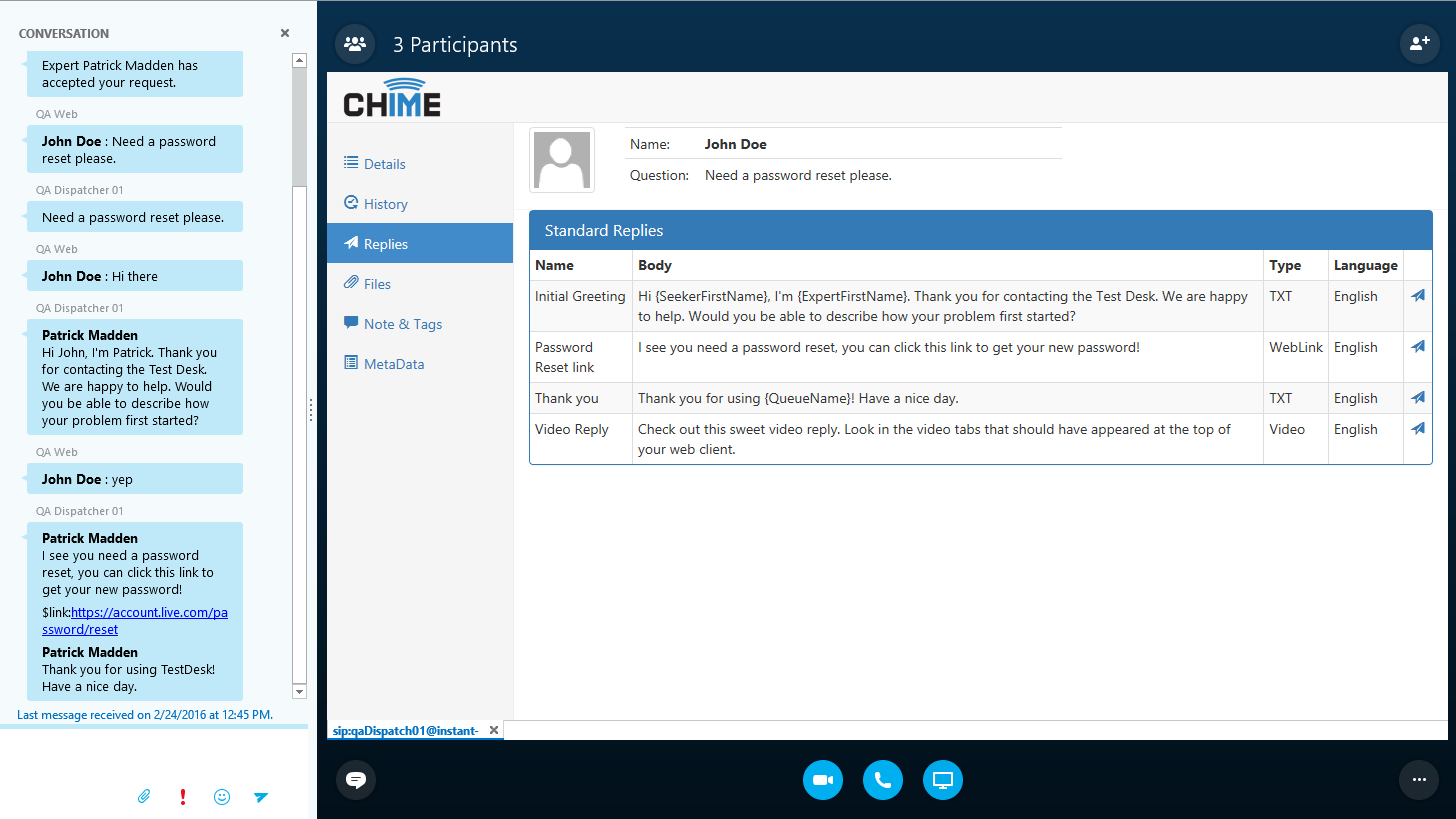
- Sorting, searching and pagination for the Standard Replies in the agent context window extension page.
- Fix validation of Windows login name field to allow dashes when adding agents to Chime.
- Fix for timeout error "Unable to start chat session" when accepting incoming chat from seeker.
- Reduction in false positive error notifications from the Chime Health Monitor.
- Added feature to import/export Standard Replies between queues.
- Add feature to select individual log files for download more easily.
Chime Agent Assistant & Translator v1.0.26
Releases:
- v1.0.26 (August 14, 2018)
Details:
- Removed unwanted Lync event hook.
- Added validations to process Lync Client API calls only if agent is signed in.
- Updated to show seeker SIP URI on translation dialog.
- Reduced Lync client logging.
- Added validation to Lync calls which were resulting in Lync exception messages.
- Application will not process ConversationAdded and ConversationRemoved events if session list dialog is not visible.
Chime 2.7.1
Releases:
- v2.7.9753 (July 18, 2018)
Details:
- Added in server side caching for dashboards, monitoring panel, and other pages to reduce latency and speed up the refresh rate
- Added the ability for queues to have one or more “alias” dispatchers, which allows a queue to have more than one entry point into that queue.
- Ability to mark a connected session as completed
- Will now check Active Directory when Lync/S4B fails to pass us a display name (message sender appearing as null in the web client)
- Added fix for when a seeker drops before being routed to an expert, mostly for purposes of charts and reporting
- Fixed edge case that prevented rollover queues from working correctly
- Added a configurable timeout limit for starting up a queue (helpful when a queue has several alias dispatchers)
- Other minor bug fixes
Chime 2.7
Releases:
- v2.7.9741 (June 6, 2018)
Details:
- Changed the start/stop toggle in Queue Settings to Start, Stop, and Restart buttons
- If a dispatcher account has invalid credentials when a queue is started the UI surfaces a message for the queue settings and control panel
- Added a validation message when starting and stopping a queue
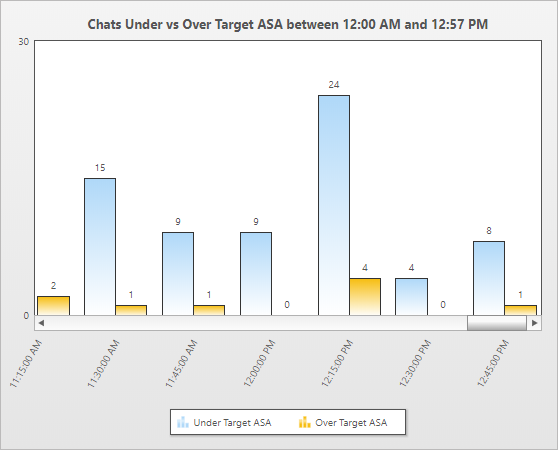
- Added new Chart: Chats Under vs Over Target ASA
-
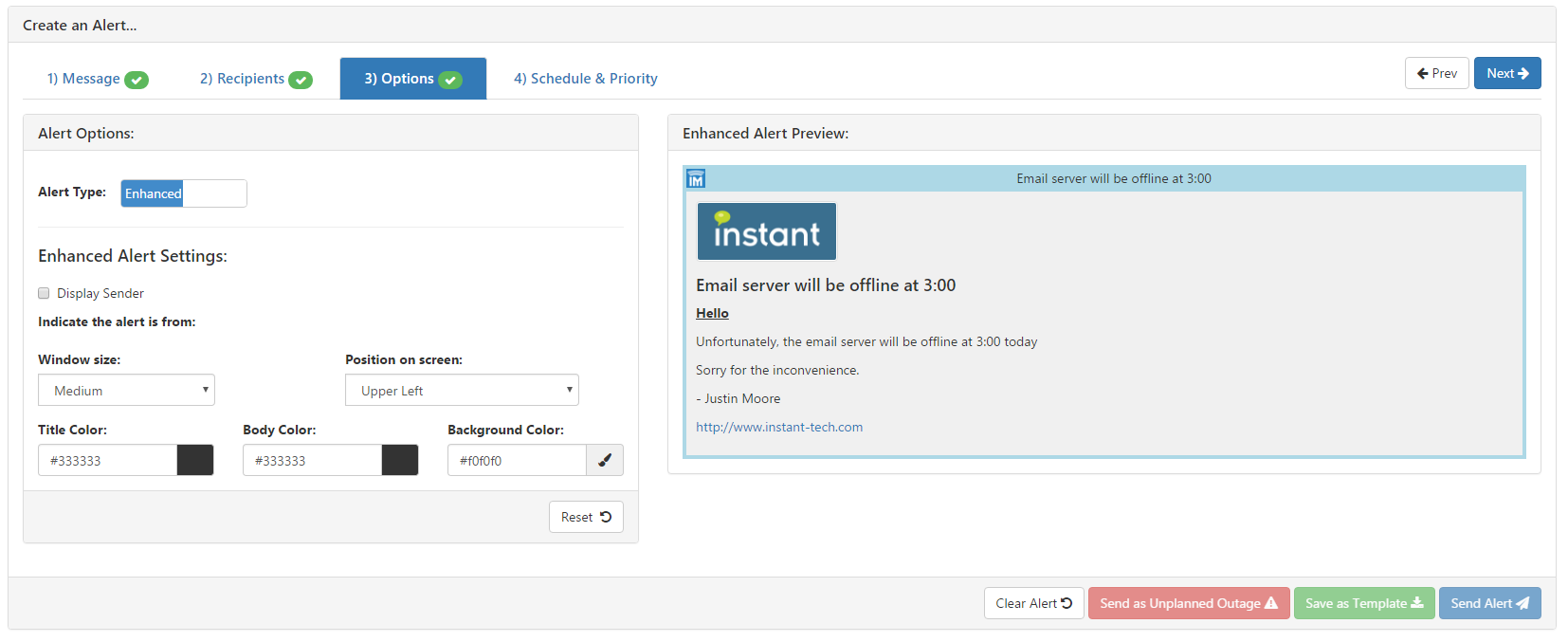
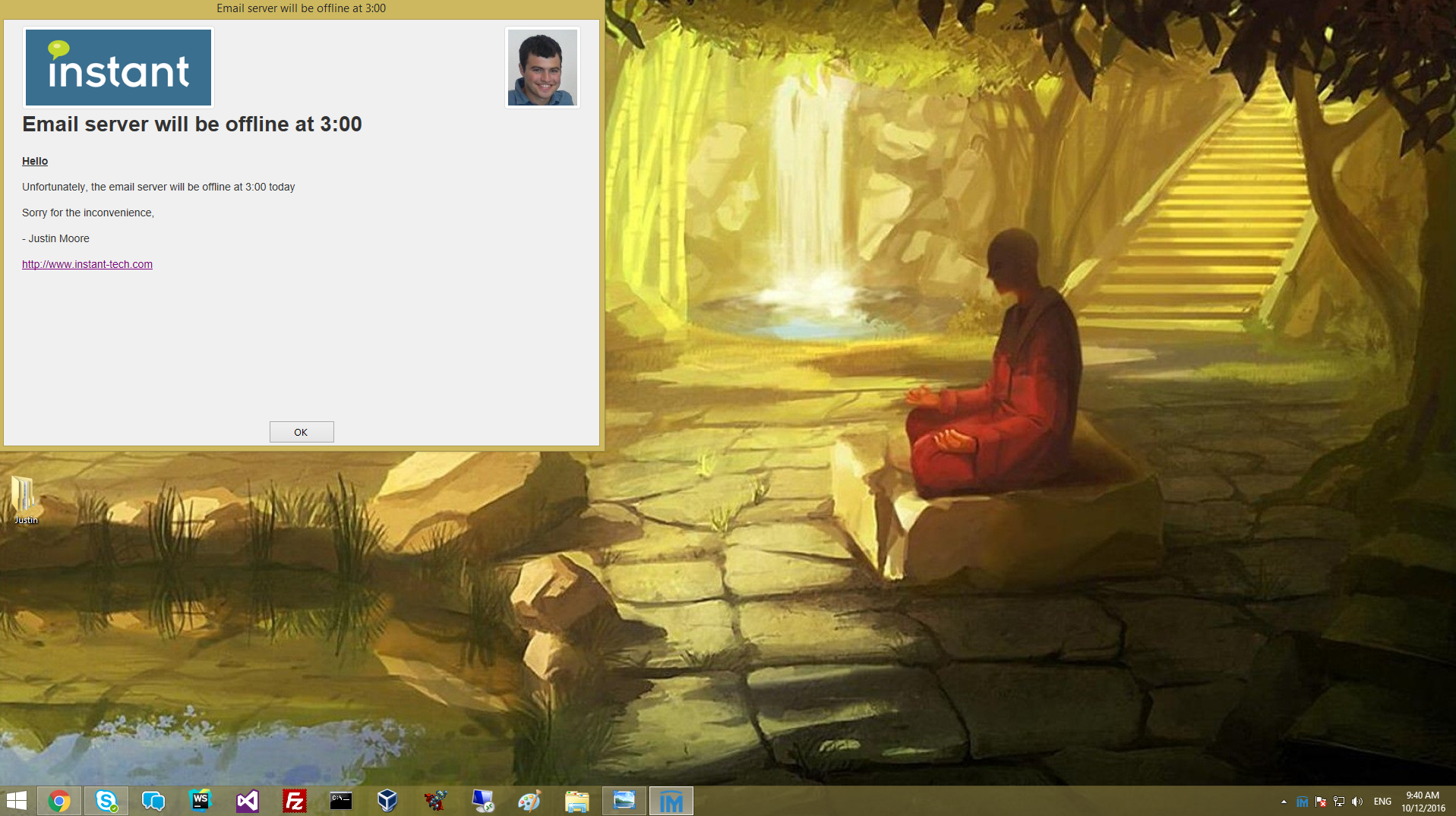
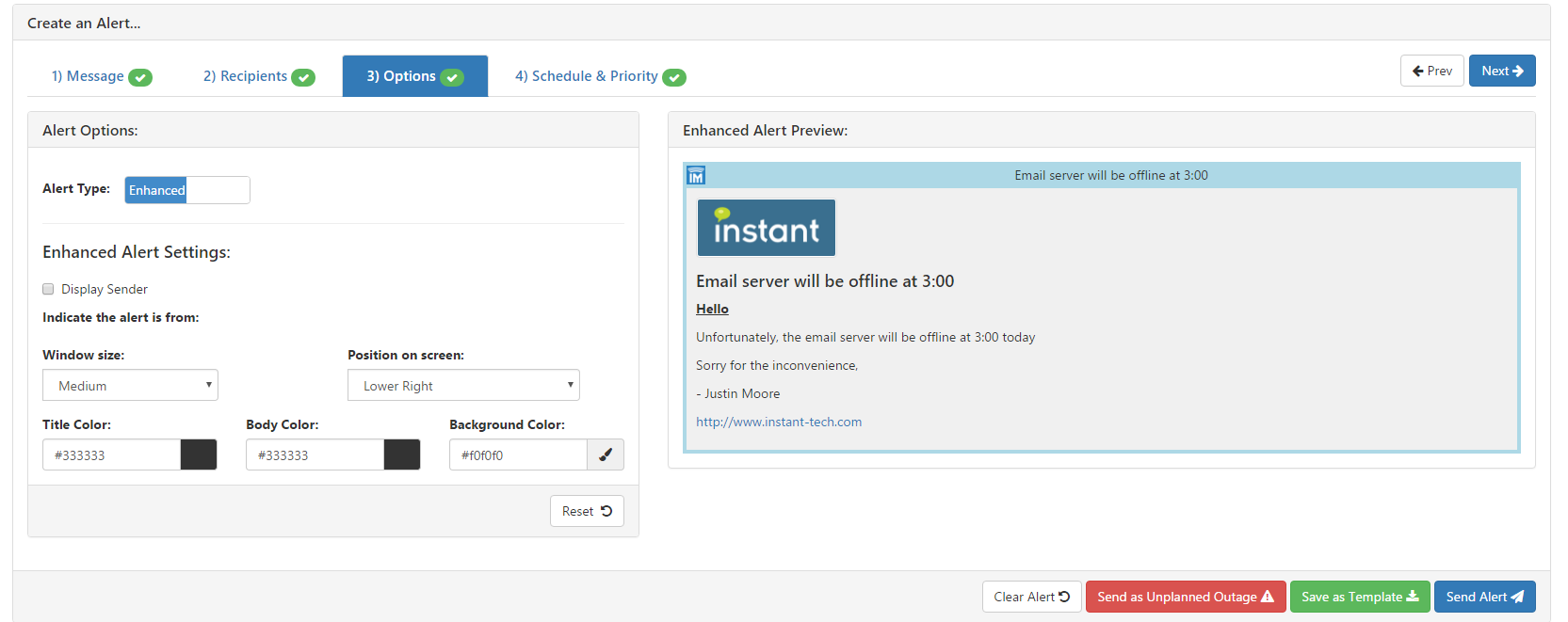
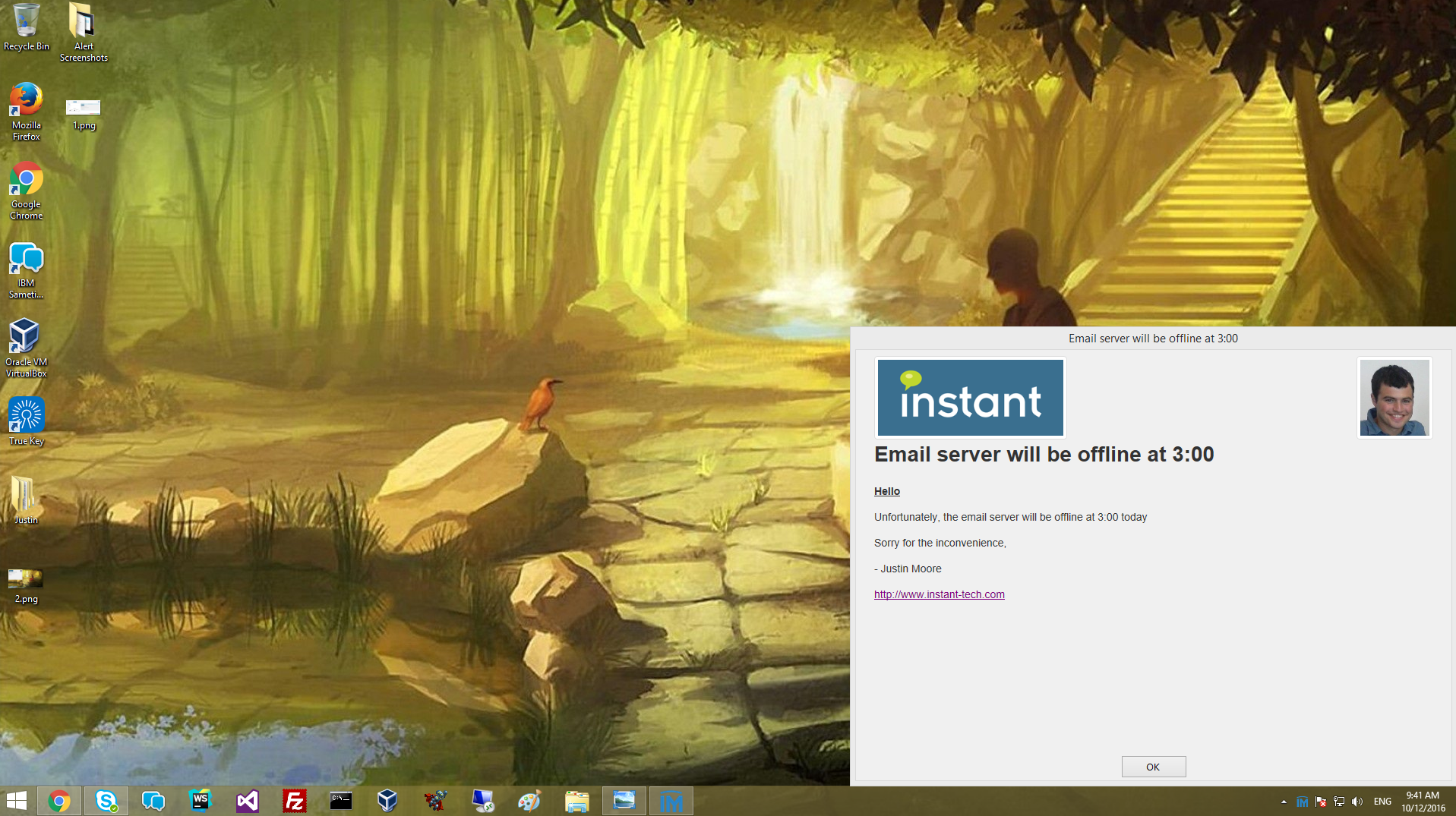
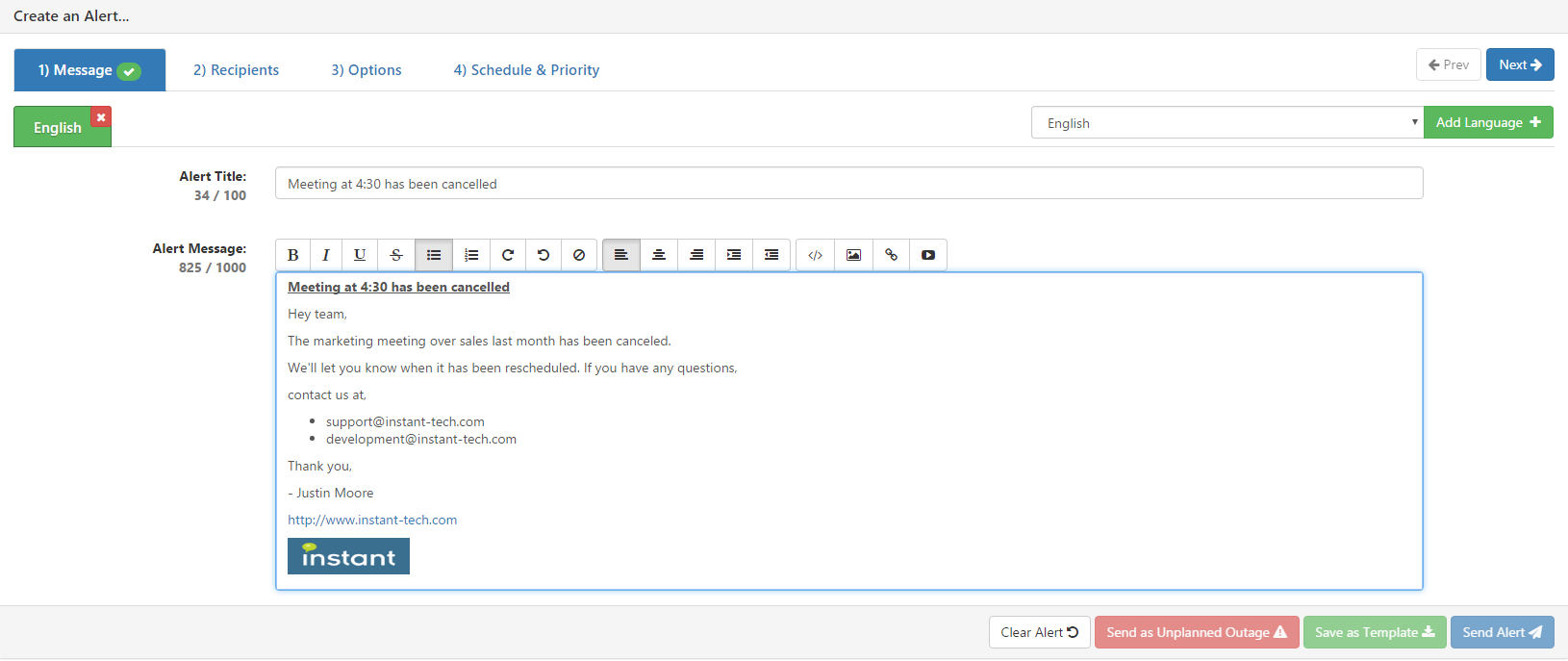
Added additional options for enhanced alerts:
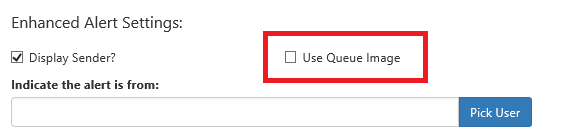
- Can now optionally show or hide the queue image
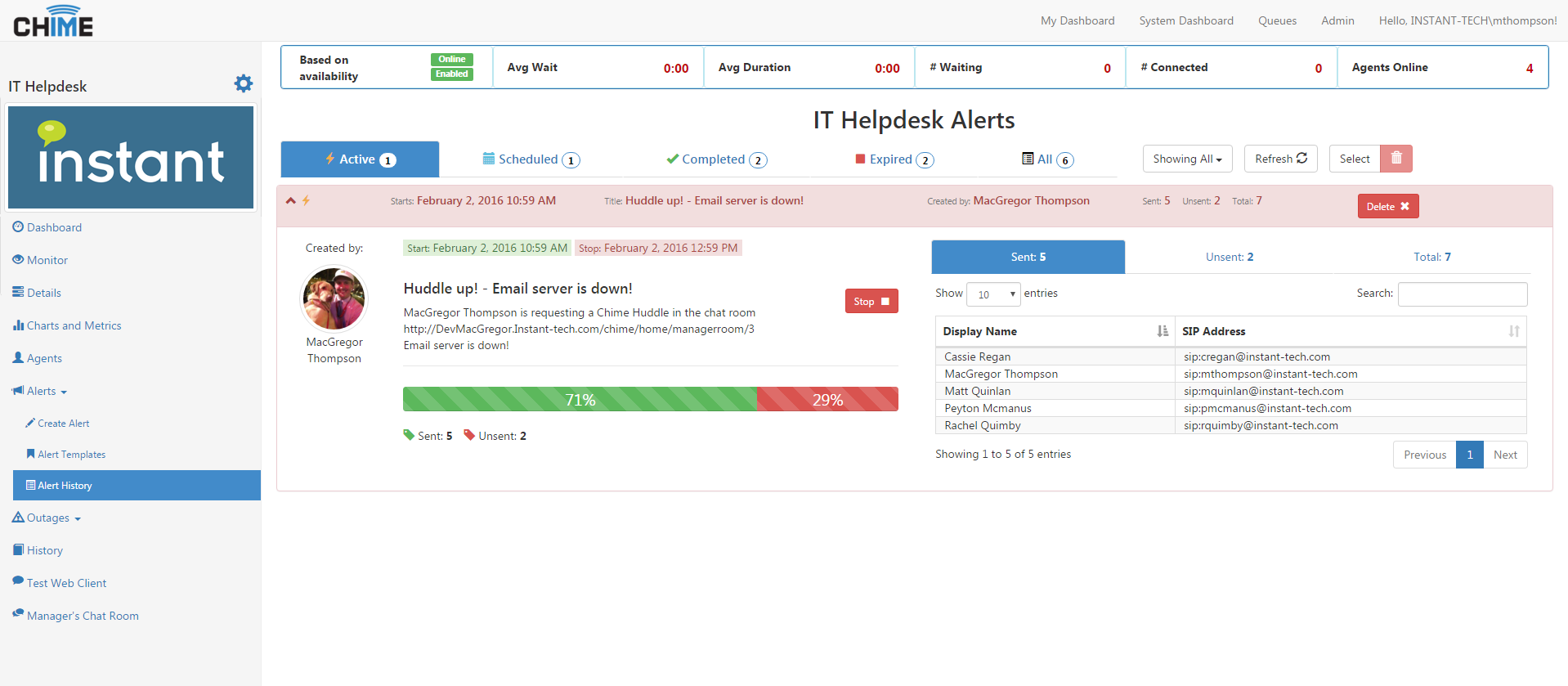
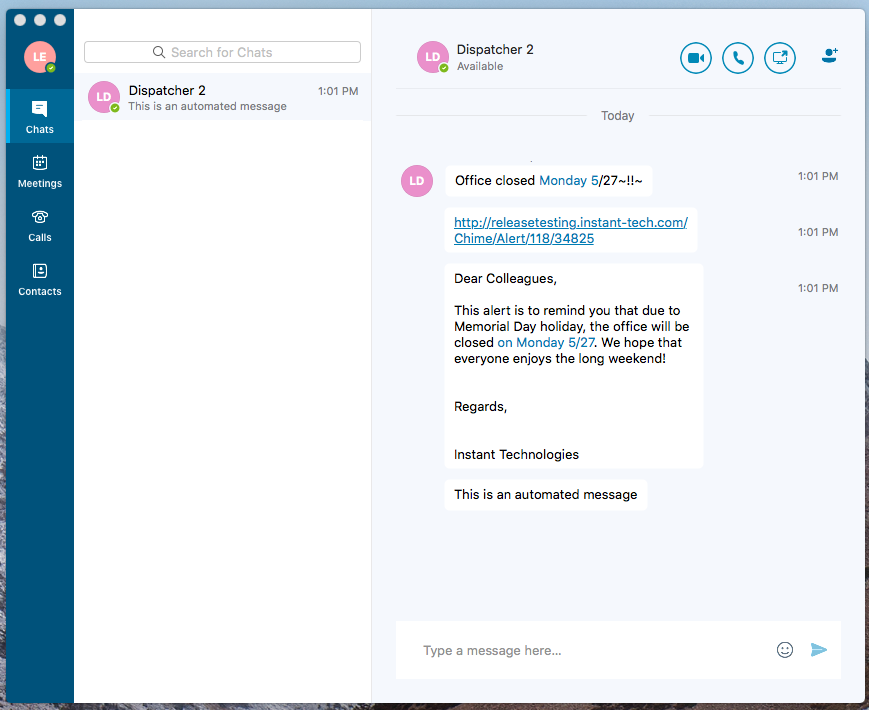
- Added new enhanced alert ‘types’, Acknowledge, No Button (6)
- Added ability to dispatch alerts to users running Skype for Business client on a Mac OS (6)
- Added additional presence detection when sending alerts to detect if a user is running on a Mac based client or if the end-point has the ability to receive an IM (for instance, a phone might have presence but not have the ability to receive an IM)
- Updated the UI for Alert Settings to be more clear
- Improved performance of System Dashboard
- Added a detailed explanation of FIFO queue routing for ‘Always route guests in order of arrival’
- Resolved an issue where uploading attachments for the agent and seeker did not work
- When a queue is running you are now unable to remove the dispatcher
- Cleaned up the UI for sending out email notifications and added an area to specify addressees to send to
- Added some UI in Queue Setting to indicate if guests are allowed to request chat transcripts
- The Send Email Transcripts button on the Context Window Extension will no longer fail to send out email transcripts
- Fixed the link to rate a session through an email transcript
- Alert delivery performance: based on internal load testing of the alerting module, please set the Admin\Settings\Alert Settings\Number of concurrent tasks allowed value to a minimum of 4
- Added support for additional localized languages
- Fixed issue pertaining to queue rollover
Chime 2.6 Gold Service Release 14
Releases:
- v2.6.9669 (April 16, 2018)
Details:
- For the Available Agents over 24 Hours report, make sure that we grab the baseline availability of an agent before the time period selected. This fixes the issue that might arise if an agent’s presence hasn't changed in over a day.
- Updated how we sorted agents to show their Chime and Lync availabilities in agent lists on the agent list on the Queue Dashboard.
- On the Agents page of the Queue Dashboard, we now custom sort the agents by Chime availability and then by Lync availability. This ensures that agents available in Lync and Chime are at the top.
- If a user is added to a queue, but has ever signed into Lync, the Agent Availability for Date no longer shows an empty string for presence
Chime 2.6 Gold Service Release 13
Releases:
- v2.6.9641 (April 4, 2018)
Details:
- Fix the edge case that leads to the mismatch of an agent’s enabled/disabled state
- Make sure the agent presence icon is consistent on the queue dashboard / agent dashboard agents list
- Make sure all the queues start
- Fix for removing a disabled agent from the queue, reading them, and then toggling them back to enabled where it wasn't picking up that they were enabled.
- Fix for the queue not picking up the agent’s Lync online presence and enabling the queue
- Make sure the Queue status matches what is shown in the Lync client
- Prevent blank IM window after a Waiting chat is disconnected
Chime 2.6 Gold Service Release 12
Releases:
- v2.6.9605 (March 27, 2018)
Details:
- Fix the condition which allowed an agent to receive 3 chats
- In the case where a disabled agent is removed from a queue and then added back, make sure to honor their previously disabled state
- When a queue is restarted, make sure to sync all active chat counts
- Clean up any active chat sessions when stopping queues
- Increase the timeout value for a queue to shutdown properly
- Zero out any cached values (such as number of guests waiting) when we start and stop a queue
Chime 2.6 Gold Service Release 11
Releases:
- v2.6.9563 (March 9, 2018)
Details:
- Fixed a potential engine scalability issue with the "Always Route Guests In Order Of Arrival?" feature in Queue Settings > Routing
- Updated logging around the "Always Route Guests In Order Of Arrival?" feature in order to identify potential stuck sessions
- Updated the Health Monitor to notify Administrators if a guest has been waiting longer than the timeout period
Chime 2.6 Agent Assist Tool v1.0.17
Releases:
- v1.0.17 (February 28, 2018)
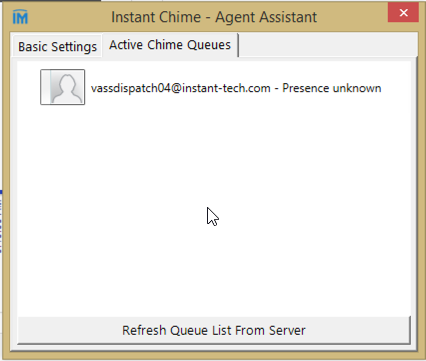
Details:
- Added in Chime Translation Service. This tool allows Agents to harness the power of cloud based real-time translation services in their Chime conversations using the Microsoft Azure Translator Text API
- Agent Translate Features (12)
Chime 2.6 Gold Service Release 10.1
Releases:
- v2.6.9364 (January 23, 2018)
Details:
- If a guest drops out of the chat while the chat is being routed to an agent, that is no longer recorded as a 'Declined' chat for the agent
- The Agent Declined/Ignored report has been corrected to count only chats where the agent declined or ignored the incoming chat (previously included guest drops, network errors, etc)
- Fixed a timing issue when sending back the acknowledgement of the agent accepting a chat that in rare cases resulted in a new empty chat window
- Minor corrections to the Queue Availability and Available Agents over 24 Hours reports
- Accessibility fixes for the Guest Dashboard when using a screenreader
Chime 2.6 Gold Service Release 10
Releases:
- v2.6.9321 (January 3, 2018)
Details:
Additional Release Notes ContextStripping sensitive information from application logs:
- Prevent messages sent by the Agent and Guest after accepting a chat from appearing in the logs - #3402
- Removed chat messages from logging and the Guest’s question from Guest metadata - #3395
- Removed passwords from Advanced Installer logs - #3329
Additional options for remediating hung chat sessions:
- Added in a button to the control panel to clean up hung sessions in a queue - #3417
- Added in logic that automatically clears any hung sessions when the queue restarts - #3417
- Resolved issue where completed IM's were sometimes showing as dropped - #3375
Issues with conference escalation and agent active chat counts:
- Resolved issue where Guest drops from chat but session still attempts to route the chat - #3368/3297
- Resolved issue where agent was blankly prompted and the active chat count locked up - #3370
- Added in the ability to set an agent's active chat count - #3387 (4)
Various reporting fixes:
- Resolved error when generating a CSV for the Connect Vs Unconnected By Queue report - #3393
- Resolved UTC and data issues with the Available Agents over 24 hours report - #3293
- Resolved issue with the monitoring panel incorrectly displaying active chats - #3416
- Explicitly indicate in CSV exports that time-stamps are in UTC - #3409
Small installer fixes:
- Added in FQDN override variable - #3291
- Resolved ExpertLoginNamePatcher error during installation - #3356
Various security improvements:
- AES encrypt passwords in settings.xml - #3312
- Implemented anti-CSRF token to prevent cross-site request forgery - #3320
Miscellaneous changes:
- Resolved issue with the session rating URL not working correctly - #3403
- Updated presence subscription resubscribe logic - #3396
- Improved Virtual Agent Session Management - #3377
- Added in a button that restarts the ChimeHub connection without restarting the whole Chime process - #3430
- Added in two columns to the database:
- dbo.Queues.RoutingOptions – bitfield to hold additional routing flags.
- dbo.Sessions.SessionEndTime – UTC Timestamp of when the chat ended
Chime 2.6 Gold Service Release 9
Releases:
- v2.6.9092 (October 30, 2017)
Details:
- Address accessibility issues (tabbing and contrast) for manager and admin modules
- Add a new report detail Accepted vs Declined/Ignored per agent
- Message to acknowledge when an agent declines a chat session
- Address issue where session history search wasn't respecting end dates - #3208
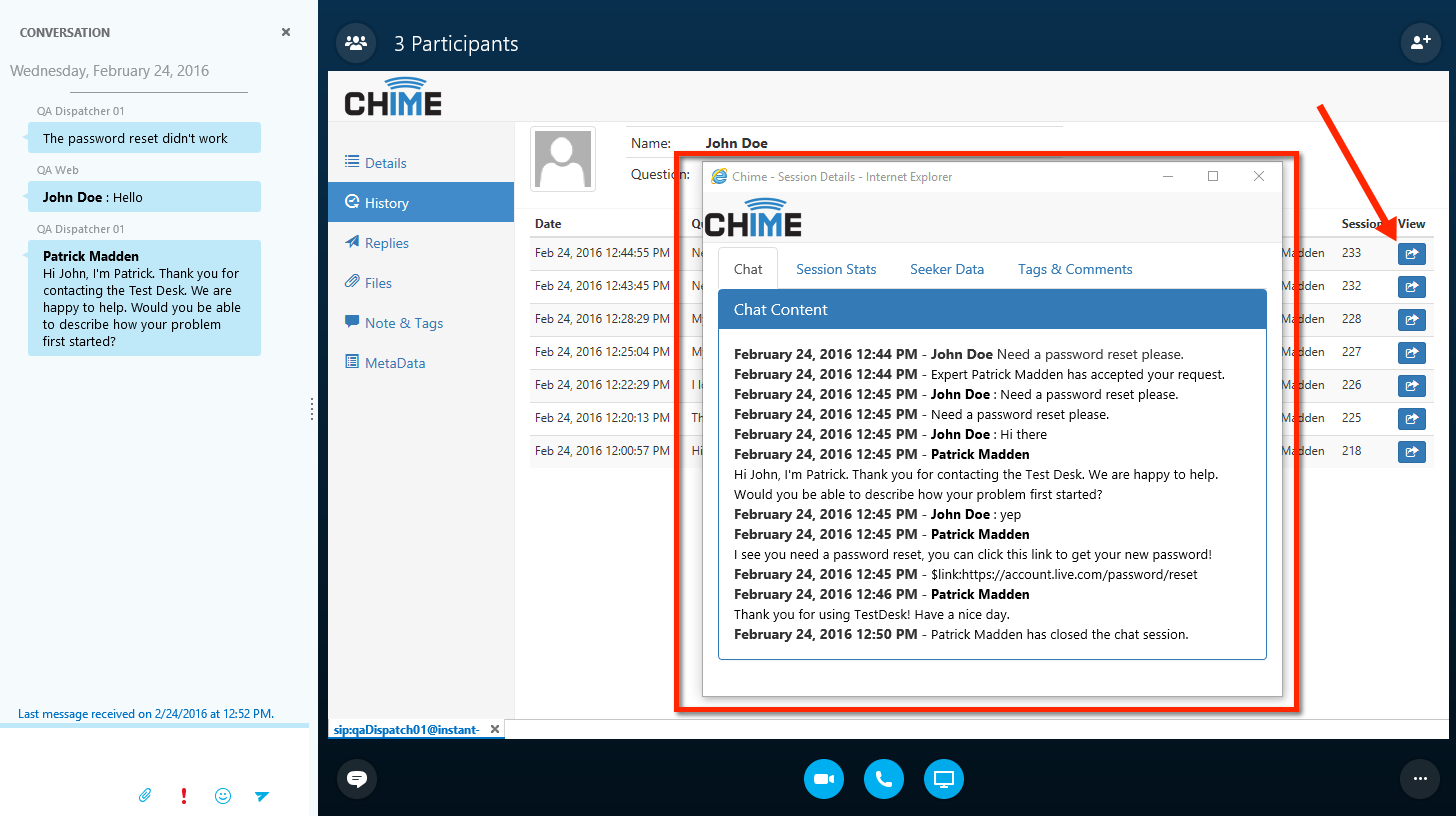
- Add PDF/TXT export for session details (chat transcript + session info) - #2876
- Fixed an inconsistency with the Average Duration statistic on the Queue Dashboard - #3264
- Fixed Tabbing navigation issues on the Guest Dashboard, Manager Sections, and in the Admin area - #3209
- Added in better focus/visual indicators for all nav elements in Accessibility mode - #3210
- Slight changes to the Agent Dashboard UI
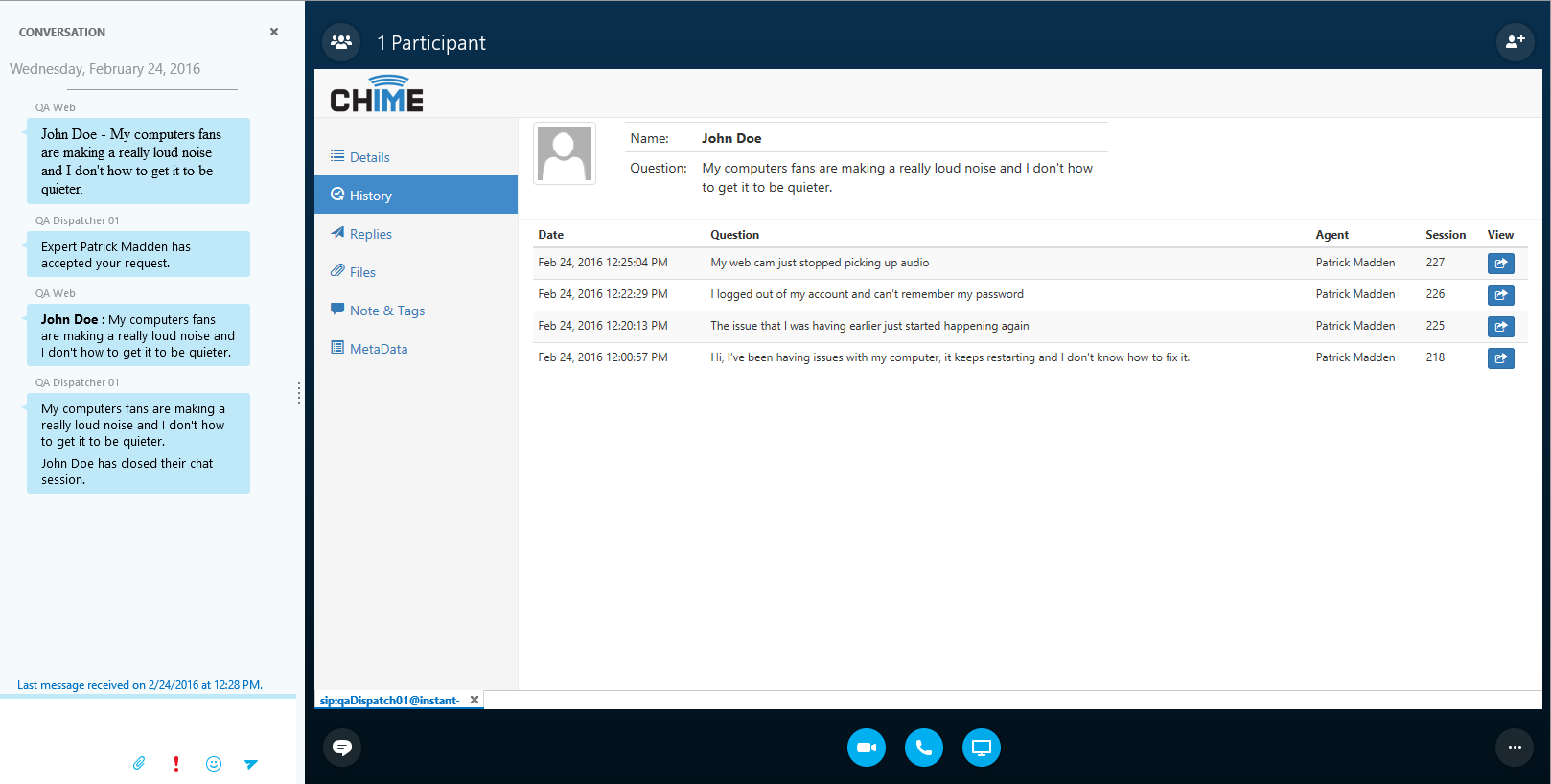
- Added in Enhanced UI for the Agent Assist Tool (2)
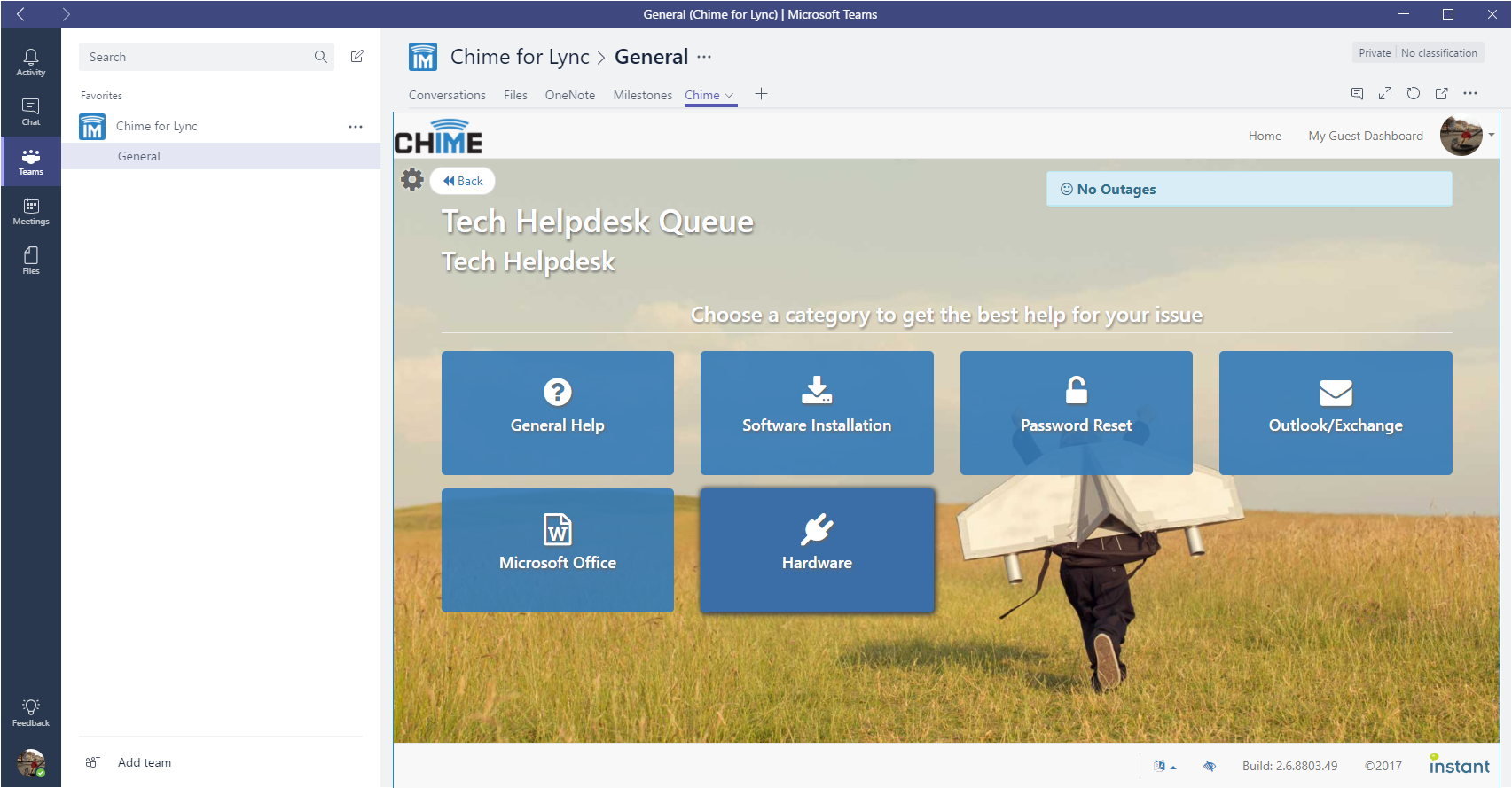
- Chime now has integration with Microsoft Teams (3)
- Additional Release Notes Context
Chime 2.6 Gold Service Release 8
Releases:
- v2.6.8828 (September 18, 2017)
- v2.6.8772 (September 6, 2017)
Details:
- Tighten up the maximum concurrent and active chat counter so that it is less likely that an agent will be prompted to accept more chats than their maximum concurrent limit
- Prevent the duplication of the seeker question when received during the Waiting state
- Remove the reset active chat count button
- Tweak alignment on manage queue page
- Resolve issue where specific reports were not loading additional details
- Fixed a Rollover Queue error with QueueUnavailable State (2)
- Added new System Variables to display wait time for last 60 minutes to waiting seekers (4)
- {SeekerAverageWaitTime}
- {SeekerAverageWaitTimeMinutes}
- {SeekerAverageWaitTimeLastHour}
- {SeekerAverageWaitTimeLastHourMinutes}
- Added the ability to accept a chat using both "y" and "Y"
Chime 2.6 Gold Service Release 7
Releases:
- v2.6.8738 (August 24, 2017)
Details:
- New accessibility based theme (toggle via footer icon or as menu under personal settings) to provide high contrast color option
- Address accessibility tabbing order and non-mouse based access in guest dashboard
- Accessibility tabbing order and non-mouse based access in agent dashboard
- Improve underlying HTML directives for screen readers
- Update CWE to always launch additional registered URLs in new browser window
Chime 2.6 Gold Service Release 6
Releases:
- v2.6.8496 (July 20, 2017)
Details:
- Fixed a timing sequence issue when downloading log files (#2922)
- Archiving a queue now removes the dispatcher from the queue (#2997)
- < br > HTML tag will no longer appear in the Skype/Lync client title bar (#3010)
- Agents will not be prompted for a context window plugin if Enable Agent Context Window is set to "No" (#3012)
Chime 2.6 Gold Service Release 5
Releases:
- v2.6.8429 (July 14, 2017)
- v2.6.8405 (July 12, 2017)
Details:
- Fixed an issue where a chat may remain waiting due to failures in conference escalation (#2966).
- Fixed an issue where ignoring a chat would not route to a new agent immediately (#2983).
- Fixed an issue where after an agent accepts a chat, sets their status to Do Not Disturb, and ignores the 2nd conference escalation toast, the chat became stuck (#2984).
Chime 2.6 Gold Service Release 4
Releases:
- v2.6.8388 (July 10, 2017)
Details:
- UI Improvement - When initially Editing a schedule in the row, the default time is set from 9:00 AM to 5:00 PM
- UI Improvement - If a user times out, they are now redirected to a role-appropriate page
- Agents redirect to Agent Dashboard
- Reviewers, Managers, and Admins redirect to the System Dashboard
- Guests are directed to the Home Page
- Added a setting to configure the Queue Dashboard Refresh Interval
- Fixed an issue where the timeout value for the Routing Tag Menu would default to 0 instead of 60
- Queue target values (ASA/Chat concurrency/Chat duration) now have default values (#2902)
- Queue Scheduling Issues - times appeared to shift after saving (#2915)
- Queue Dashboard Issue - does not update with # waiting (#2916)
- Agent Refresh button updates the ASA details not the agent IM status from the Queue Dashboard (#2918)
- Skills based routing "0" option "lost" the chat (#2919)
Chime 2.6 Gold Service Release 3
Releases:
- v2.6.8294 (June 21, 2017)
Details:
- Fix SIP validation error with certain domains
- Fix error in config wizard where you could not add an Administrator to Chime with no email address
Chime 2.6 Gold Service Release 2
Releases:
- v2.6.8267 (June 15, 2017)
Details:
- Virtual Agent API now supports getting the email address of the session expert.
- Some minor UI fixes
- When there is a server response error, show details about the response in the Chime offline component
- Fix issue where outage start and stop times weren't being converted to UTC
- Fix transition error when Guest Dashboard is disabled
- Various other minor bug fixes
Chime 2.6 Gold Service Release 1
Releases:
- v2.6.8209 (June 7, 2017)
Details:
- Various stability and performance improvements
- Various small bug fixes
- Added in an option to change the number of tags to display per page on the Home Page
-
Alerting Updates:
- Improved caching of alert recipient display names. This should improve performance when reviewing alert history, and keep the UI from spinning when trying to do lookups for all the alert recipients.
- Reworked recipient file upload and processing. We’ve identified a few potential areas that could cause problems here, and think this should work better for you as well.
- Made changes to alert delivery requests to the Skype for Business server. We identified a few areas where this might have hit some throttling issues when communicating with the server. We have made some optimizations here in how we are determining presence and sending alerts
- Added fine-tuning options for CPU performance with alert delivery. We added a setting we’re calling “Alert Parallelism” that we can use to control how much of the CPU resource we’ll try to use when sending alerts. This setting is in the Admin > Settings > Advanced area. By setting this to 1 or 2 (we default to 1), we can limit the resources we use when sending the alert, which should prevent the server from locking up when sending large alerts.
Chime 2.6 Gold
Releases:
- v2.6.8082 (May 24, 2017)
Details:
-
Brand New Guest Experience
- With the new Chime Home and queue pages, guests can now come and search through categories and get connected to an agent via skill tag routing.
- Guests can also choose a number of settings such as background, layout, and theme.
-
Improved Deflection and Routing
- Managers can now create and configure routing tags at the queue level. They can create and assign suggestions to queue routing tags that will be displayed to the guest on the home page
- Suggestions can have a significant impact on deflecting guests through self help, and those that do need to chat can be routed to the agent that is assigned that routing tag for quick and specialized support
-
Stability and Performance
- The development team is on the cutting edge of new roll-outs with the Skype for Business Online API, and we’ve been able to achieve 10x performance improvement for alerting with new changes to the UCWA API
- The new Chime Health Monitor app and API provides comprehensive health monitoring of the system and will notify admins within minutes if the service loses functionality.
-
Integration, Alerts, and Reporting
- Alerts support multiple languages, ability to upload alert recipients from a .txt file, and more.
- There are a dozen new charts and reports.
-
Internationalization
- The entire Chime app now has the ability to be translated into another language at the click of a button.
- Each guest and user can set their own language preference from a list of languages in the footer. Currently, we support English, German, Spanish, French, and Finnish.
- To view the full release notes of Chime for Lync 2.6 Gold, please visit the What's New page.
Chime 2.5 Gold Service Release 4
Releases:
- v2.5.7869 (April 26, 2017)
- v2.5.7729 (April 11, 2017)
Details:
- Performance improvements for sending alerts
- Logging enhancements for alerts
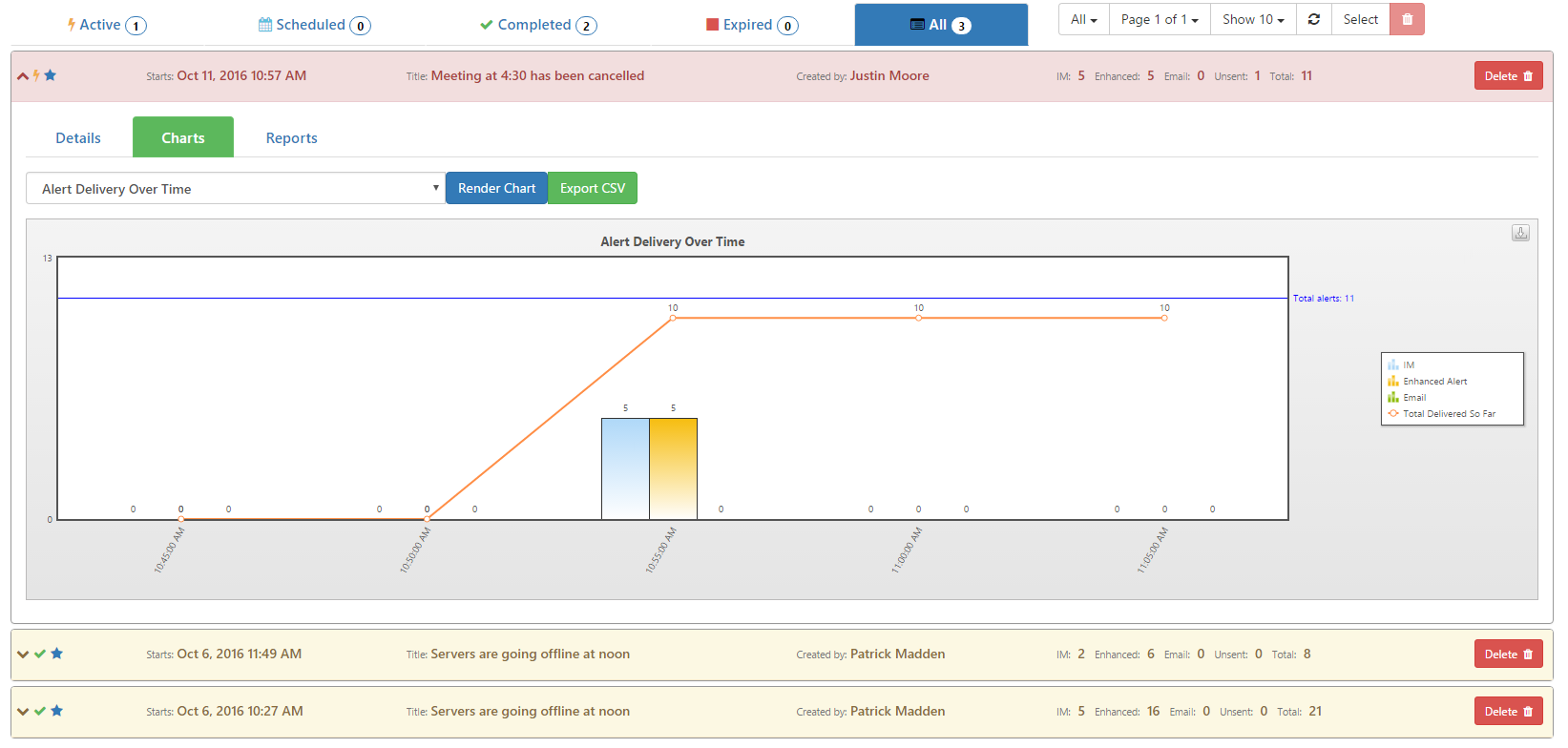
- Reduce the time intervals in the Alert Delivery Over Time chart for better statistics
- Fix issue with toggling the enhanced alert setting and the 'send on behalf of' setting when creating an alert from a template
- Address bug that would miscount the number of connected chats for an expert
- Fix bug in dashboard and reports that displayed incorrect number of connected and completed chats (specific reports: Connected v. Unconnected, Chat Statistics, and Conversations by Seeker)
Chime 2.5 Gold Service Release 3
Releases:
- Service Release 3 - v2.5.7583 (March 23, 2017)
Details:
- Add web client sound notifications
- Fix custom web client re-sizing bug in IE
- Office 365 queue stability improvements for UCWA
- Support for uploading alert recipients by username or display name
- Added a refresh button to ensure the context window always displays the chat link
Chime 2.5 Gold Service Release 2
Releases:
- Service Release 2 - v2.5.7270 (February 23, 2017)
- Service Release 2 - v2.5.7242 (February 17, 2017)
- Service Release 2 - v2.5.7226 (February 14, 2017)
Details:
- Various stability and performance improvements related to UCWA (Skype Online) based queues
- Dramatically reduce logging related to agent presence and possible overlapping event subscriptions which may generate excess log files
- Alert dispatching performance improvements - typically more than 3x performance improvements
-
Alerting Updates:
- Improve how overlapping scheduled alerts are dispatched
- Don’t send email to people if alert has been manually stopped
- Added support for displaying embedded video in Alert Assistant client application
- Added a new ability to upload a text file of SIPURIs with a list of alert recipients
- Dramatically reduce writes to QueueAvailability table
- Installation improvements related to SSL configuration
- Resolved issue where agent presses ‘y’ and request is not received due to additional HTML padding
- Resolve several issues importing people from AD group where certain people did not have a first or last name
Chime 2.5 Gold Service Release 1
Releases:
- Service Release 1 - v2.5.6982 (January 18, 2017)
Bug Fixes:
- Reduce volume of agent presence change records written to the Chime QueueAgentAvailability table.
- Improve performance of the Queue and System dashboards
- QueueAgentAvailabilityArchive table added, for storing older agent availability data.
- Fix for uploading files through the web client and agent context window extension when the chat session ID contained certain characters.
- Fix display error for status of alert group whitelist status for reviewers
- Report to show agent availability in a queue for data that has been archived to the QueueAgentAvailabilityArchive table.
Chime 2.5 Gold
Releases:
- Gold - v2.5.6330 (December 7, 2016)
Main New Features:
- Chime for Office 365 version now supports UCWA
- Totally redesigned Admin section UI
- Added several links to the new Help section on the Chime website
-
Added 3 new 'out of the box' Virtual Agents
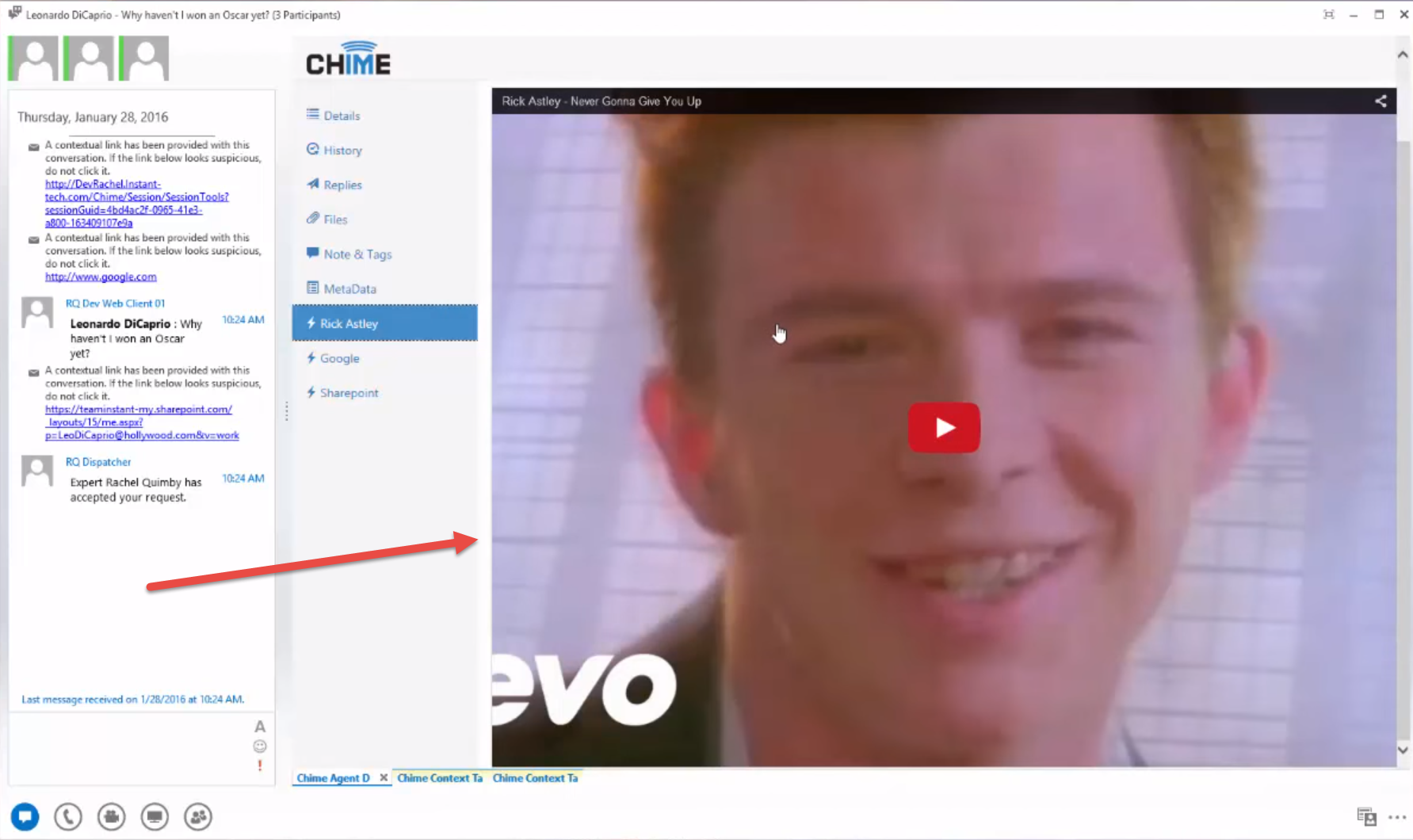
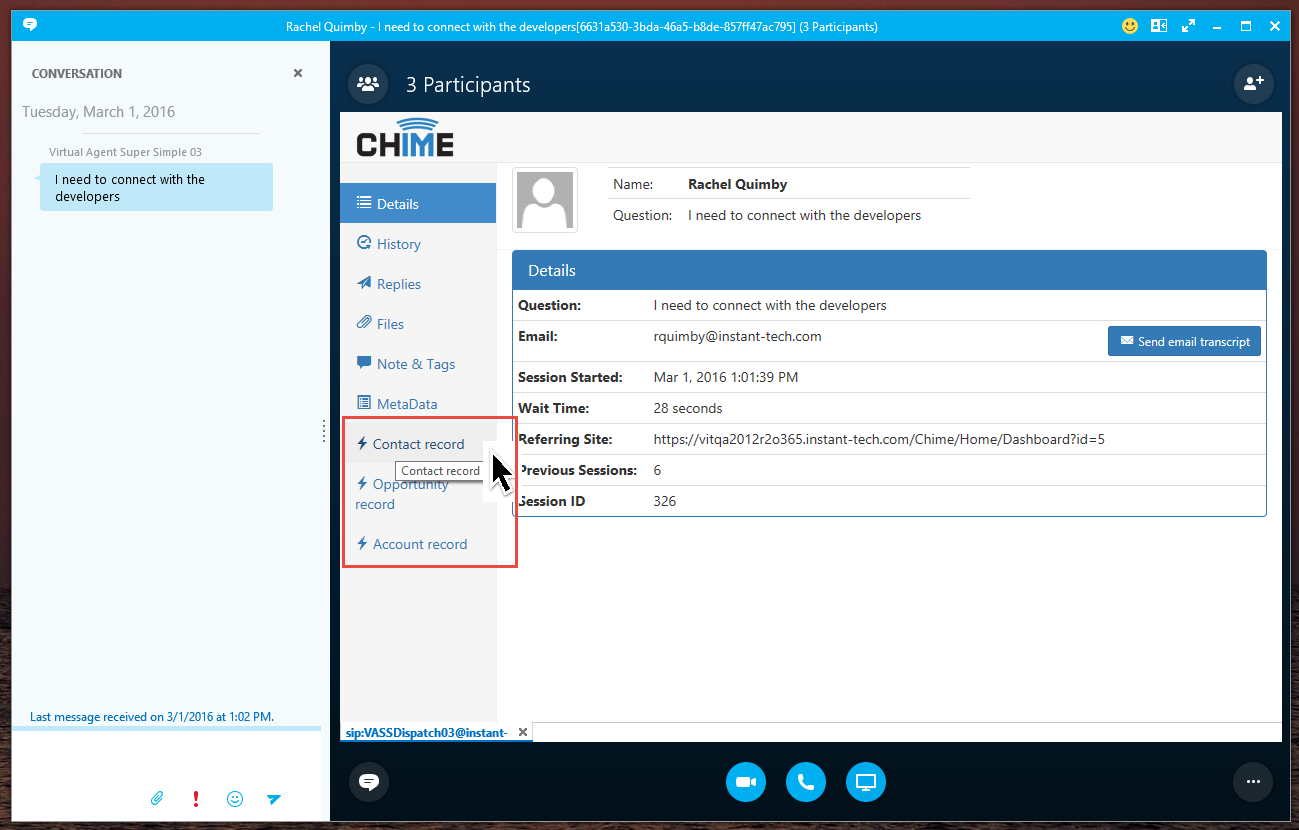
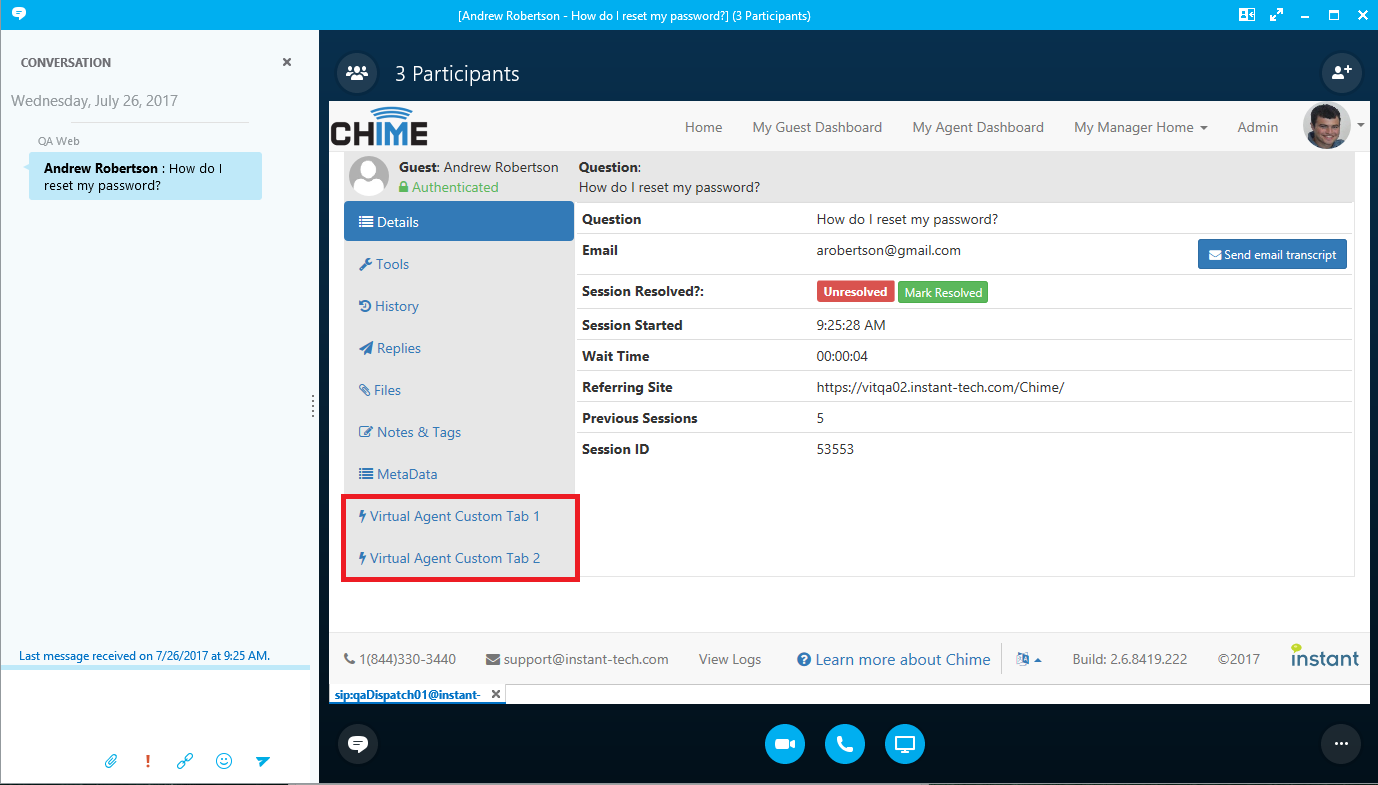
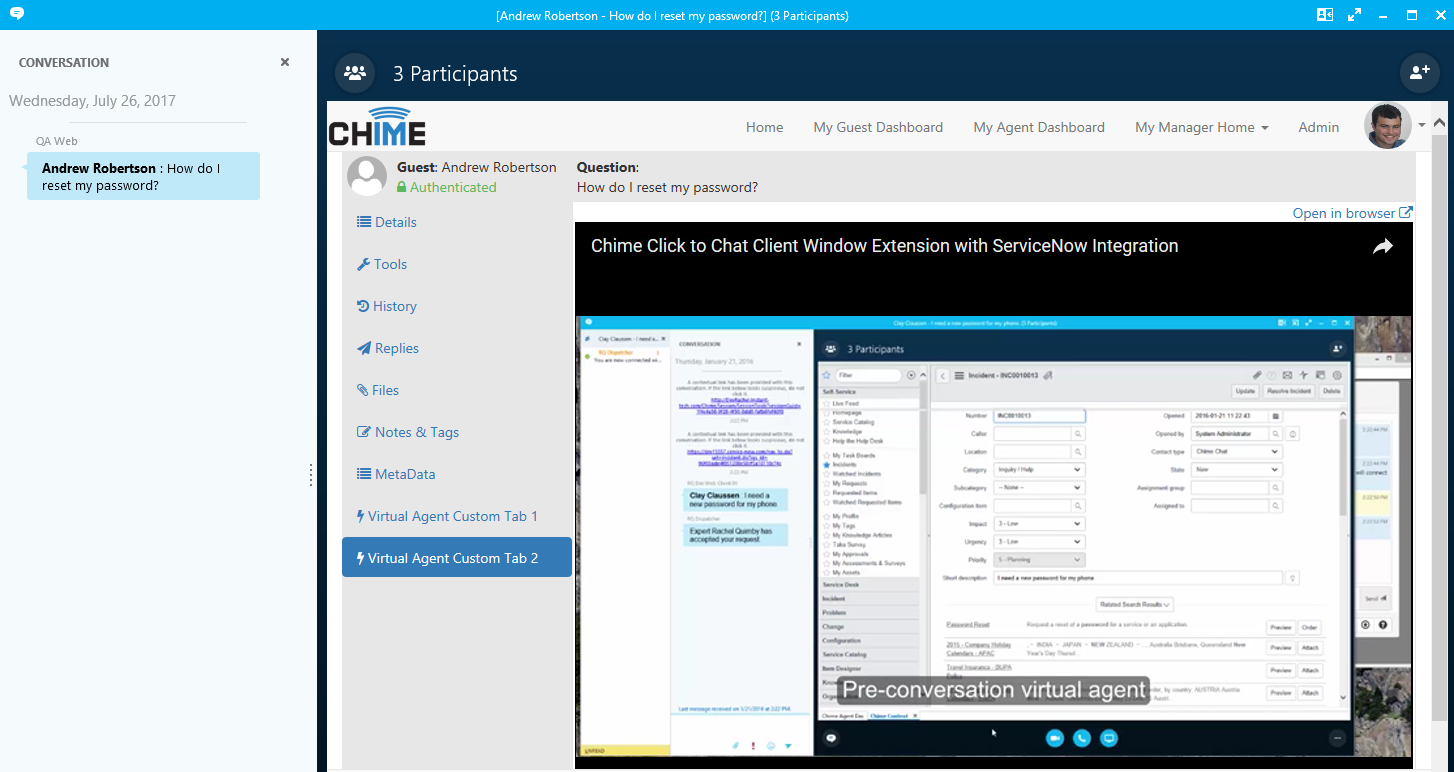
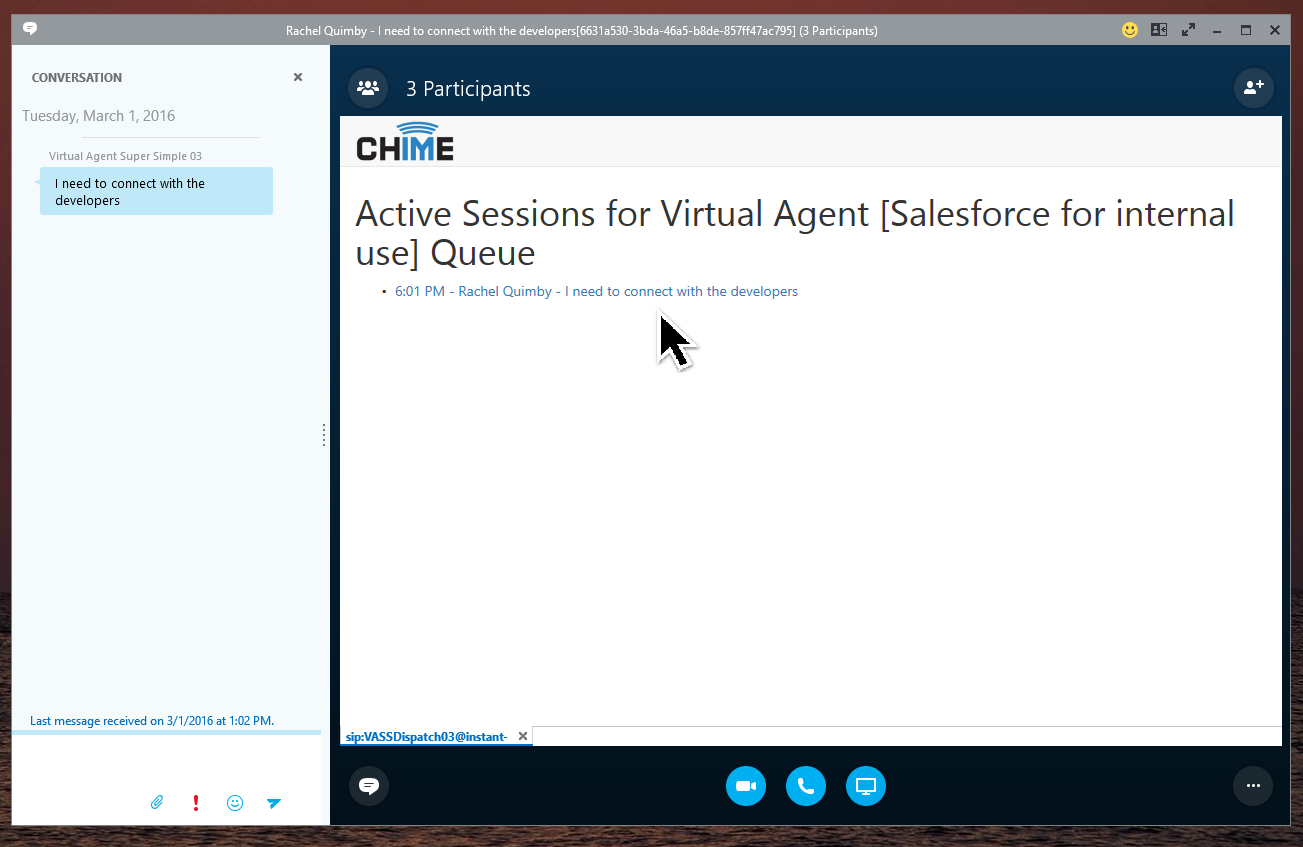
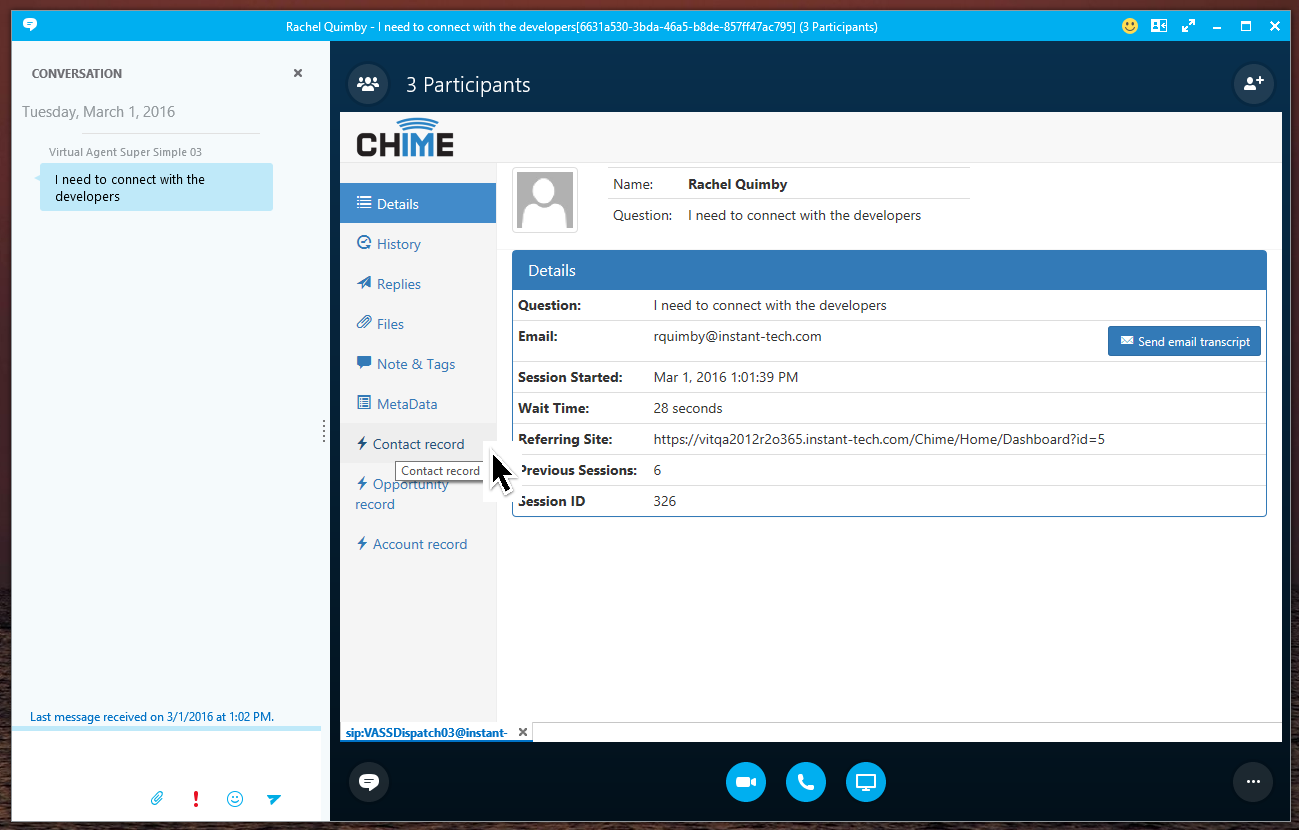
- Add Custom Tabs to Context Window Extension (Pre-conversational VA)
- Resolve All Sessions (Post-conversational VA)
- Detect Questions That Are Too Short (Conversational VA)
- Ability to set outage information as the queue dispatcher's Lync/S4B status message
- Increased character limit of alerts from 1000 to 4000
- Disabled agents can now initiate a chat with their own queue
- Added tab in Session Details to display the routing history of the seekers session
- Increased the max number of concurrent chats to 10
- Ignored and declined chats now have different labels in routing history
- Added ability to add comments to a chat from Session Details
- Added ability to add session tags from the Session History popout
- New ability for agents/managers to resolve other agents' unresolved sessions
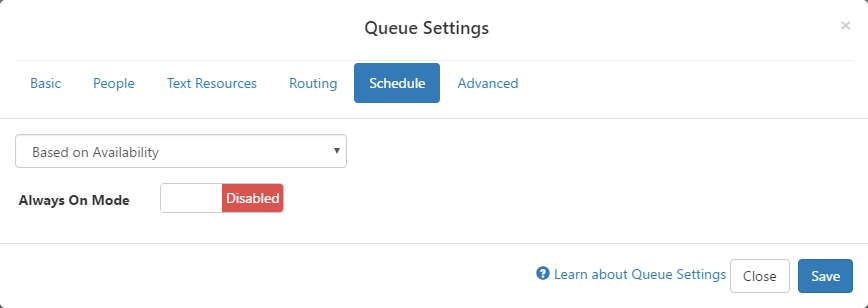
- New 'Always On' mode for queues
-
Charts and Report Updates
-
New Queue Level Charts
- Most Common Question Keywords
- Unresolved Sessions
- Added in Target chat concurrency value into charts
-
New Queue Level Charts

More Videos:
Bug Fixes:
- Fixed issue where virtual agents might not have been associated with a queue correctly
- Fixed issue: Unable to receive alerts when dispatcher is the same account as the recipient
Chime 2.4 Service Release 3
Releases:
Main New Features:
-
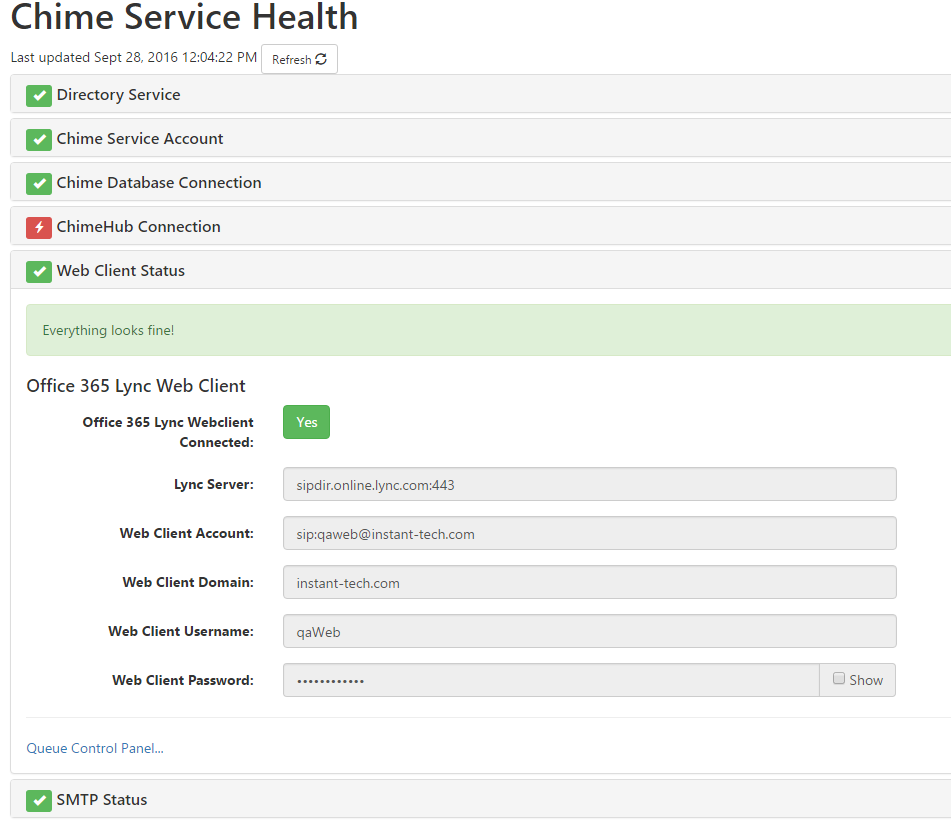
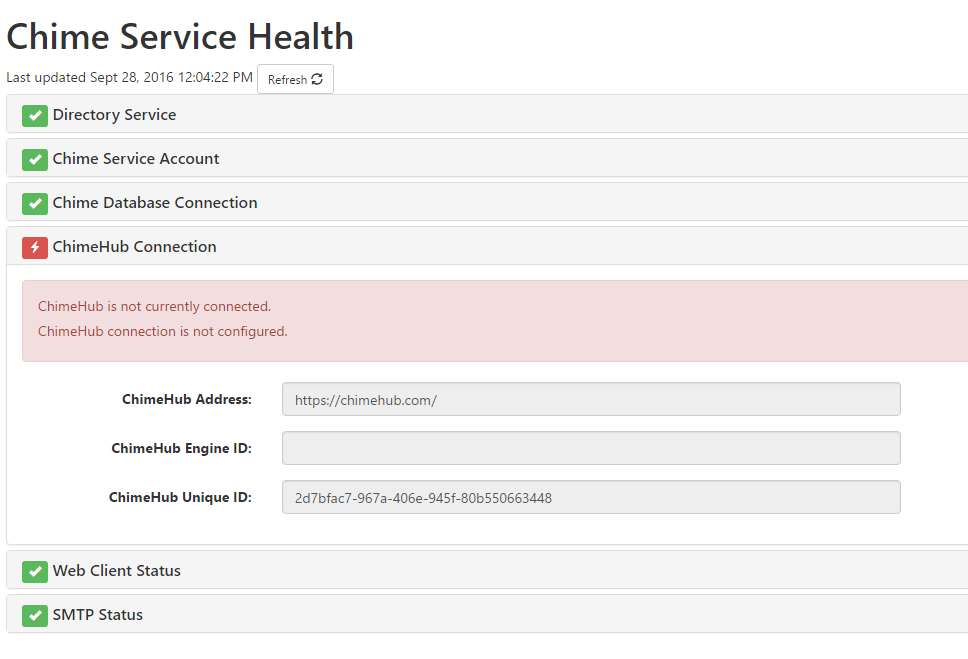
Chime System Health Monitor:
- Allows admins to quickly view the status of the various system that Chime controls or is connected to
- Health Monitor (3)
- New Alert Features:
-
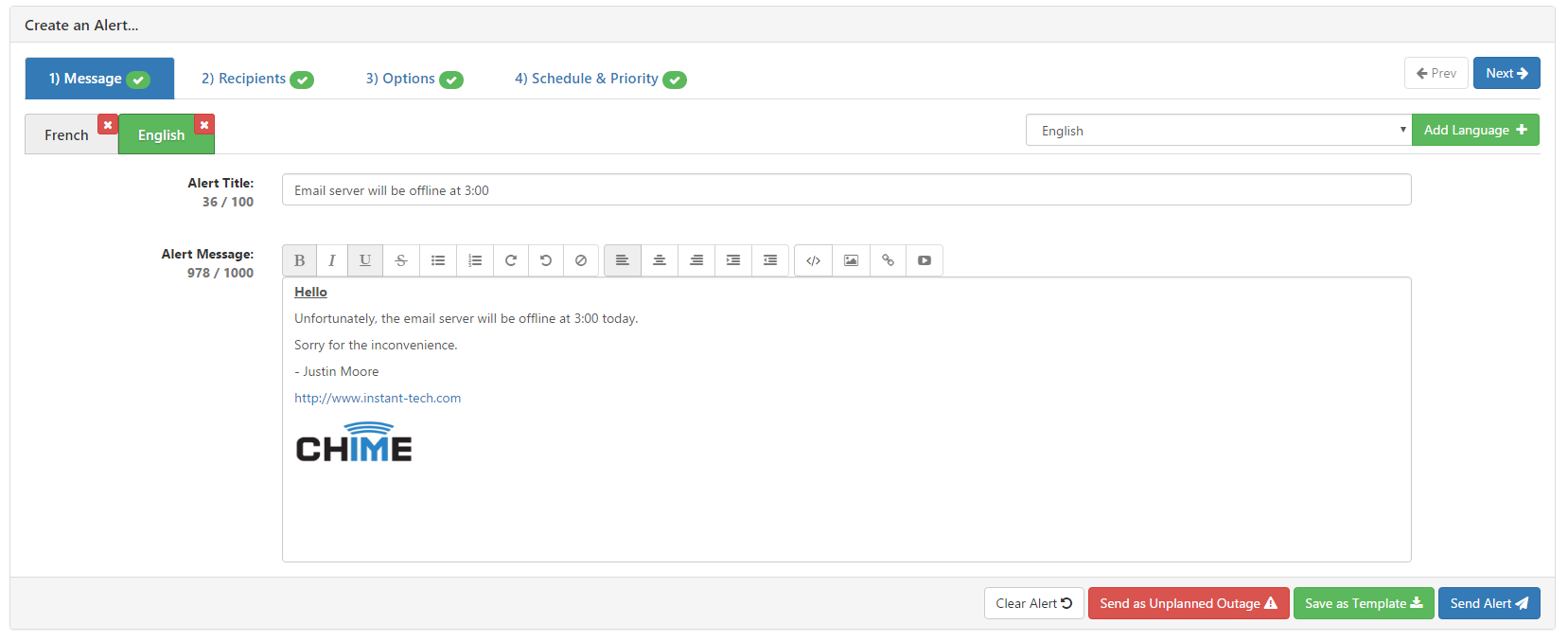
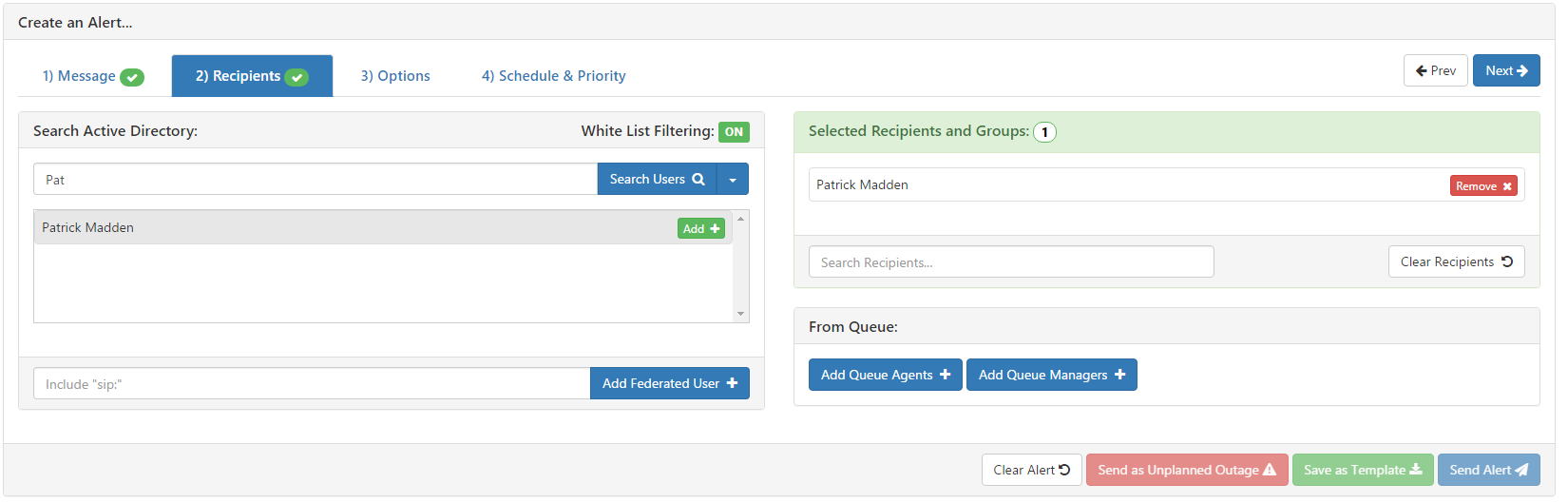
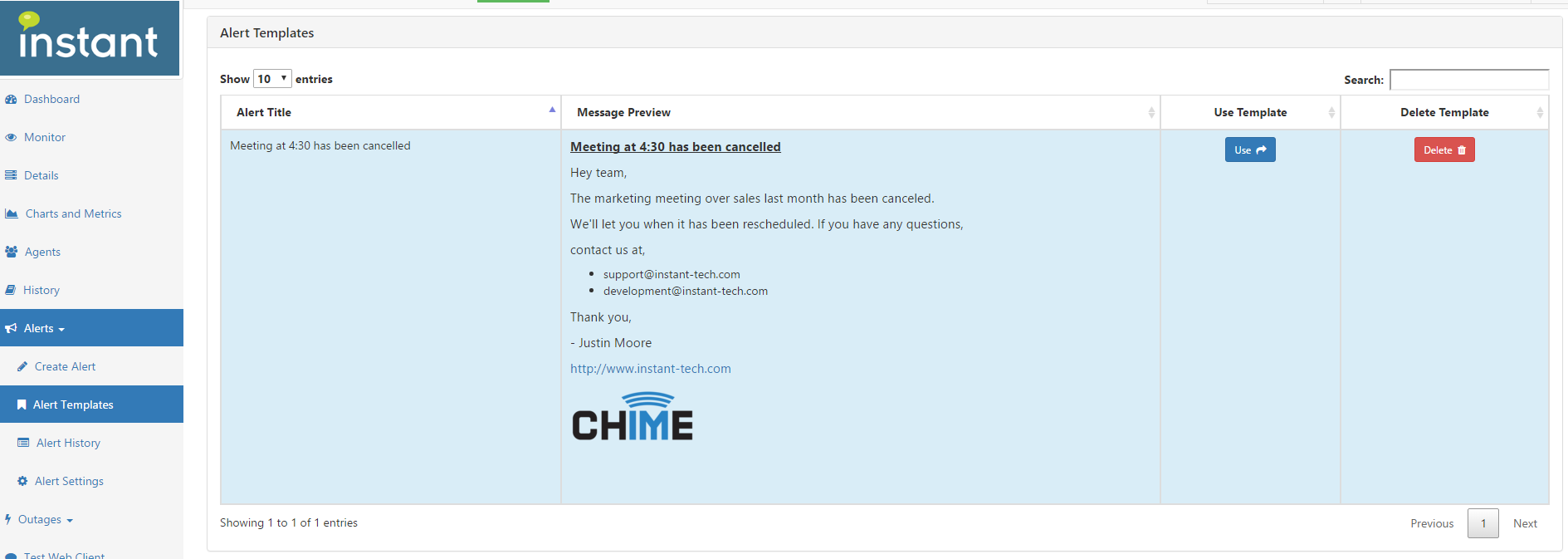
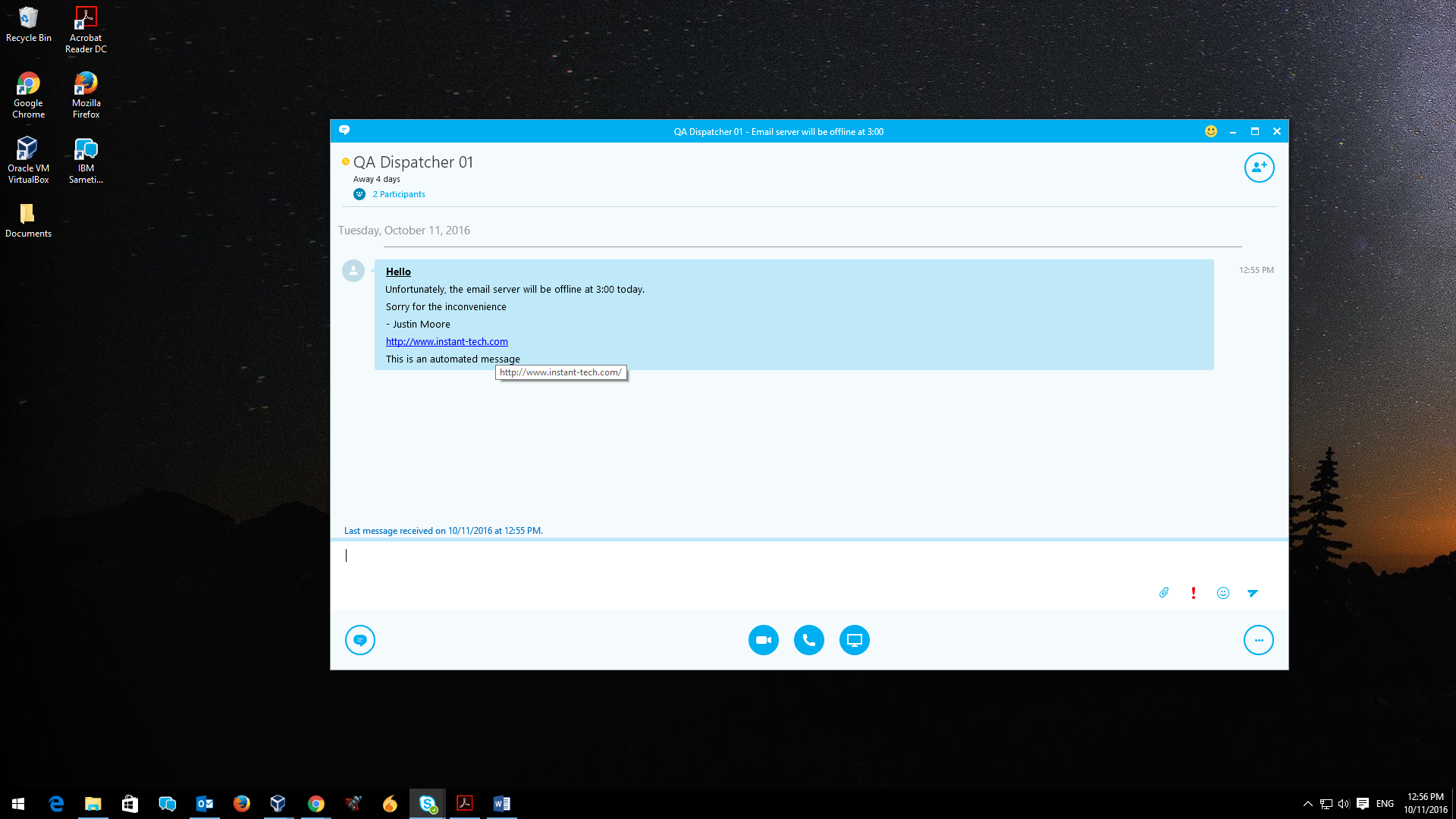
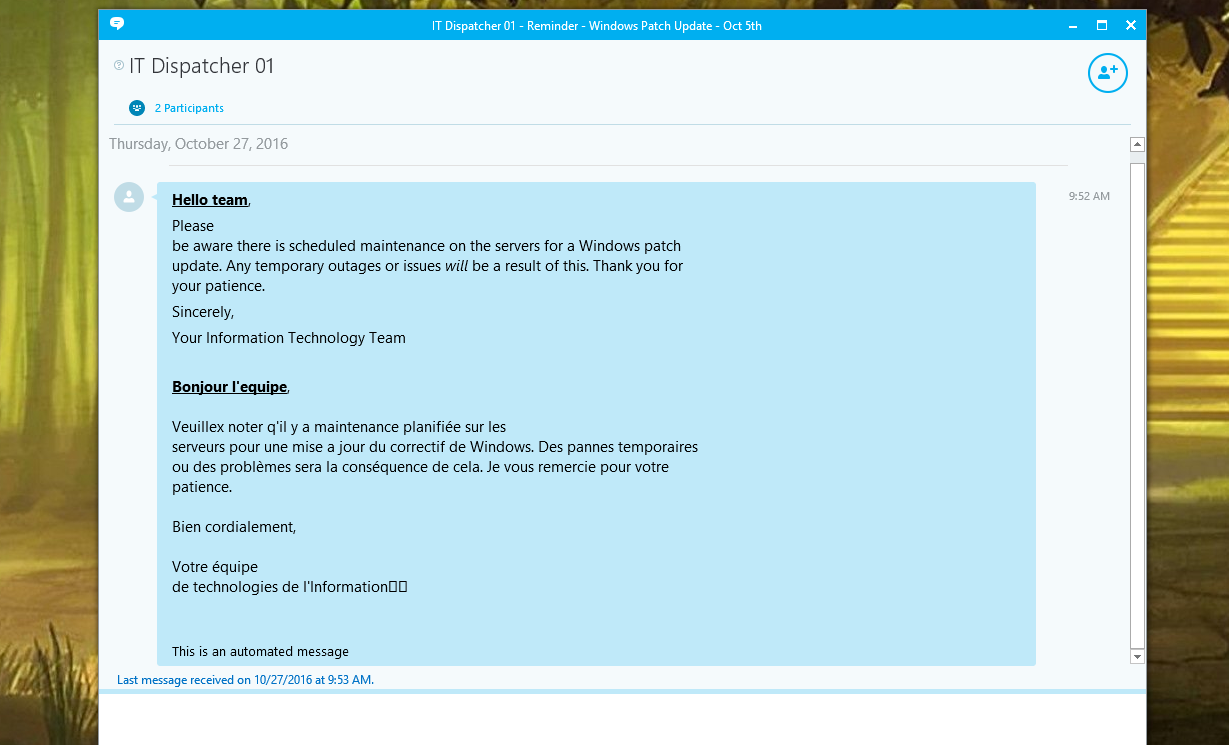
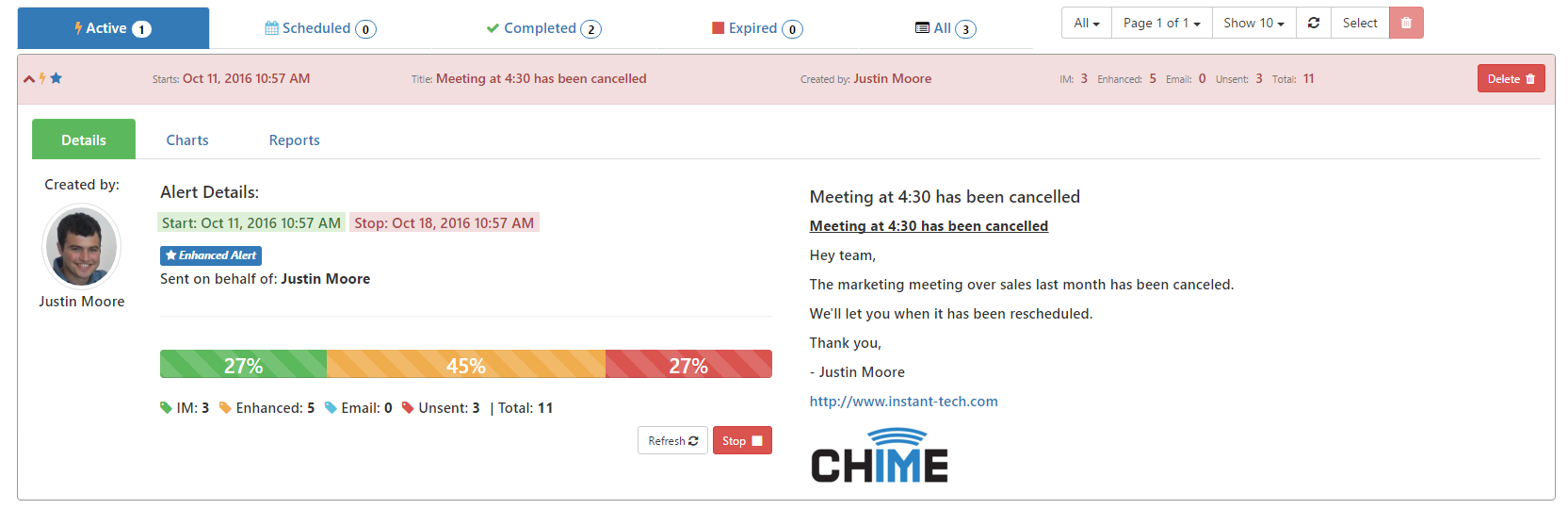
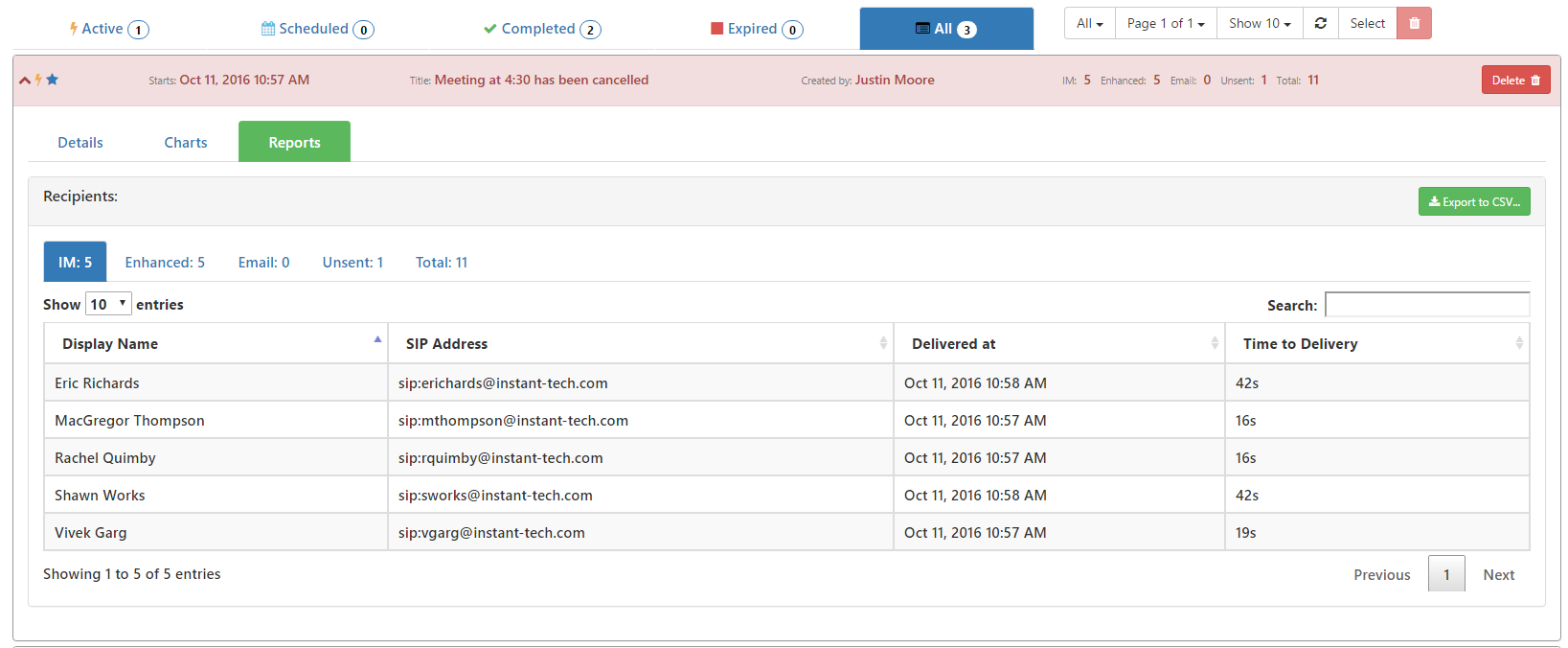
Full slideshow of new alert features (28)
-
Enhanced Alerting Features:
-
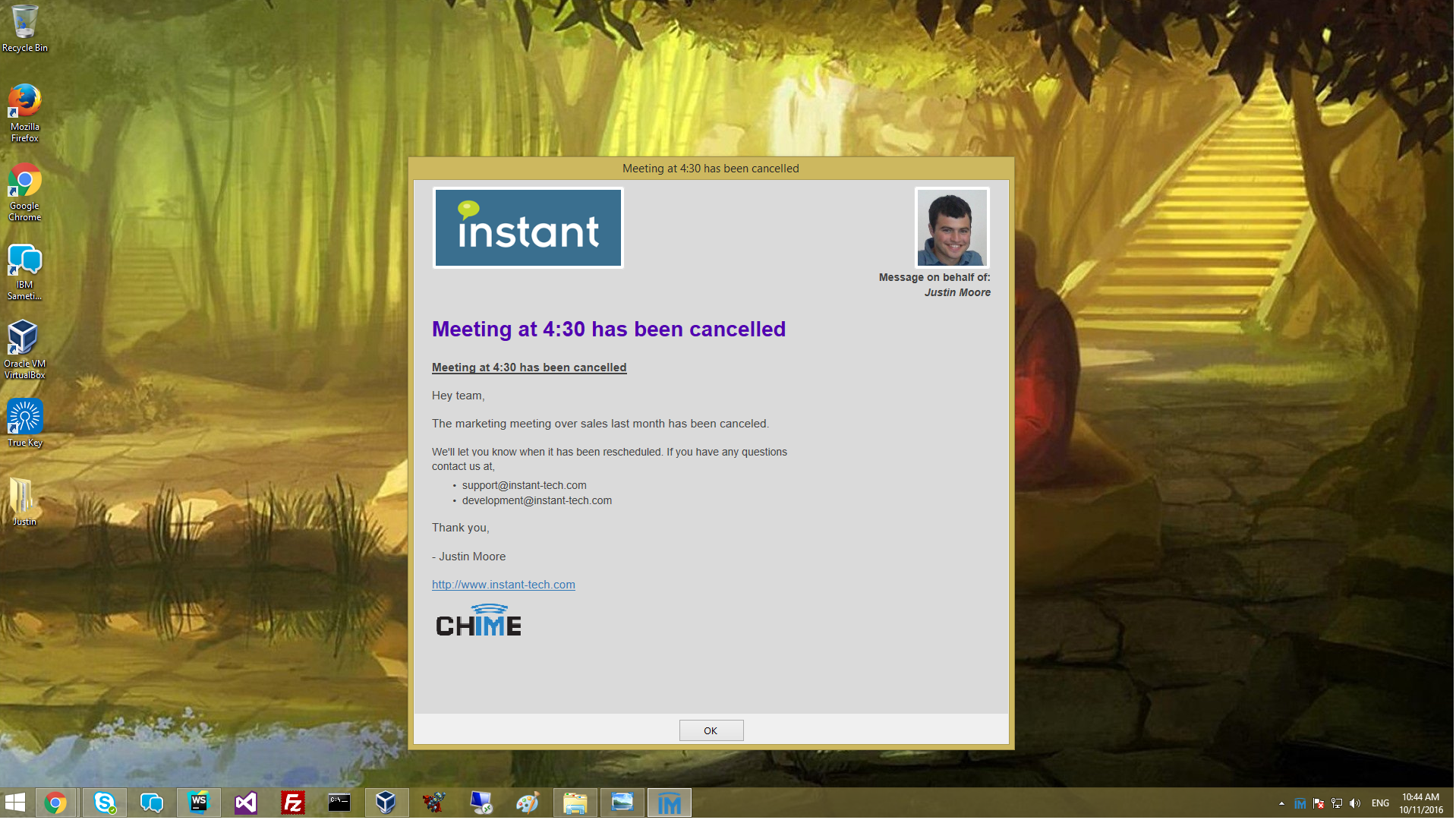
Desktop application that can display “Enhanced” alerts
-
When using out alerting application, alerts will be displayed outside of the
Lync®/Skype for Business client, allowing for greater visibility.
- Sender can define the size and position of the alert
- Alert desktop application
-
When using out alerting application, alerts will be displayed outside of the
Lync®/Skype for Business client, allowing for greater visibility.
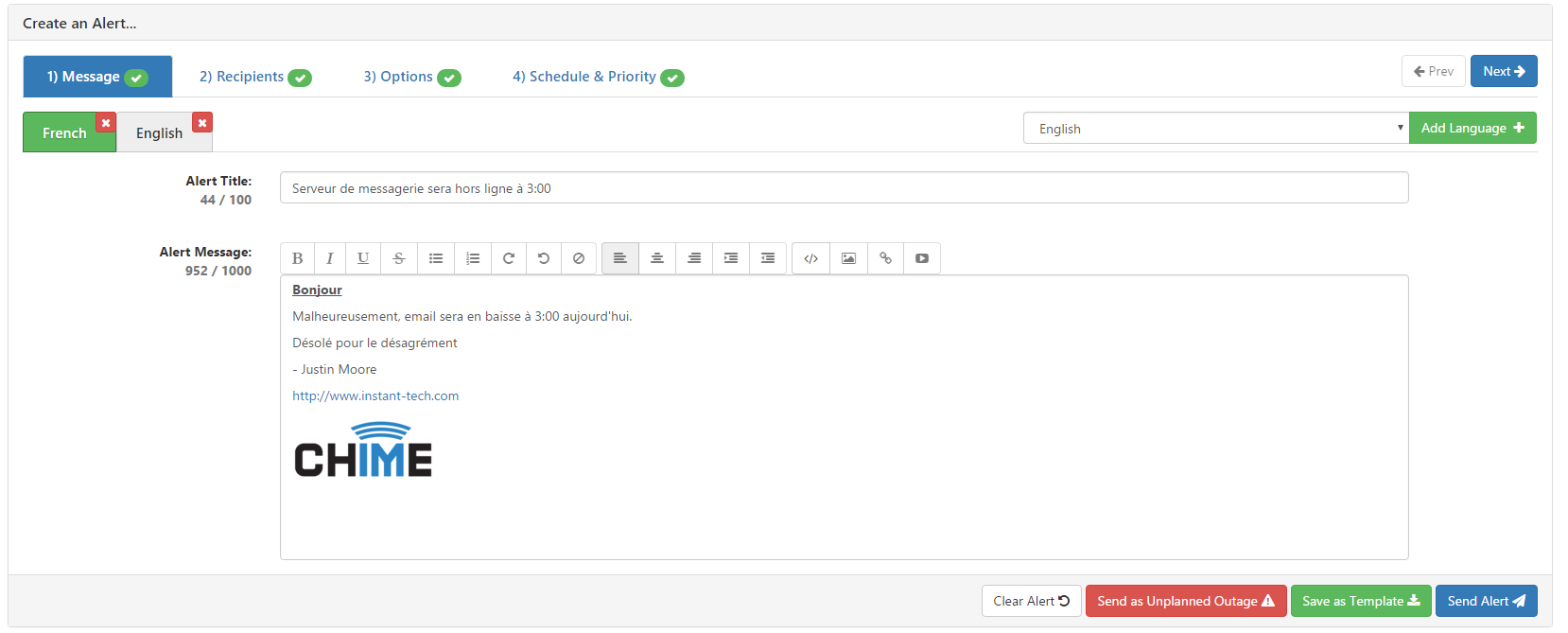
- Send alerts with rich text formatting
-
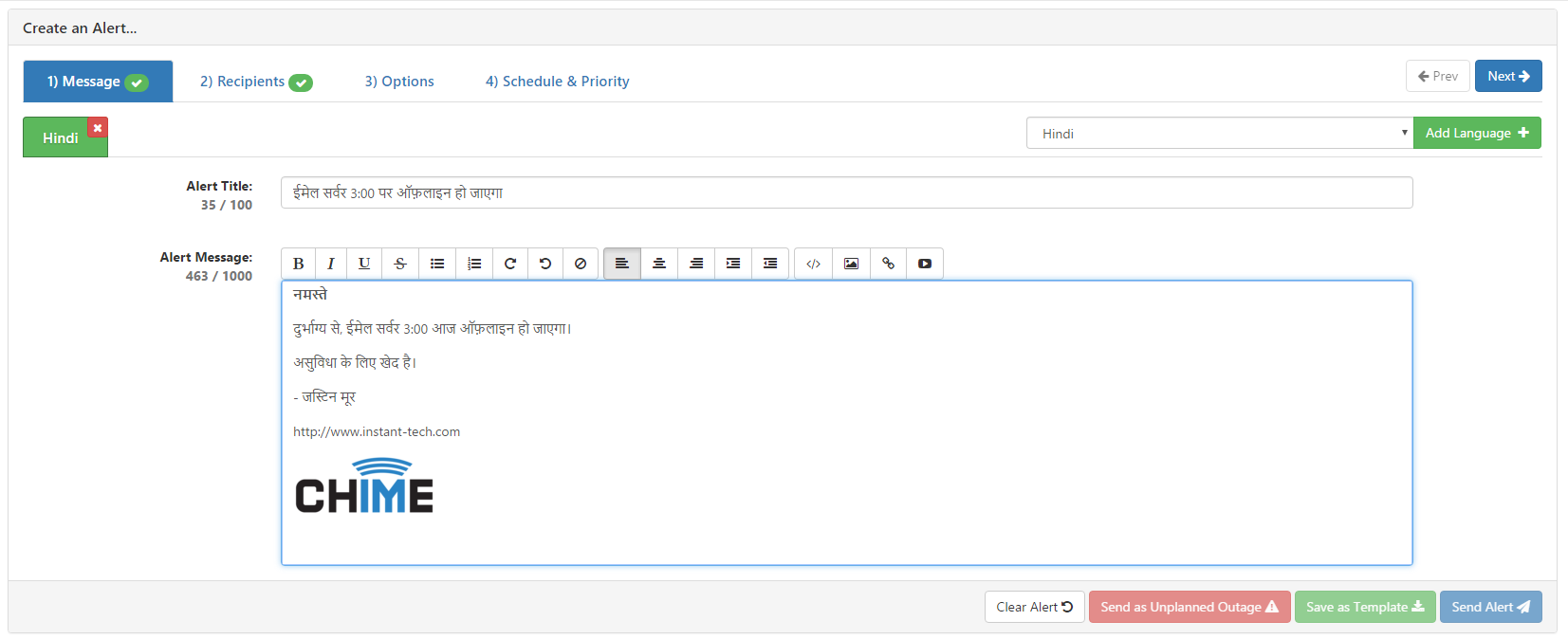
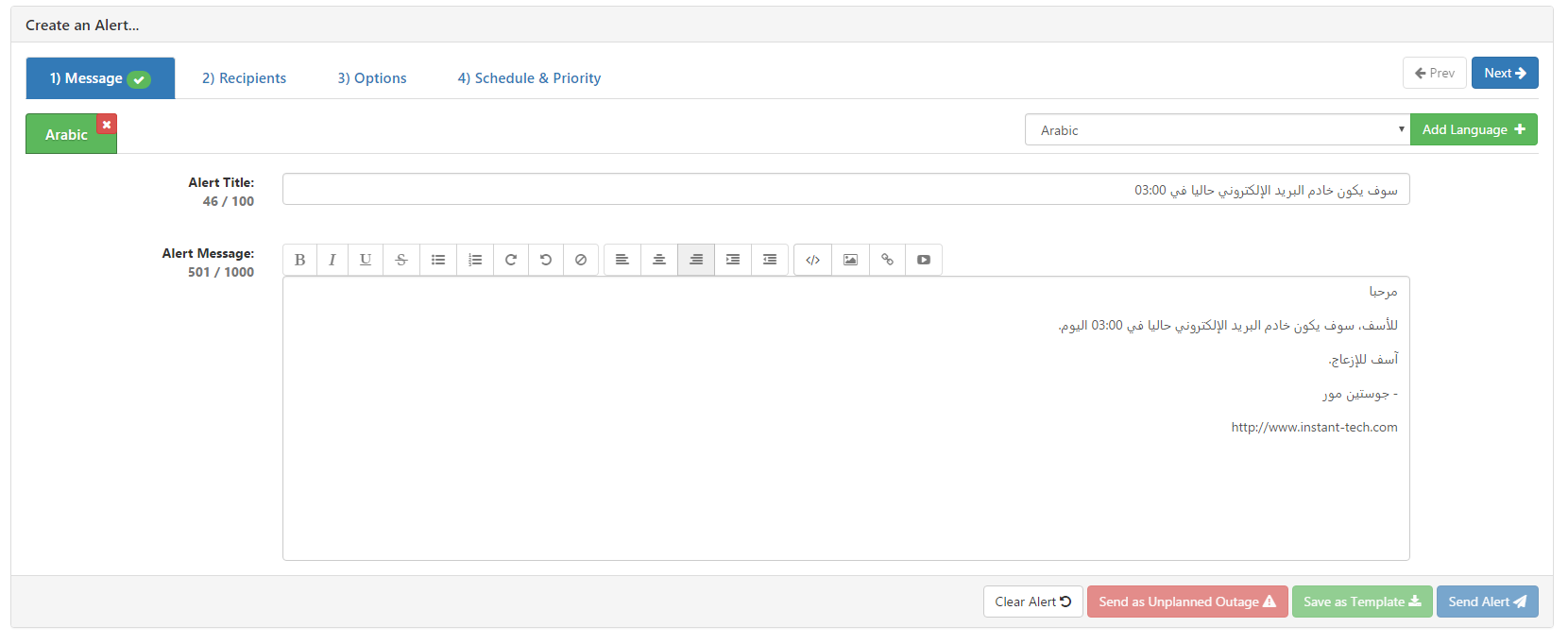
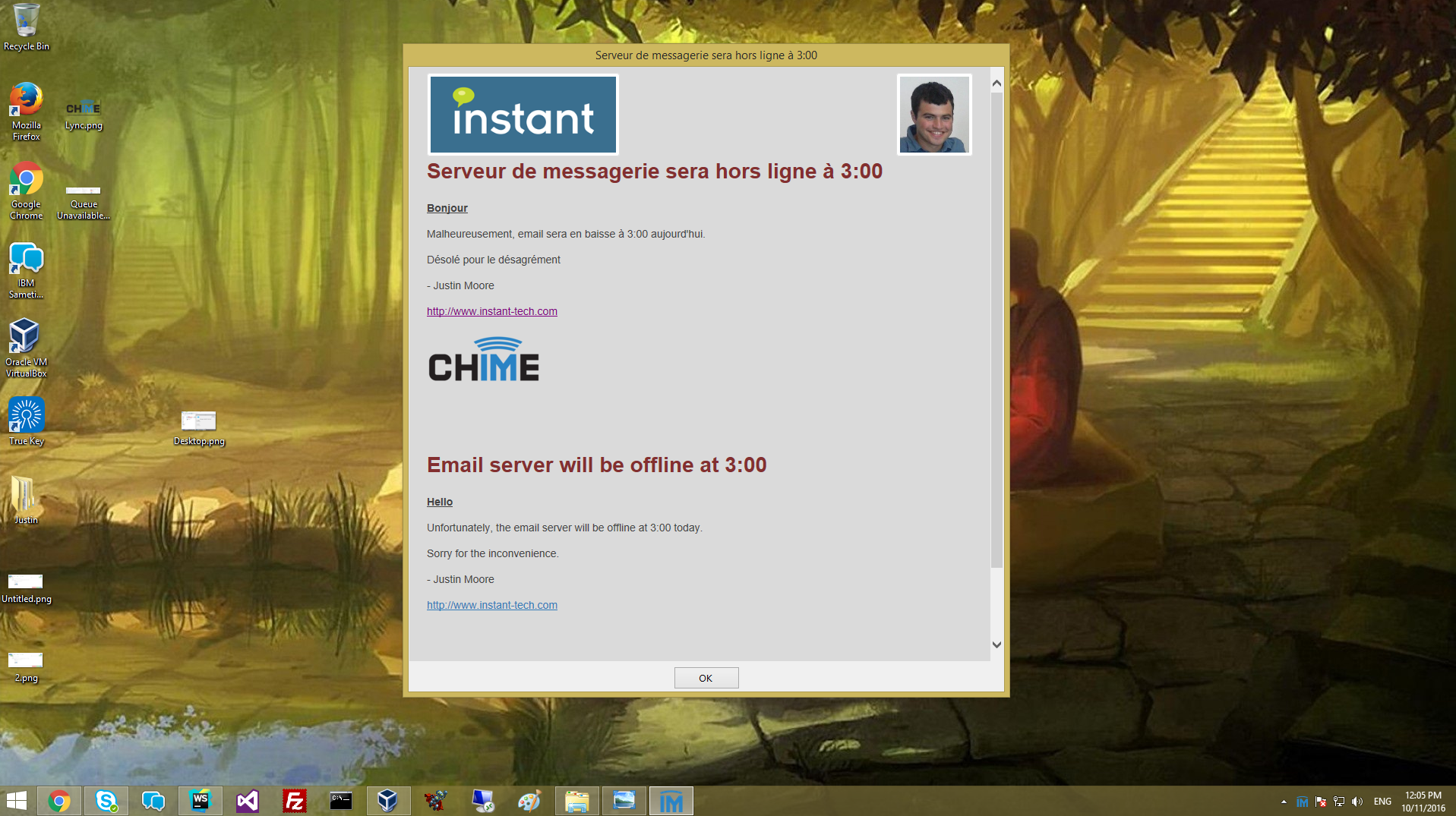
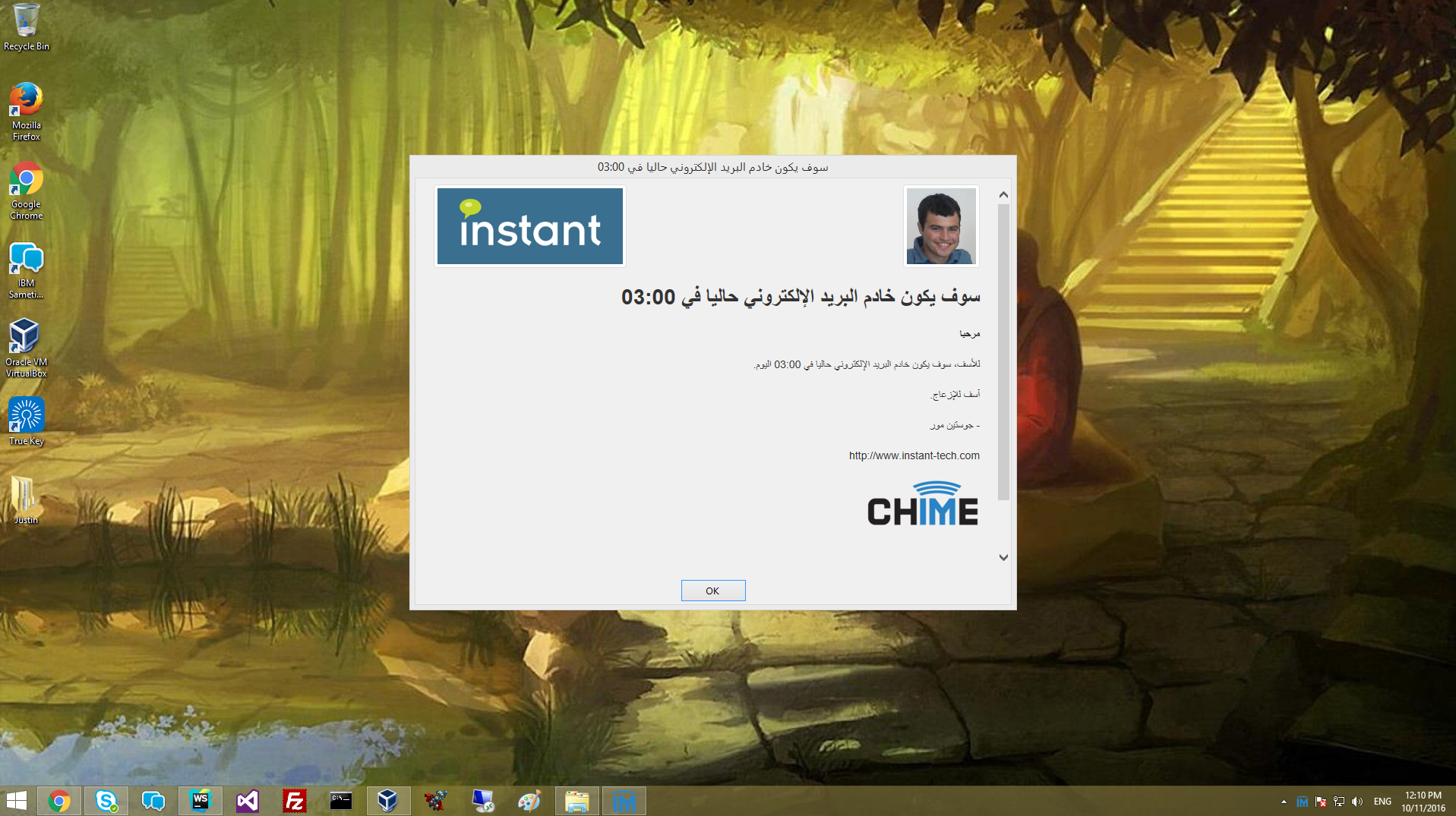
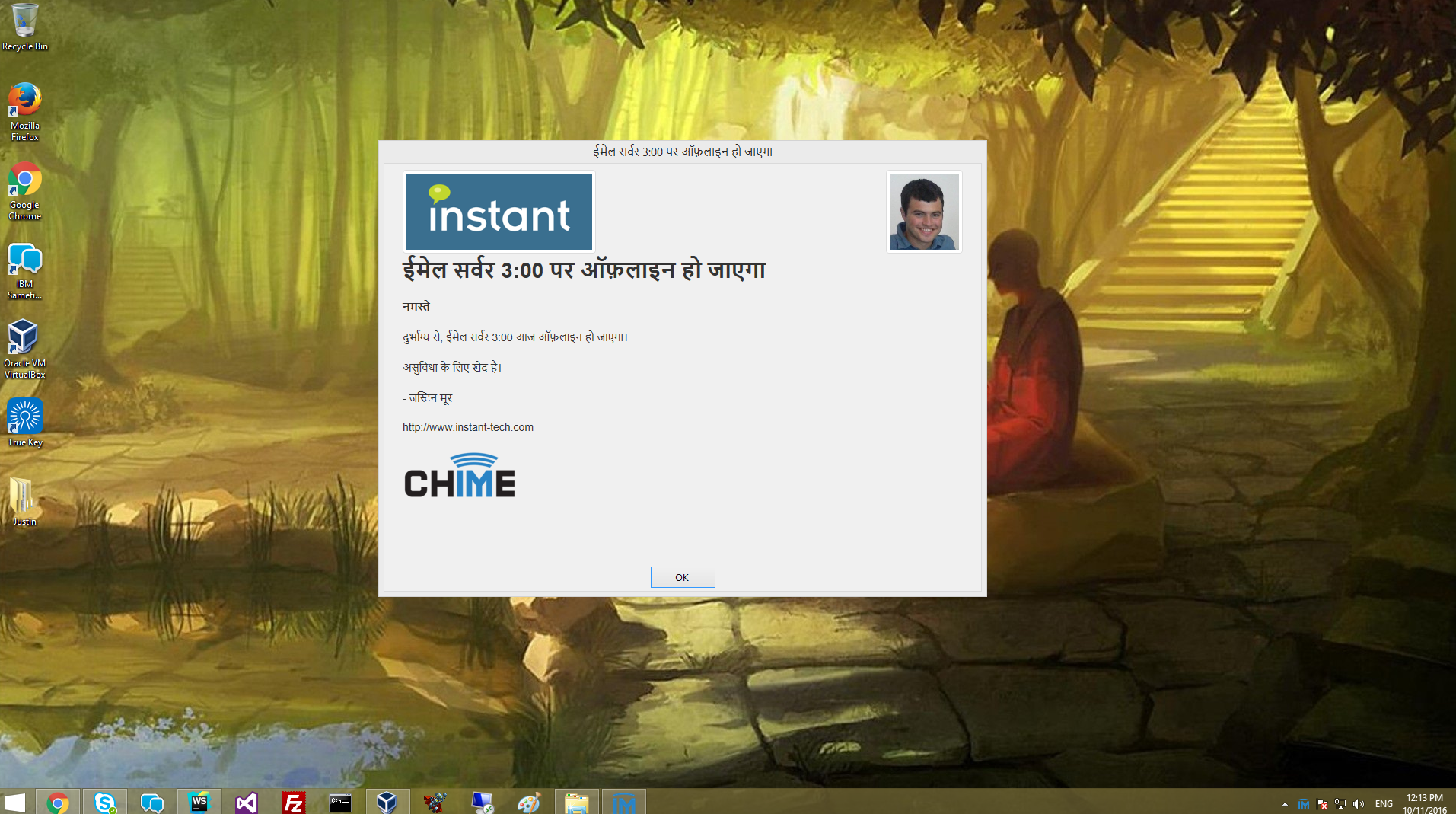
Send alerts in multiple languages
- Right to Left and Left to Right language support
- Multi-language alerts
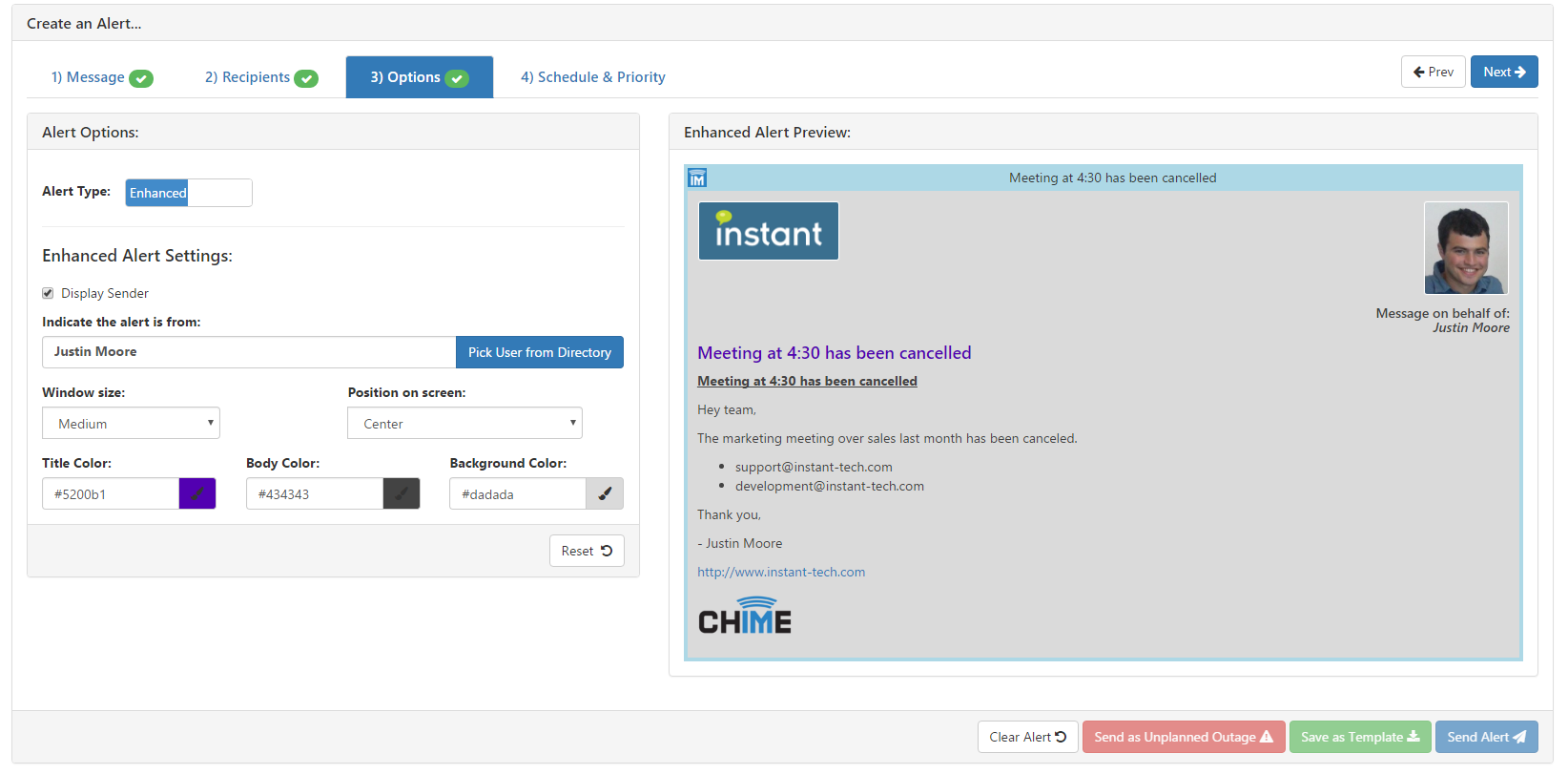
- Include the queue and sender pictures
- Preview the Enhanced Alerts before they are sent.
-
Desktop application that can display “Enhanced” alerts
-
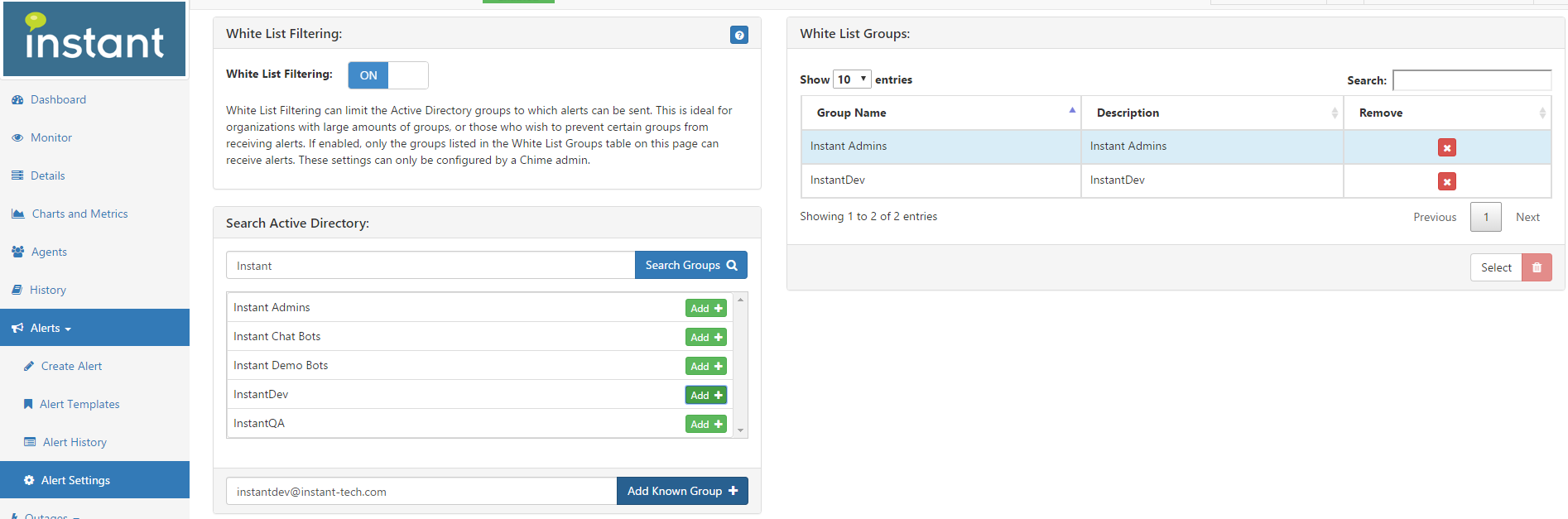
Whitelist AD group recipients per queue
- This allows queues to be restricted to AD groups that a Chime Administrator defines. These AD Groups will be used for directory searching when selecting the users/groups whom will receive alerts.
- Whitelist settings
-
New Alerting based charts
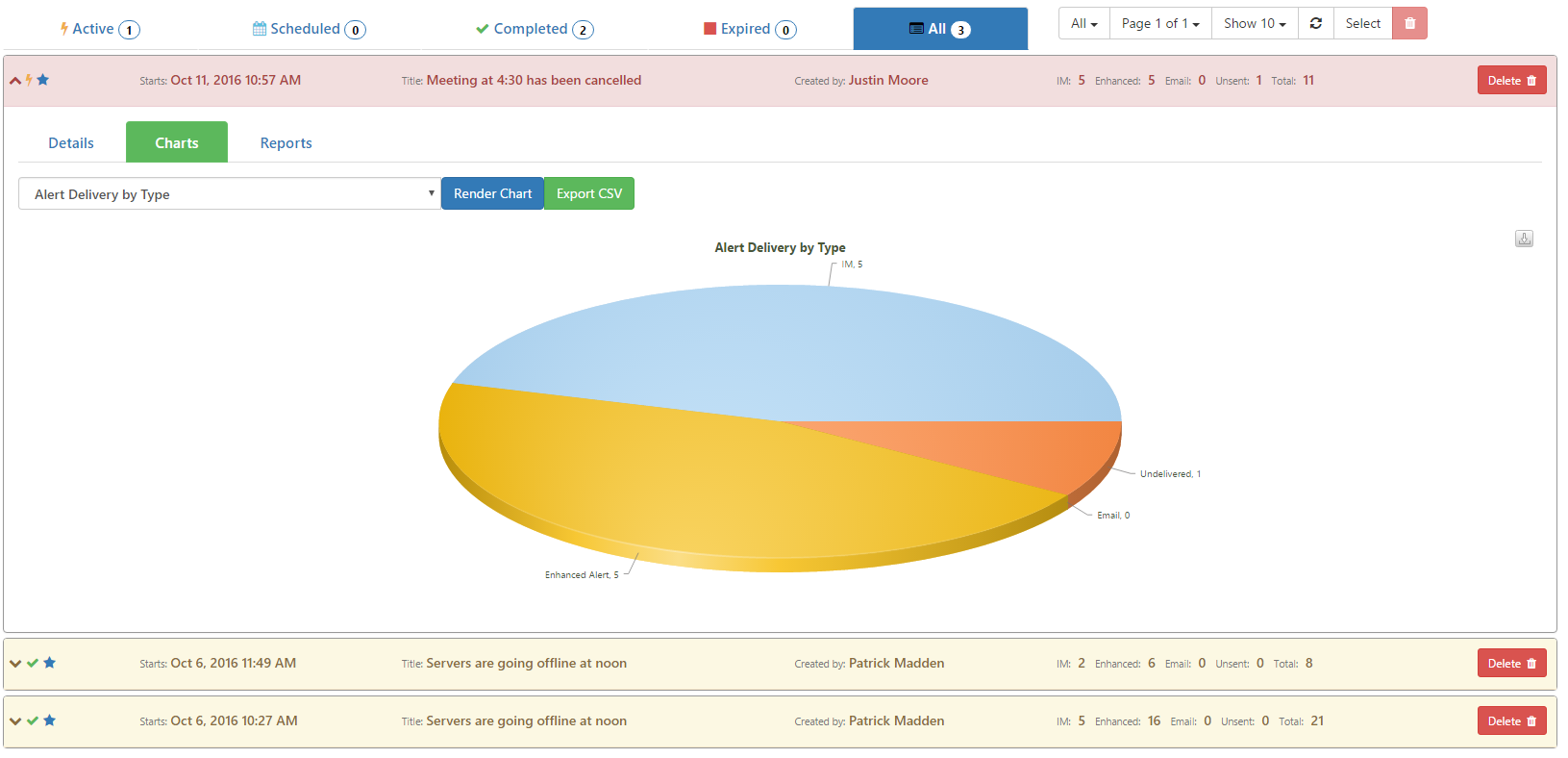
- Alert Delivery by Type (e.g. Email, IM, Enhanced, Undelivered)
- Alert Delivery Over Time
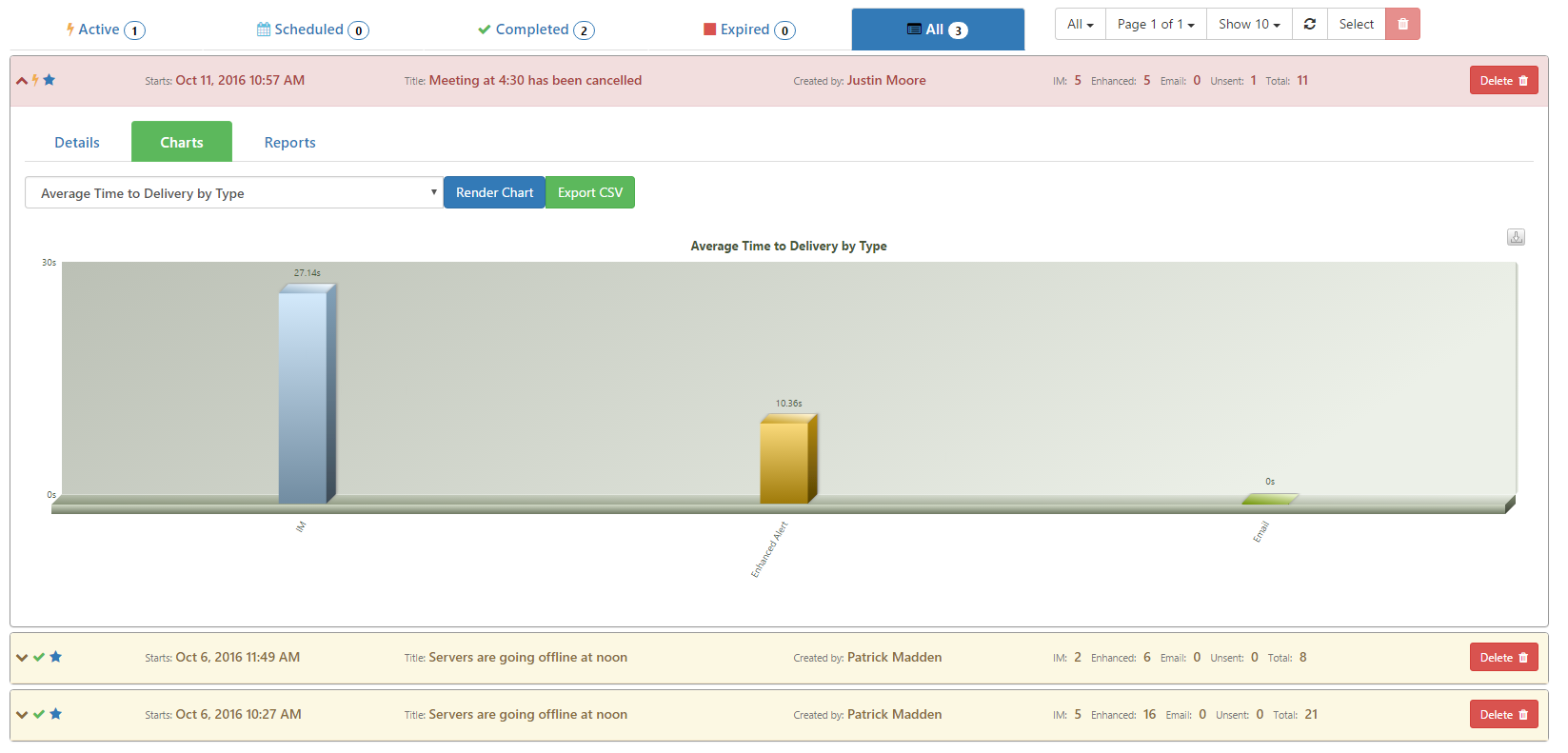
- Average Time to Delivery by Type
-
Enhanced Alerting Features:
-
Updated Queue Dashboard:
- Ability to select greater date ranges for monitor and details panels
- Updated the dashboard performance for better responsiveness
-
Added a new session state, "Queue Unavailable"
- This displays if a seekers chat disconnects from the queue going unavailable
- Queue unavailable state (3)
- Updated the information on the Queue Status panel
- Updated Alert UI to support new Enhanced alert features
- Ability to filter the desk agent
- Ability to refresh multiple Agents Lync®/Skype for Business presence
-
Updated the Queue processes
-
Separate process for each queue
- This allows for easier queue maintenance without effecting other queues
-
Separate log files for each queue
- This allows for easy troubleshooting of any issues that might arise.
- Chime Logs FAQ Guide
- Added new chart to show the Queue Availability
-
Separate process for each queue
-
Better control of agent and queue presence
- Agents can now refresh their Lync®/Skype for Business presence from their "My Dashboard" page
- Multiple Agents Lync®/Skype for Business presence can be refreshed in the Queue Dashboard or in Queue Settings > People tab.
Videos:
Bug Fixes:
- Removed unnecessary columns in the Basic Details report (#1473)
- Removed 24-hour limit on the monitor panel and added a date selector to enable removing stuck chats (#1588)
- Added ability to remove an SSL certificate bound to Chime via the Configuration Wizard (#1649)
- Fixed issue where queue would remain offline after an agent’s max chats per day was increased (#1432)
- Alert the user that a Standard Reply with the same name already exists (#1435)
- Updated Chime to address the issue where an Agent would be offline in Lync®/Skype for Business, but appear online in Chime (#1297)
- Updated Chime to address the issue where an Agent would be online in Lync®/Skype for Business, but appear offline in Chime (#1189, #1570, #1317)
- Updated Chime to better handle network interruptions during chats (#1568)
- Updated Chime alert available parties when escalation to a conference fails (#1492, #1584)
- Updated Chime to better handle agent and queue presence issues (#1297, #1189, #1570, #1317)
- Minor UI updates in Queue Alerting area
- Minor UI updates in Queue Outages area
- Updated Alerting User Guide to include how to setup SSL in Chime
- Updated Chime User Guide to include how to setup SSL in Chime
- Minor updates to the Chime Install Guide
- Minor issues in enabling and disabling Virtual Agent in On-Premise and Office365 queues
Chime 2.4 Service Release 2 - v2.4.5392 (July 25, 2016)
Main New Features:
- Support for Lync® 2010 as a platform
- API for displaying Lync® and Chime presence
- Added support for User ratings and Comments when using the ChimeHub
Bug Fixes:
-
The following issues have been fixed:
- Chat routing issue where an agent might be prompted to accept a chat when the seeker has closed the session
- Lync®/Skype for Business® would silently end a waiting chat
- Chat statistics by queue reports column totals seemed incorrect
- Agent receiving more chats than their concurrent limit
- Chats not being routed when a seeker sends an attachment before an agent has accepted the conversation
- Dashboard labels are incorrect when viewed in months in certain time zones
- Issue that might produce a KeyNotFound error when using ChimeHub
Chime 2.4 Service Release 1 - v2.4.5171 (May 26, 2016)
Main New Features:
-
Advance installation mode
- Customize database name
- Customize Install path
Bug Fixes:
- Agent default name is set to {ExpertFullName} when creating new queues.
- Support for database names containing a "-".
- Added support for long questions with Unicode characters.
- Fixed issue where selecting a date range larger than 1 day in a UTC+ time zone would cause Chime to spike the CPU and Memory usage for select reports.
- Updated charts to minimize memory issues in Internet Explorer.
- Optimized expert data request to improve performance for queues that have a large number of agents.
- Fixed issue where Managers might be able to see queue they are not assigned to.
Chime 2.4 Gold Update - v2.4.5036 (April 18, 2016)
Bug Fixes:
-
Fixed issues with upgrading from 2.2 to 2.4
- Agent's login name not being added automatically
- Completed conversation showing as still being active
- Fixed issue where long questions we causing chats not to be routed correctly
Chime 2.4 Gold - v2.4.4960 (April 6, 2016)
Main New Features:
-
Virtual Agents
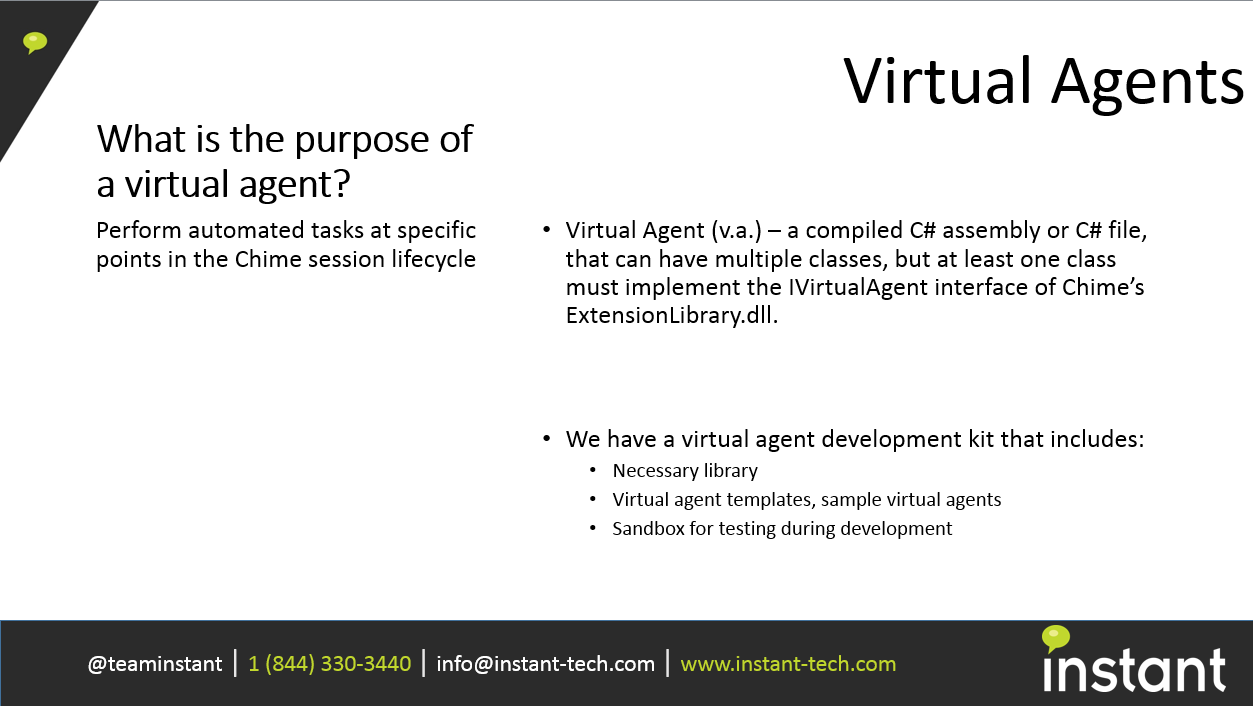
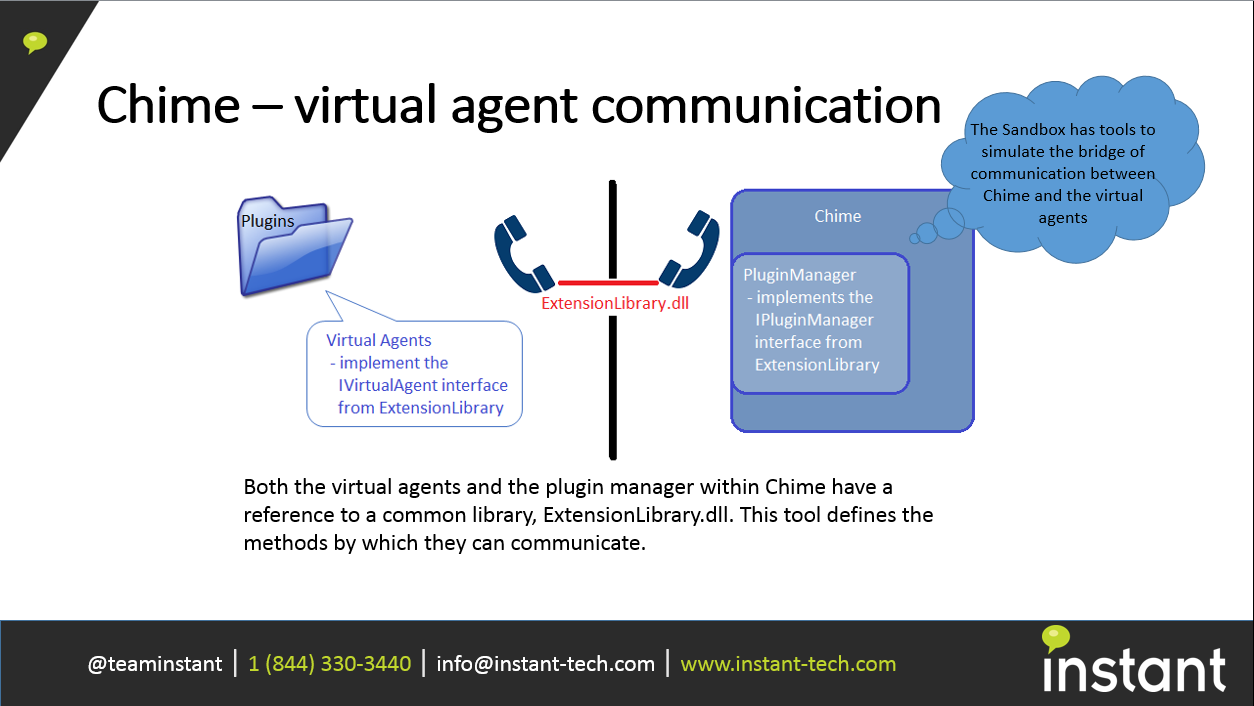
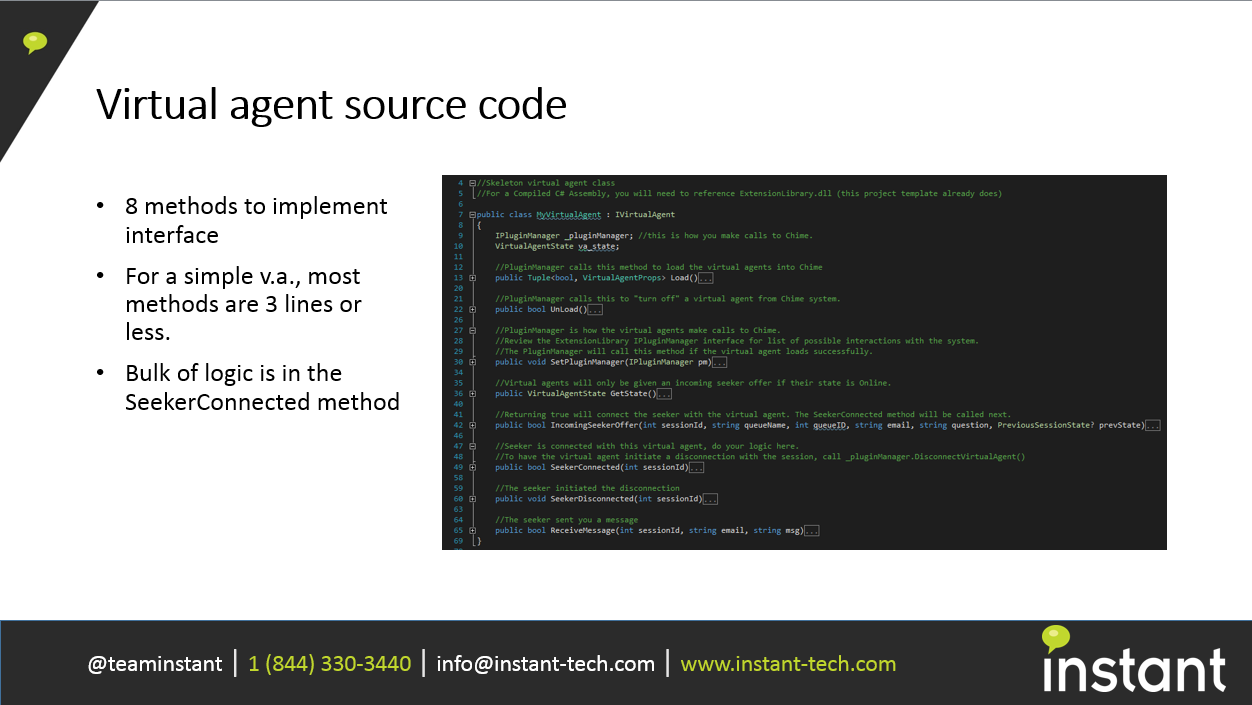
- The virtual agent layer will provide integration via compiled C# or C# as script in order to:
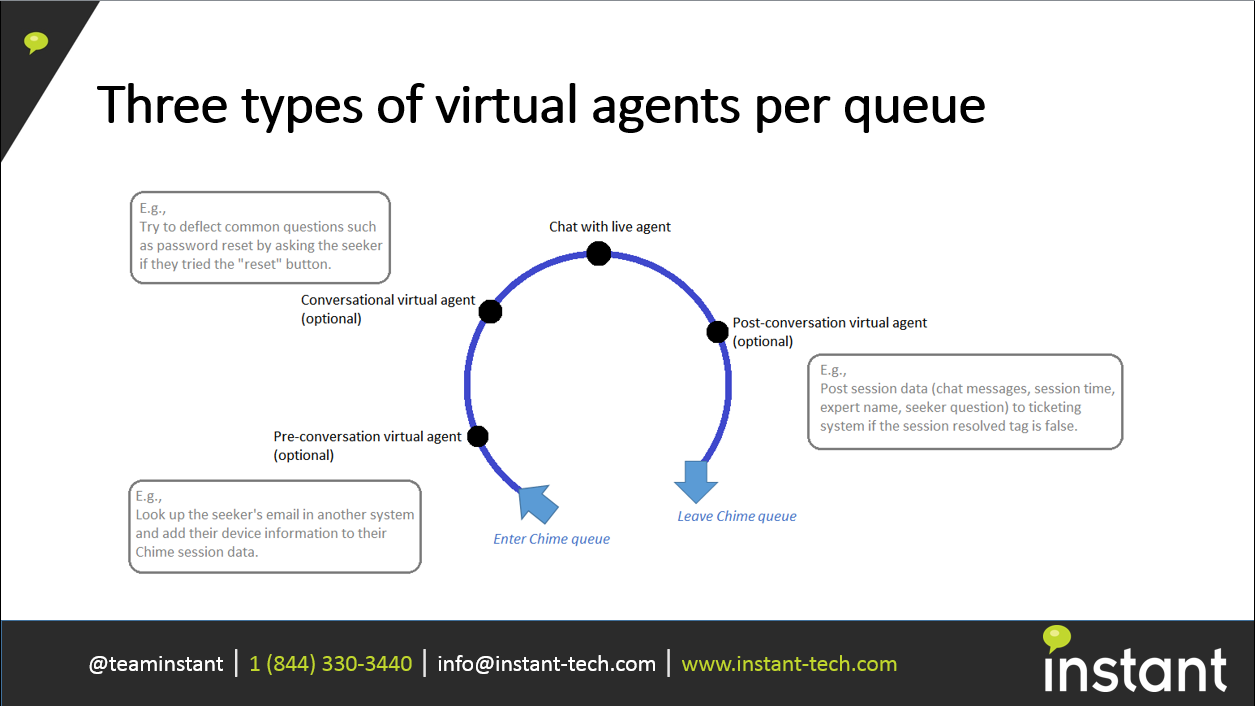
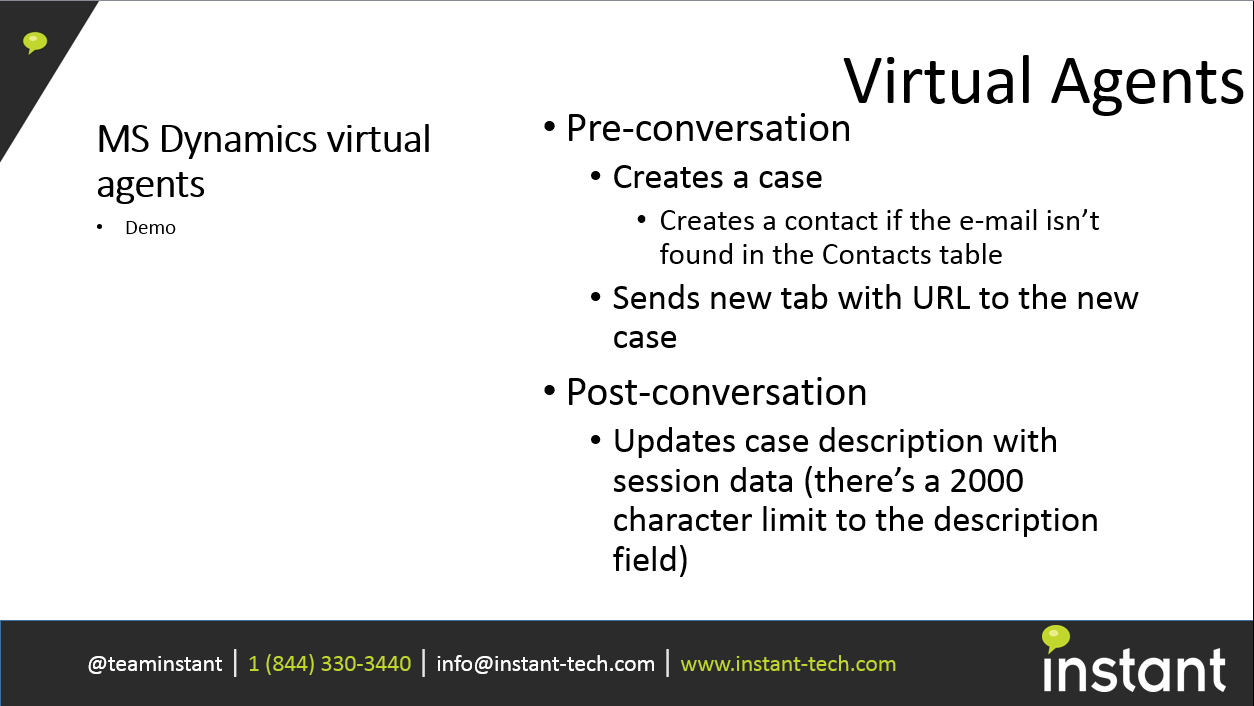
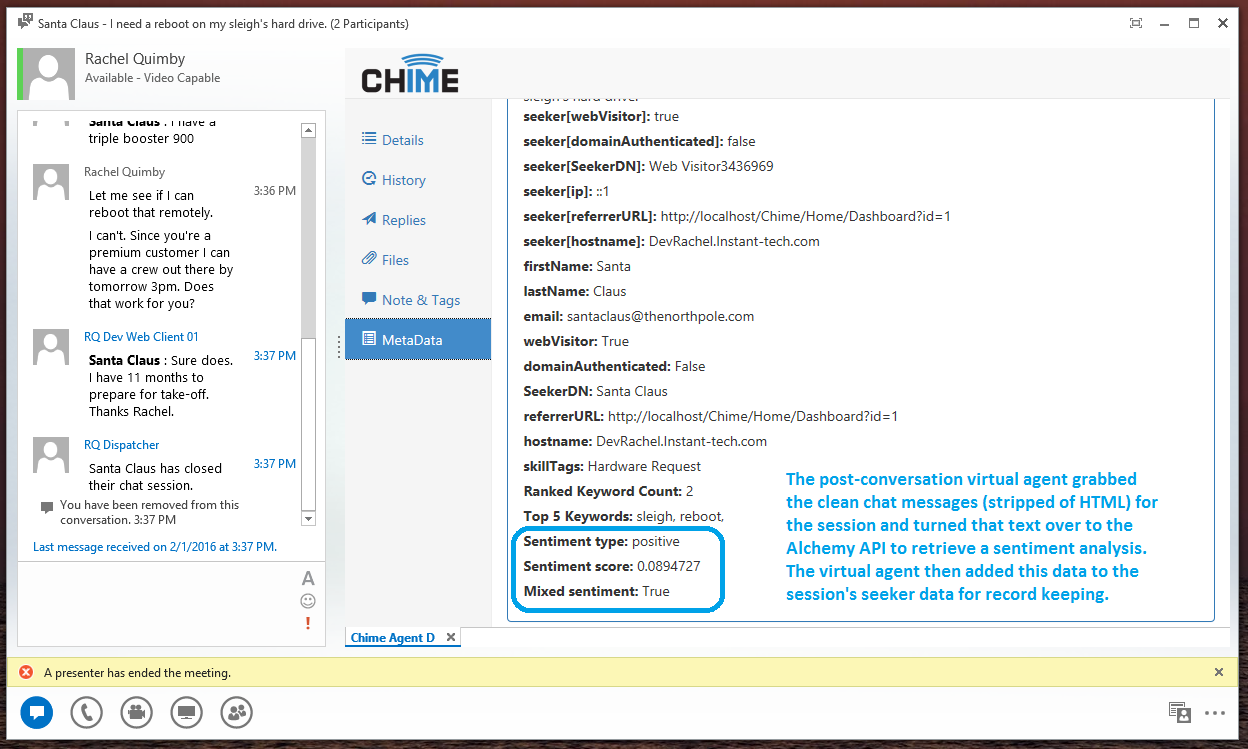
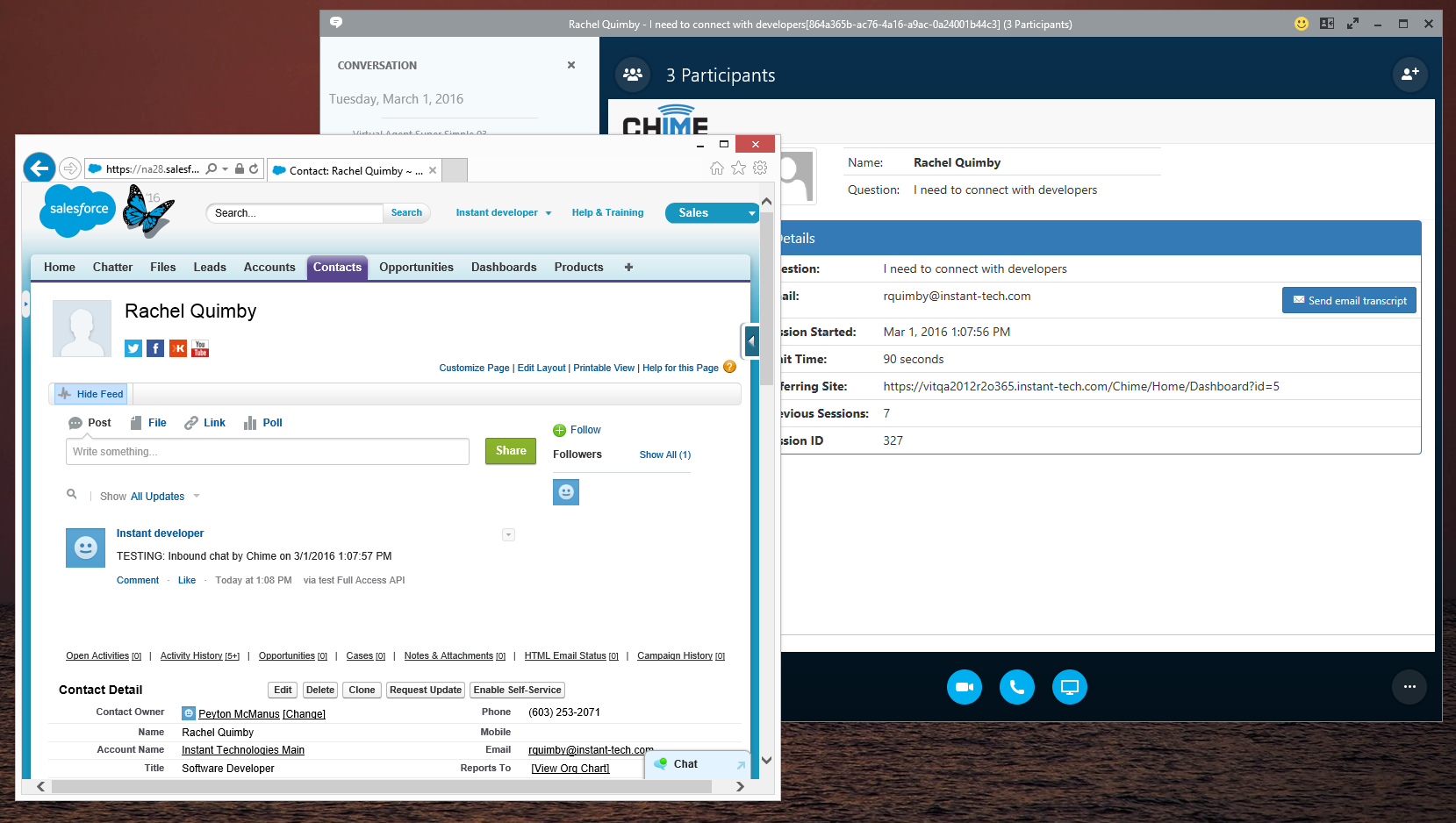
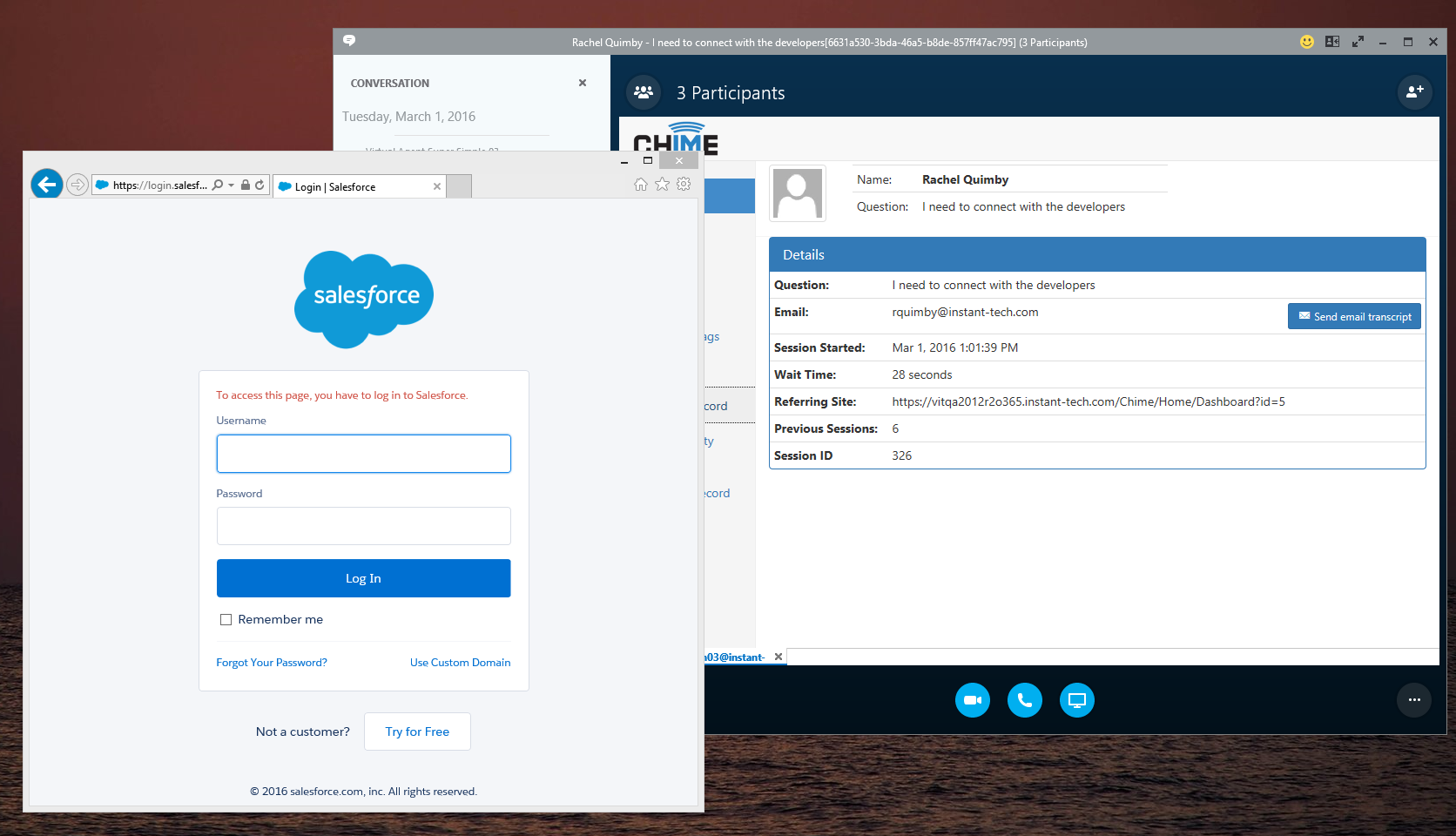
- Provide pre-chat integration with other systems - i.e. lookup customer’s email against ServiceNow®, Microsoft Dynamics®, Salesforce®, Alchemy®, or in house ITSM solution and retrieve all open tickets and/or assign routing tags
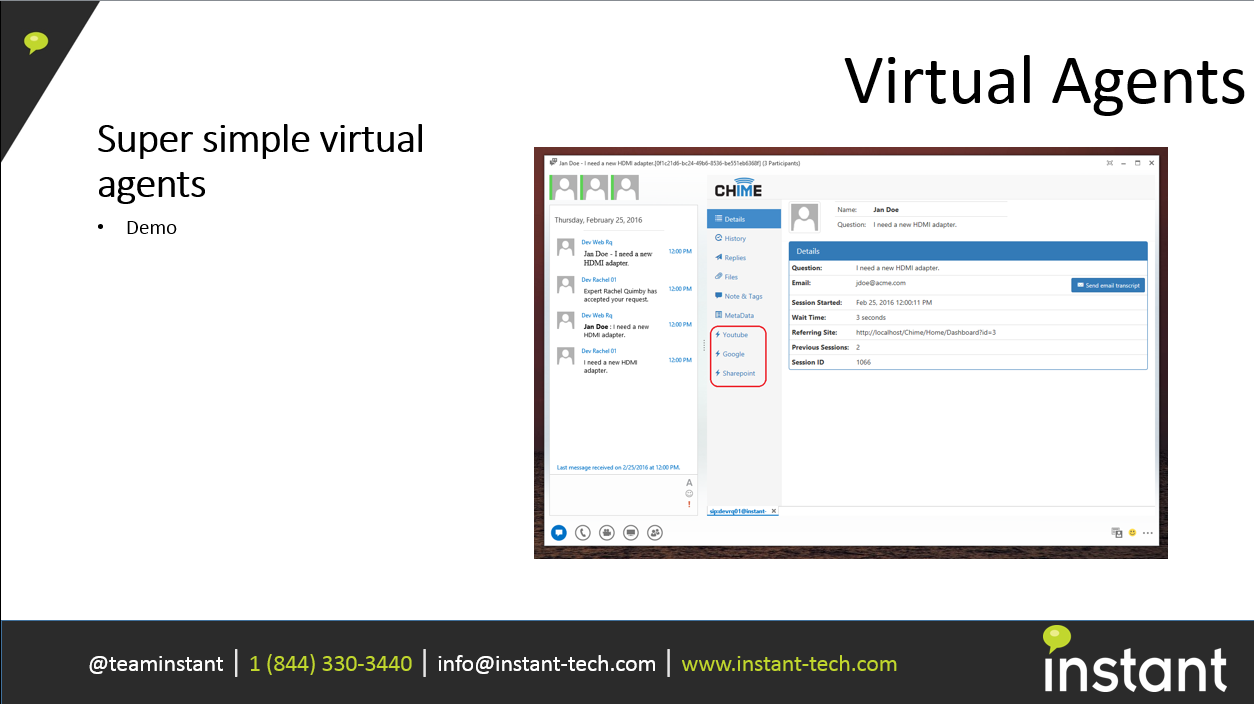
- Stage additional UI in the agent’s context window based on the pre-chat lookup. This will allow agents to see UI from other systems based on the customer and/or lookup in step 1 (i.e. new ticket UI)
- Provide basic virtual conversational agent functionality (ask a series of questions and then assign routing options – scripted or C# and our Virtual Agent SDK)
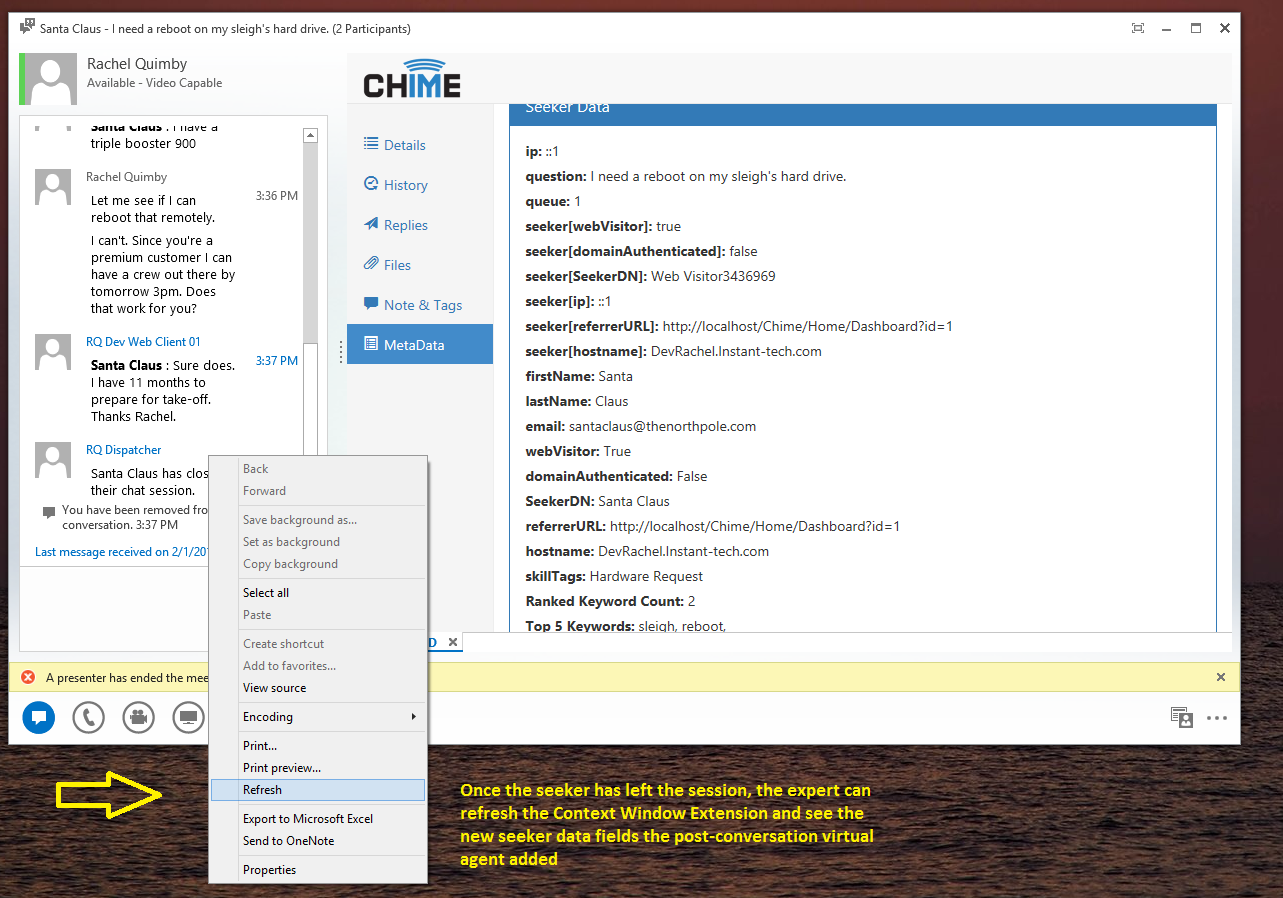
- Post-chat event handling – to allow Instant Chime to post the entire conversation, as well as metadata, to any external system
Virtual Agents are such a powerful new feature that we've created its own page. » Virtual Agent integration.
- Flexible User Interface for Agents - Virtual Agents can also work with the new Agent Assist Tool to provide custom services in the agent's Context Window Extension navigation pane
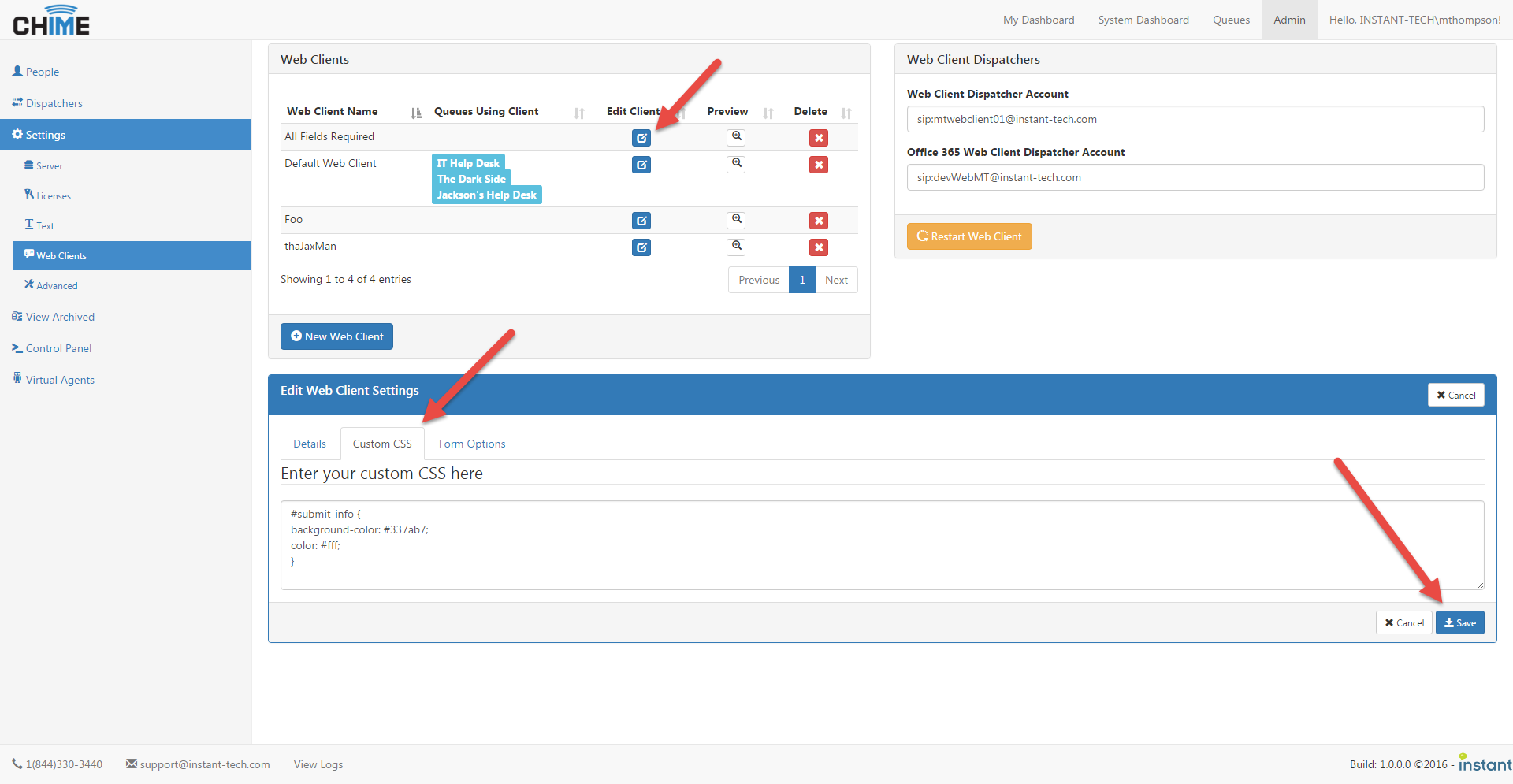
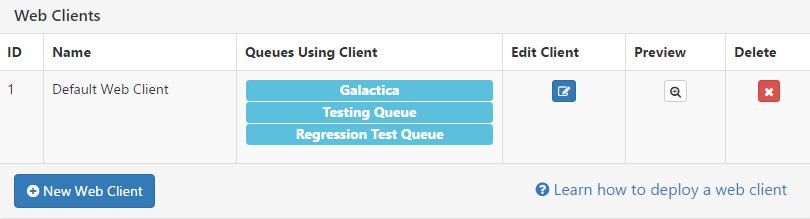
- Configurable Web Client - Features such as agent picture, logo, or form fields would be configurable in the app UI. Ability to have multiple web clients on the same Chime server
- Enterprise IM Alerts - Send IM-based alerts via Lync® right from the Chime application
- Persistent Chat Rooms - Used as a back channel for agents and managers to communicate. One each for managers and agents per queue
- Outages - To be displayed in both the web client and system/queue dashboards and ability to turn an outage into an alert
- Agent and Queue Pictures - Agents and queues can have photos
- Routing based on idle time - Additional routing method where chats route to agents who have been idle longest instead of routing based on number of chats
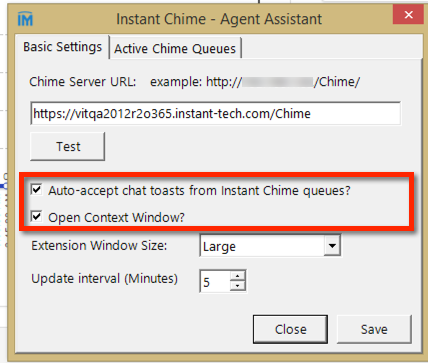
- Agent Assist Tool - Ability to auto accept Chime conversation invitations and context window extension support for Office 365
- Edit past conversation's status - Ability to mark a conversation as resolved/unresolved and add additional comments after the conversation is complete
- 'No Chat' option for agents - Ability to turn chats on/off for an agent in queue settings
- Allow reports to have times specified - Date pickers in the reports section would allow a user to specify a time (HH:MM) to search for in the report
- Add date selector to agent dashboard - Allow managers to see agent's past history
Other New Features:
- Added support for Skype for Business® 2016 Client
- New documentation about how to debug virtual agents in the Sandbox using Visual Studio
- Improved the filter of the log files
- Added a more informative web client error message
- Ability to send email to a specified queue address for ticketing
- Support for custom SQL ports
- Updated the Sign On/Off button on the Agent Dashboard to reduce confusion
Videos:
Screenshots:
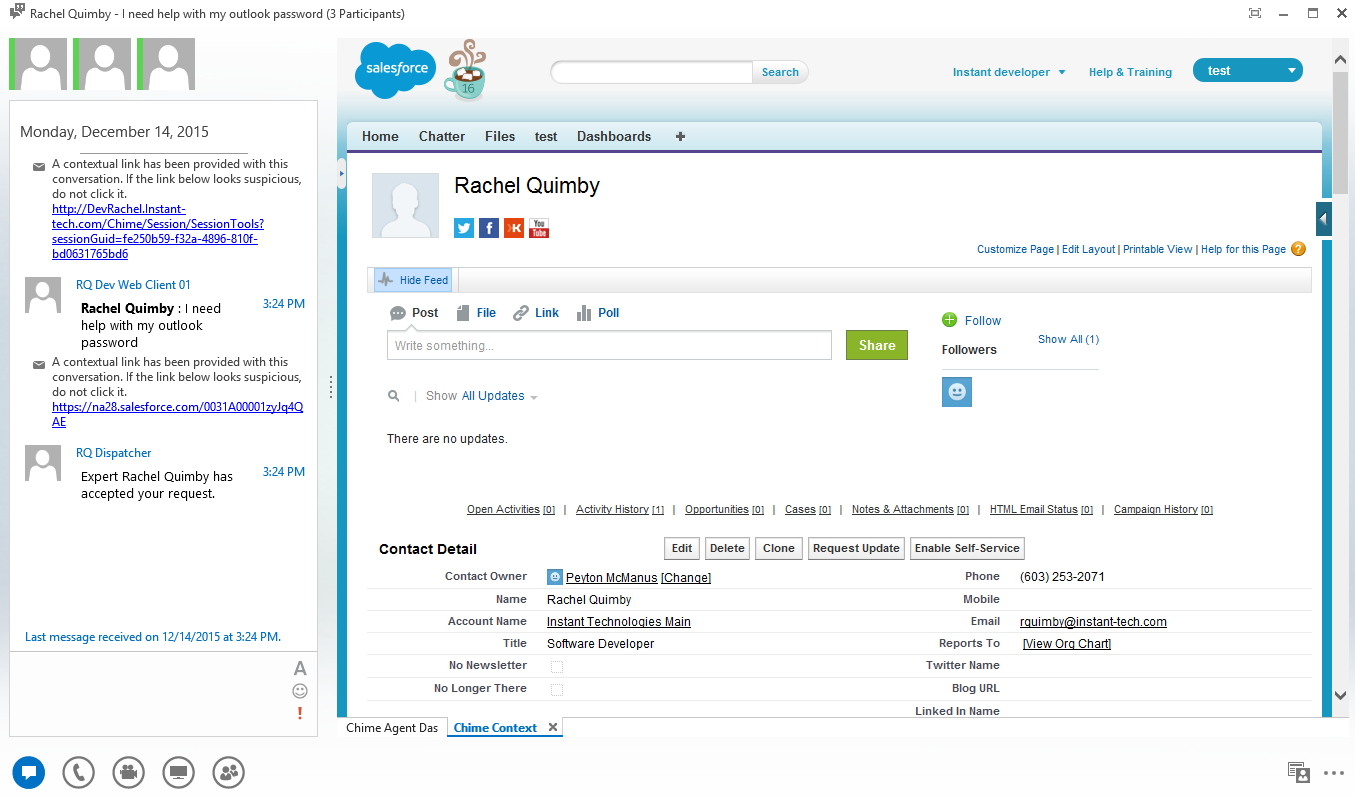 Salesforce® Integration (7)
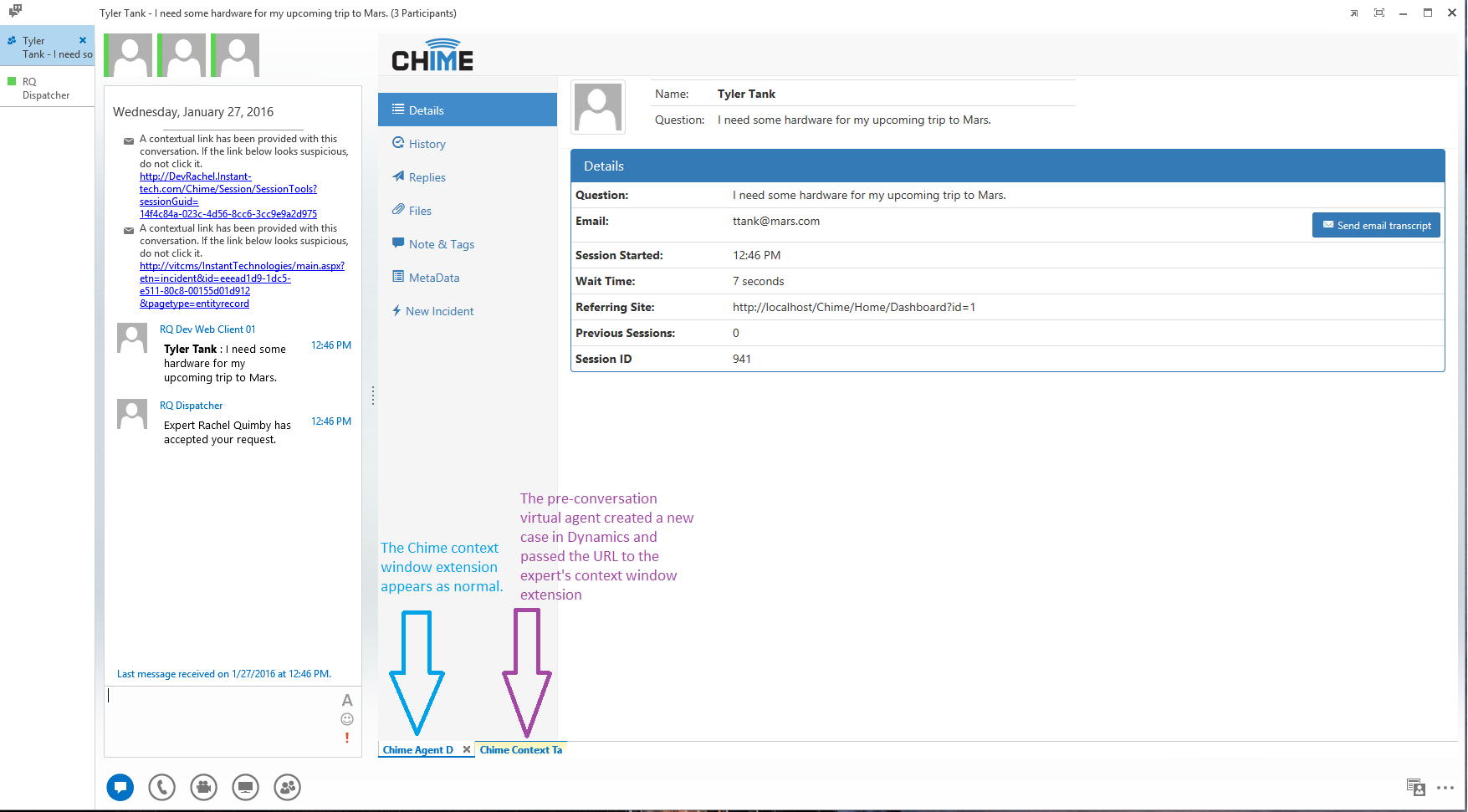
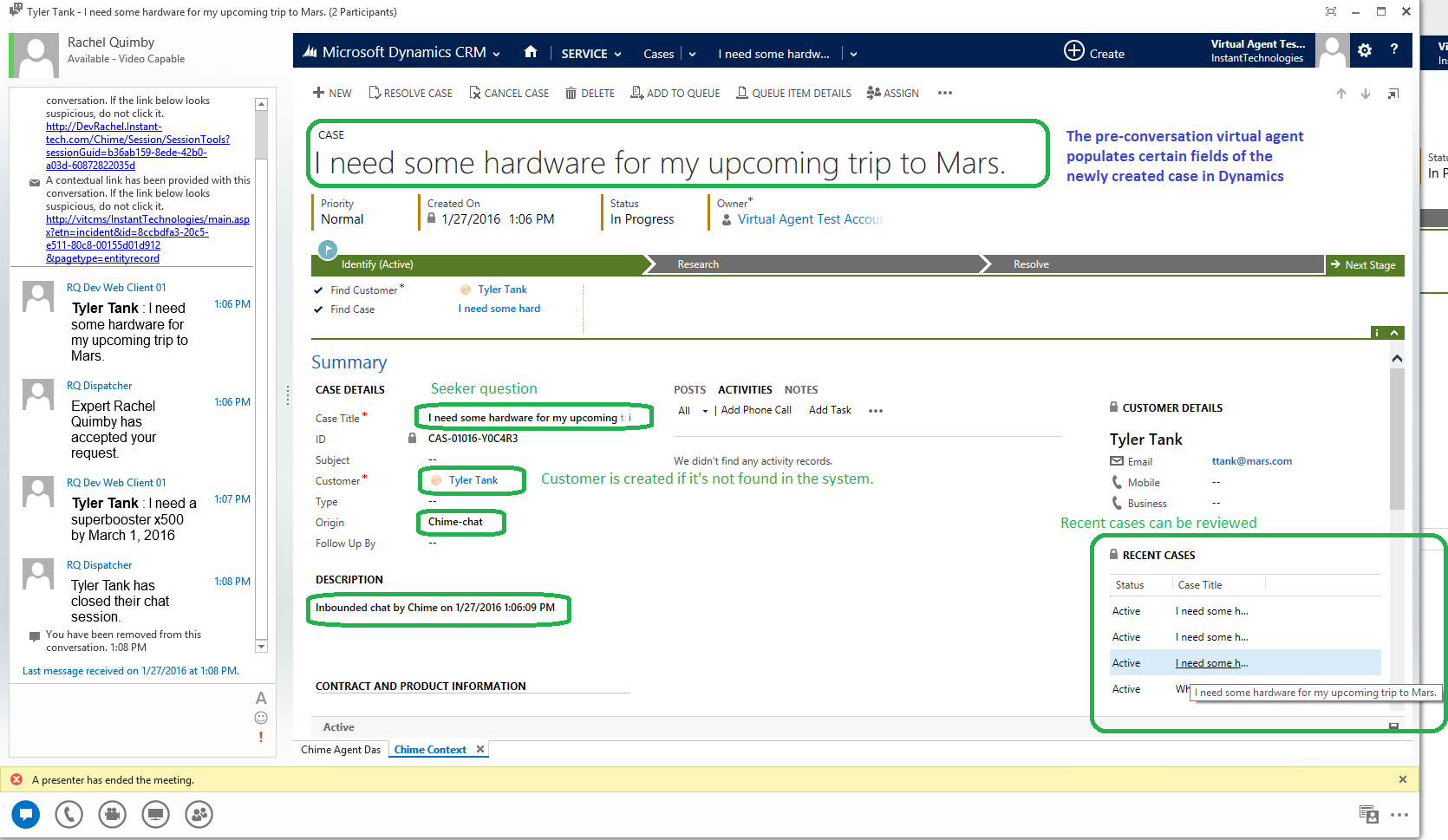
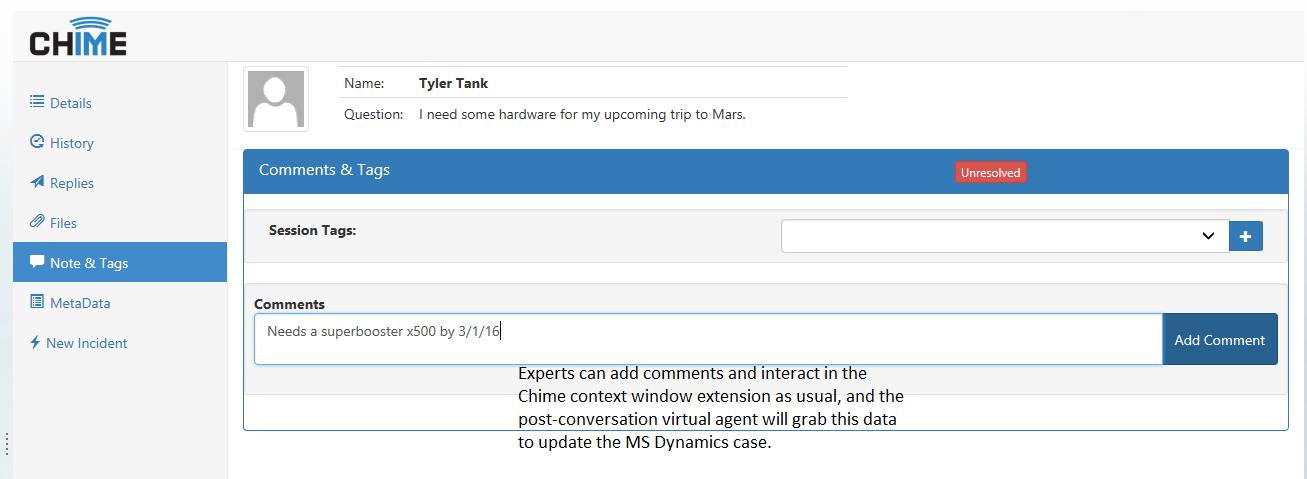
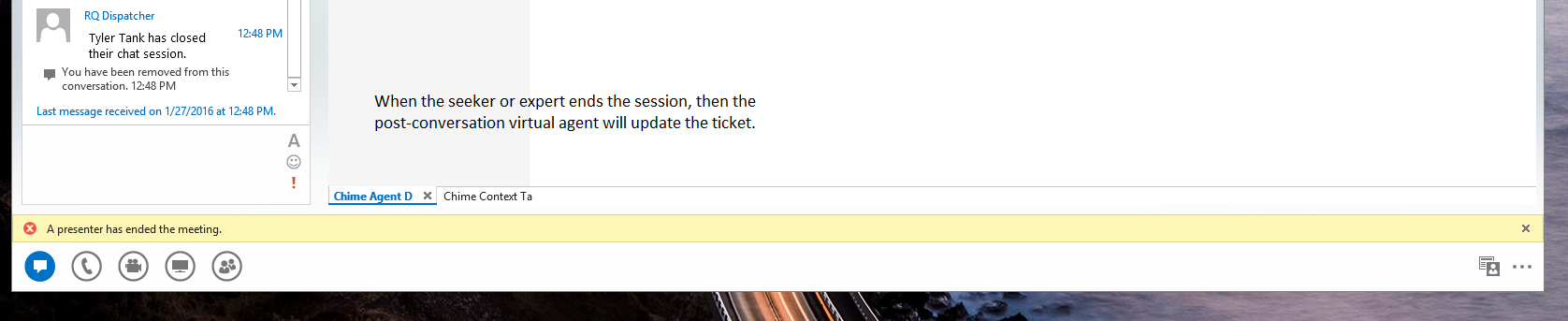
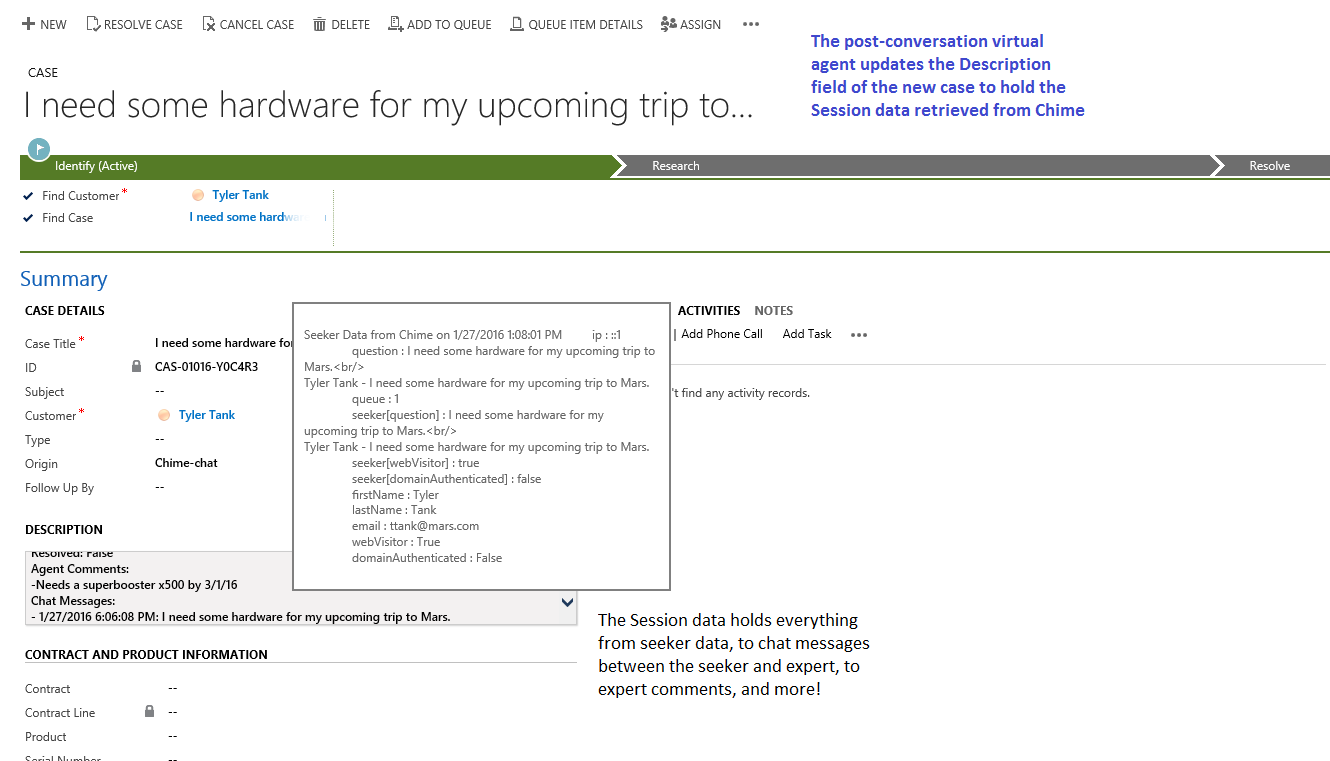
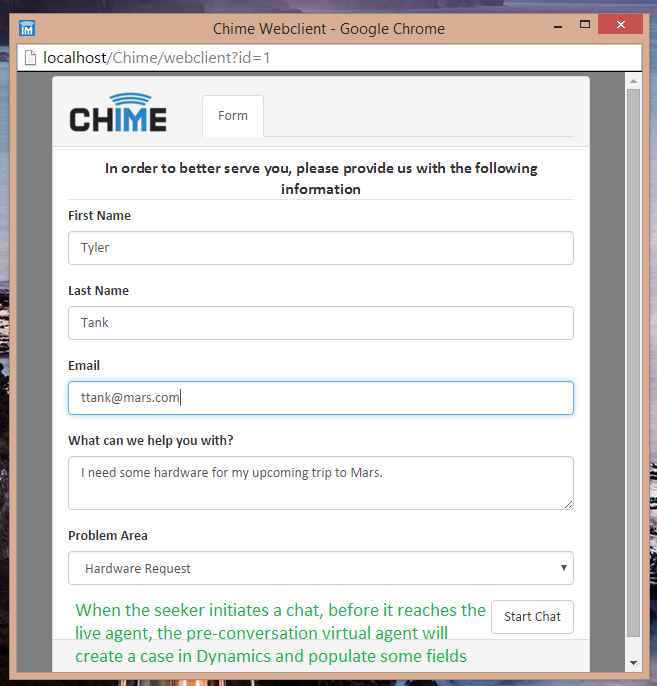 MS Dynamics® Integration (6)
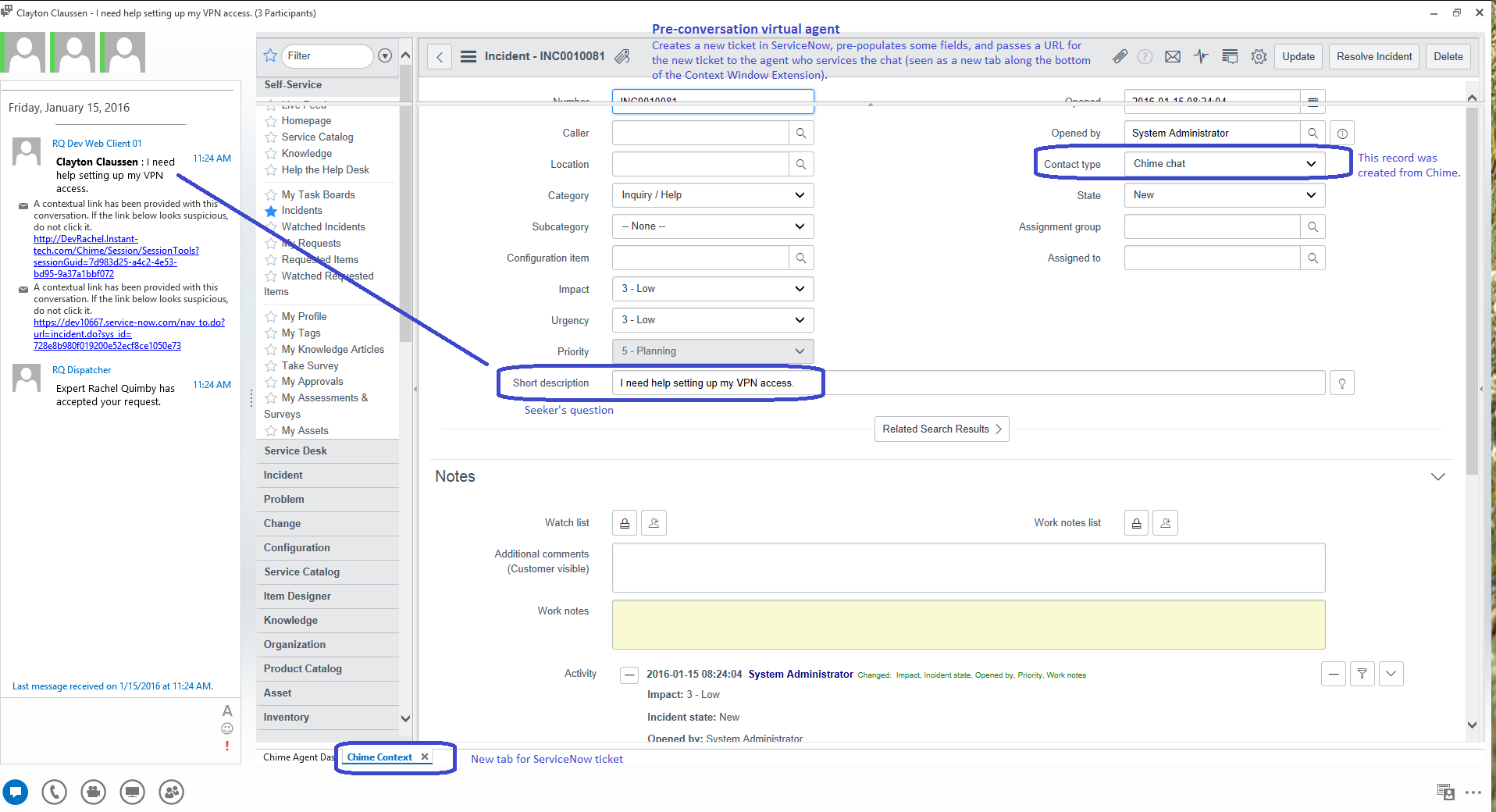 ServiceNow® Integration (8)
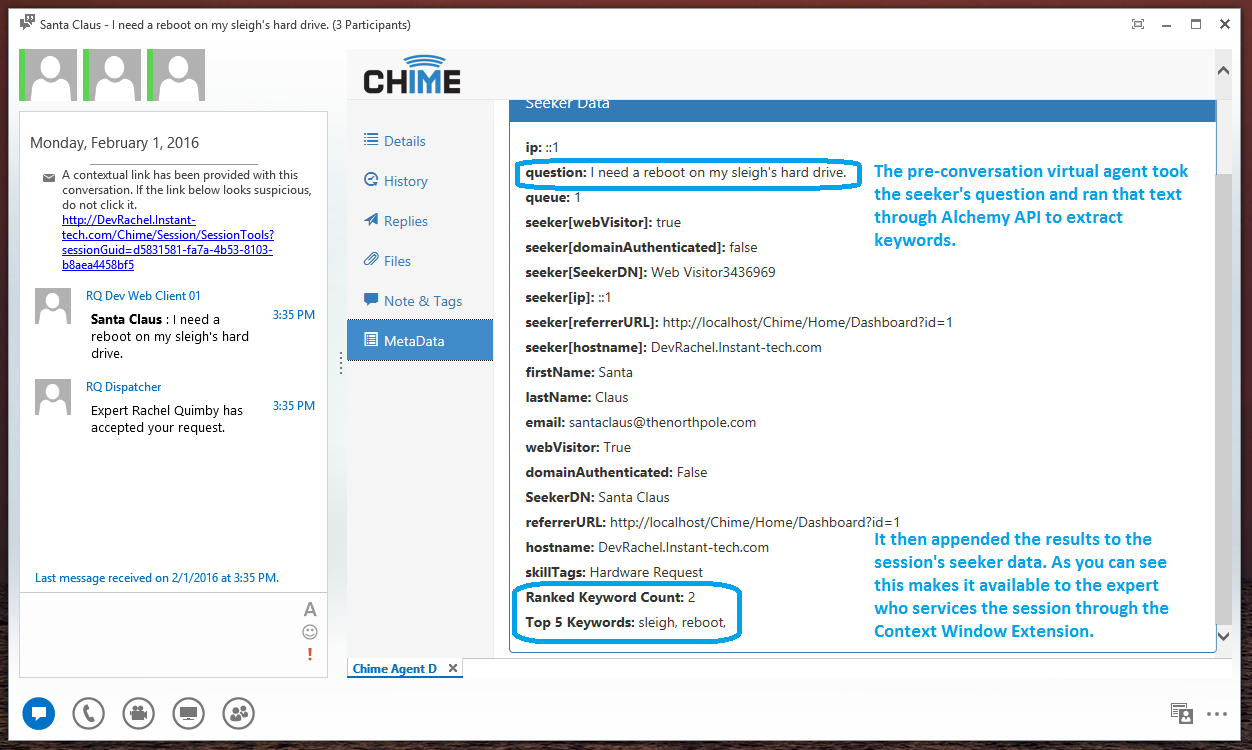 Alchemy® Integration (3)
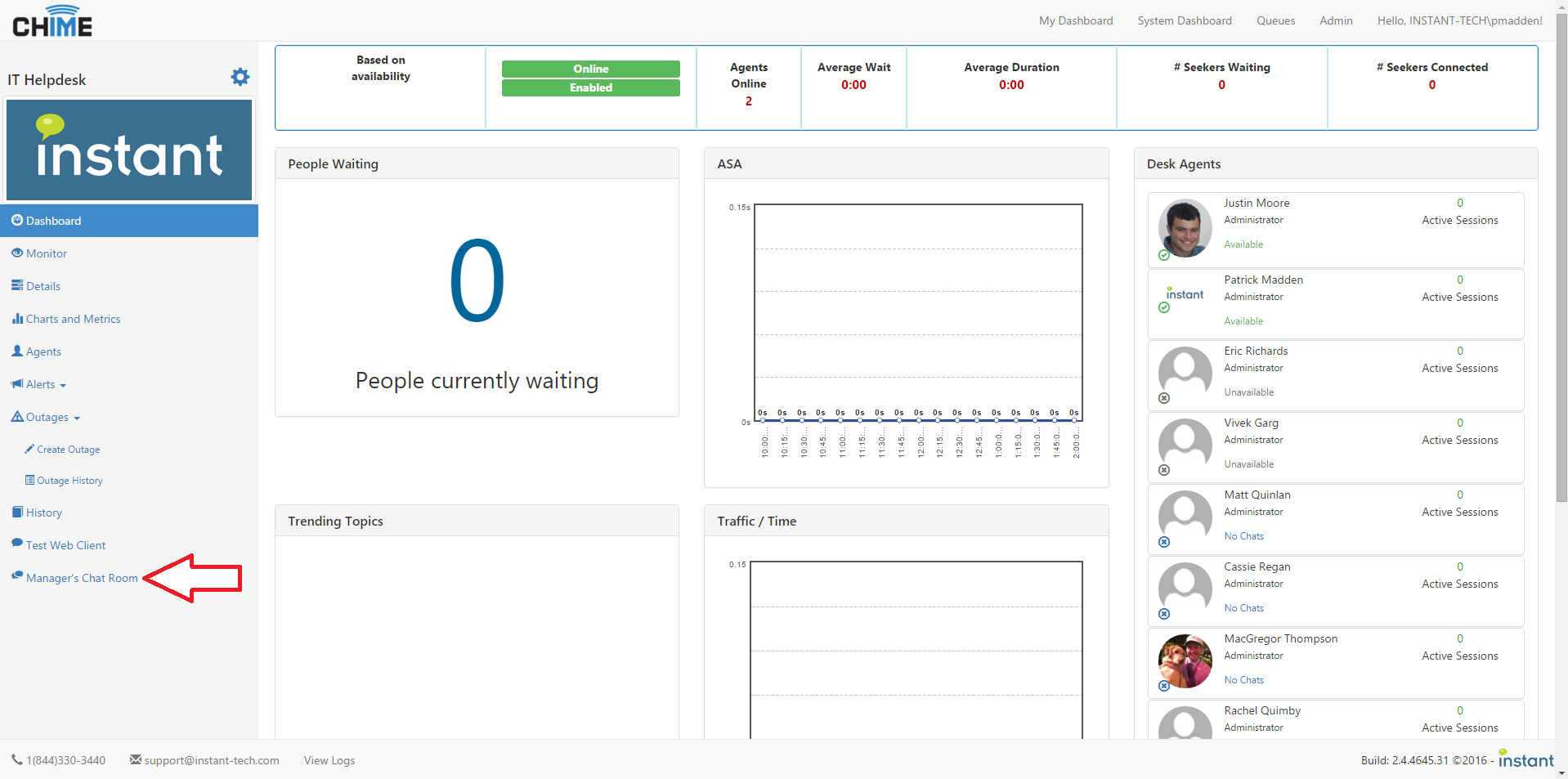
 Alerts (10)
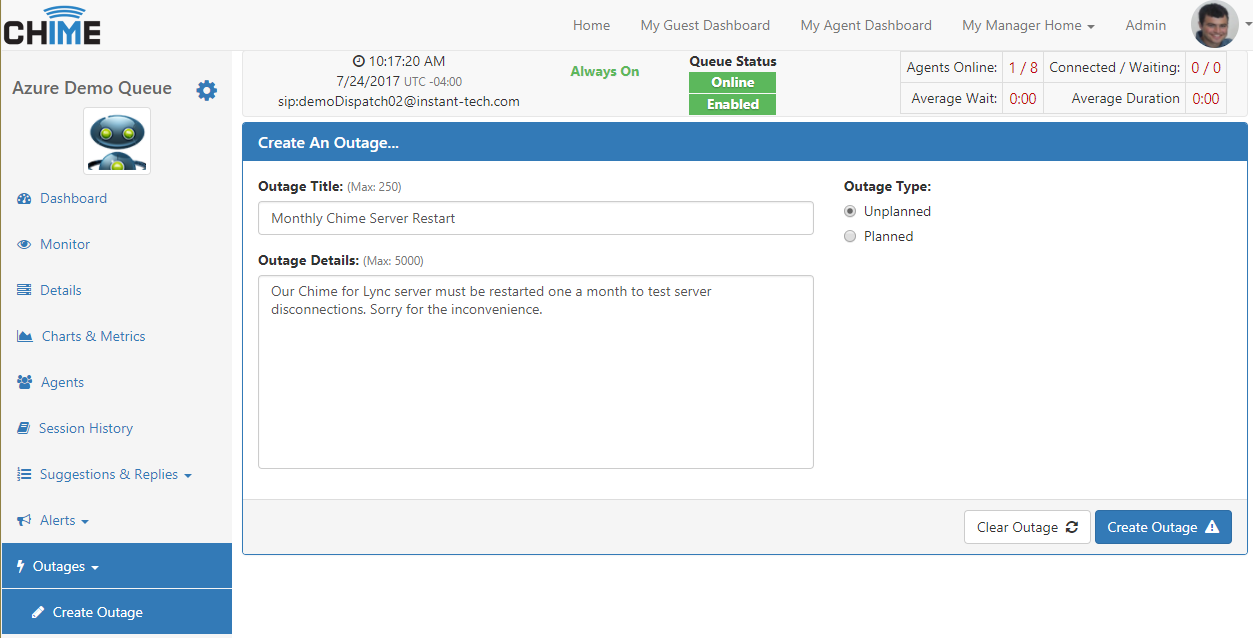
 Outages (14)
 Chat Rooms (10)
 Custom Form Builder (16)
 Virtual Agent Presentation (11)
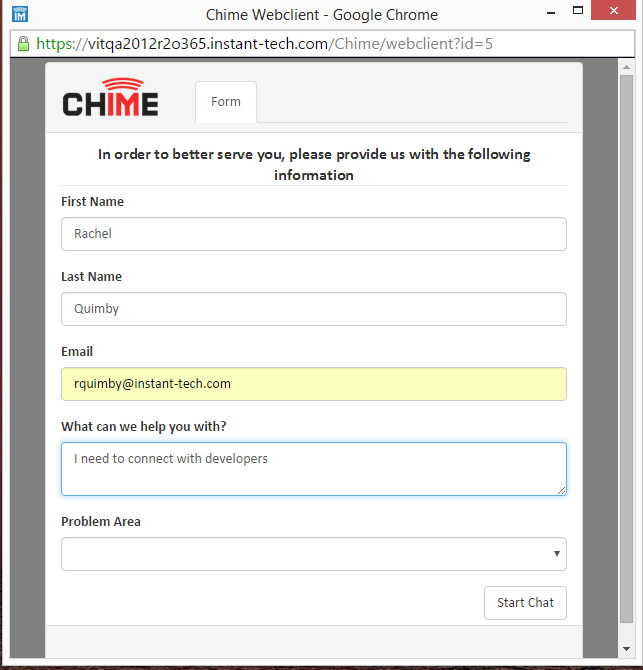 Grabbing Salesforce® Contact (5)
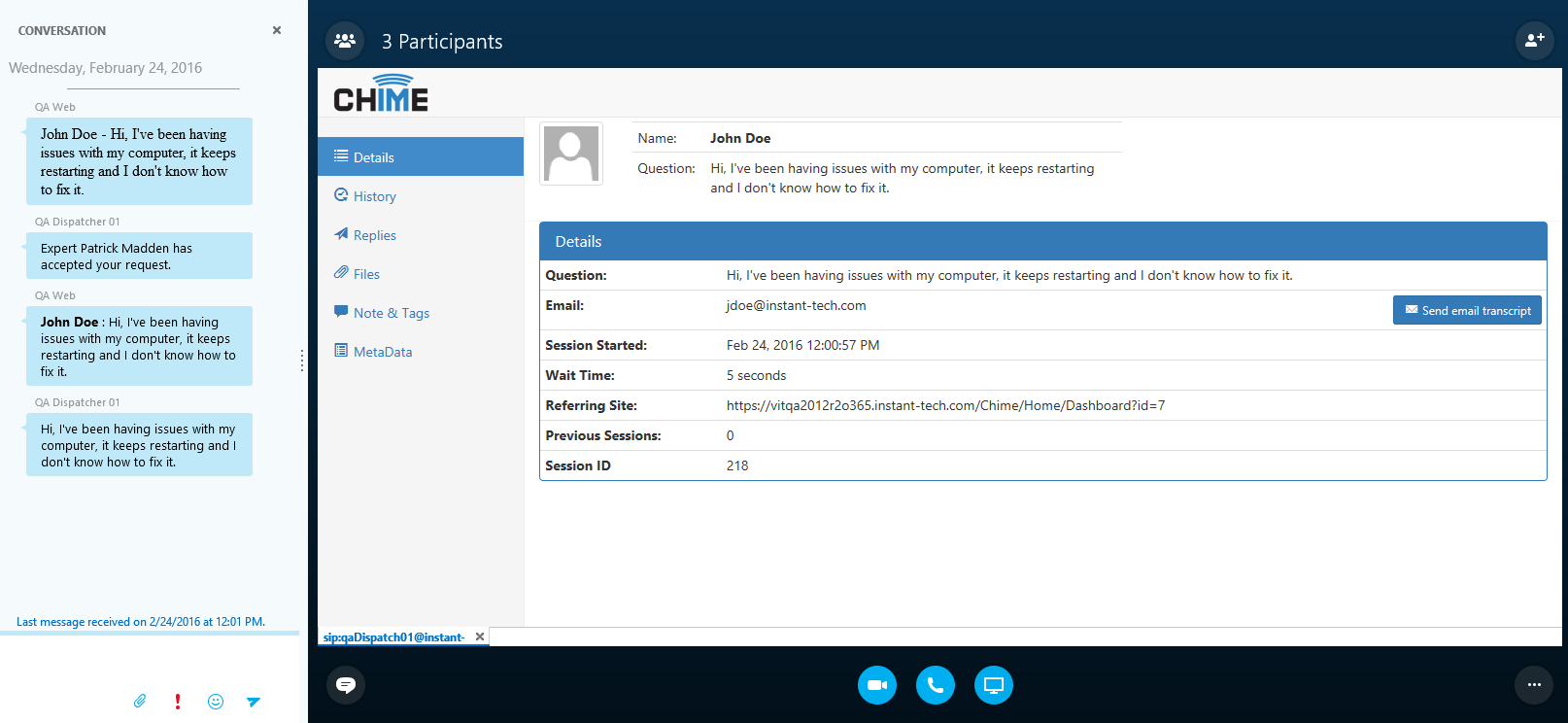 Agent Assist Tool (10)
Chime 2.4 Beta - v2.4.4645 (March 7, 2016)
Main New Features:
- New documentation about how to debug virtual agents in the Sandbox using Visual Studio
- Sandbox unloads virtual agents that exceed 20 seconds to load
- Show error messages from virtual agents that time out when they’re loaded in the Admin section
- Disable all virtual agents if they are unloaded because of a virtual agent exceeding the timeout value when loading
- Make the timeout value for loading virtual agents configurable in settings.xml
- Improved the filter of the log files
- Added a more informative web client error message
- Ability to send email to a specified queue address for ticketing
Bug Fixes:
- Sandbox associates virtual agents correctly if they’re moved from “loaded” to “ready for testing” individually
- Update queue’s settings associated with a virtual agent when that virtual agent status is changed from enabled/disabled in the Admin panel
- Fixed bug where end date could be before the start date on session
- Fixed bug where Basic Details was unable to be exported as a CSV
- Converted session history to use local time
- Fixed tool tips being cut off
- Fixed issue where Queue Status and State might be displayed in an odd position based on screen resolution
- Fixed issue with Office 365 rollover queues
- Updated the link for the .NET 4.5.1 with the live address
- Fixed issue with table not rendering long questions correctly
- Fixed issue where queues would come online if a schedule is added to it
- Catch exceptions if we are unable to write to the database due to size restrictions or SQL logging restrictions
Chime 2.4 Beta - v2.4.4514 (February 19, 2016)
Main New Features:
-
Virtual Agents
- The virtual agent layer will provide integration via compiled C# or C# as script in order to:
- Provide pre-chat integration with other systems - i.e. lookup customer’s email against ServiceNow®, Microsoft Dynamics®, Salesforce®, Alchemy®, or in house ITSM solution and retrieve all open tickets and/or assign routing tags
- Stage additional UI in the agent’s context window based on the pre-chat lookup. This will allow agents to see UI from other systems based on the customer and/or lookup in step 1 (i.e. new ticket UI)
- Provide basic virtual conversational agent functionality (ask a series of questions and then assign routing options – scripted or C# and our Virtual Agent SDK)
- Post-chat event handling – to allow Instant Chime to post the entire conversation, as well as metadata, to any external system
Virtual Agents are such a powerful new feature that we've created its own page. » Virtual Agent integration.
- Flexible User Interface for Agents - Virtual Agents can also work with the new Agent Assist Tool to provide custom services in the agent's Context Window Extension navigation pane
- Configurable Web Client - Features such as agent picture, logo, or form fields would be configurable in the app UI. Ability to have multiple web clients on the same Chime server
- Enterprise IM Alerts - Send IM-based alerts via Lync® right from the Chime application
- Persistent Chat Rooms - Used as a back channel for agents and managers to communicate. One each for managers and agents per queue
- Outages - To be displayed in both the web client and system/queue dashboards and ability to turn an outage into an alert
- Agent and Queue Pictures - Agents and queues can have photos
- Routing based on idle time - Additional routing method where chats route to agents who have been idle longest instead of routing based on number of chats
- Agent Assist Tool - Ability to auto accept Chime conversation invitations and context window extension support for Office 365
- Edit past conversation's status - Ability to mark a conversation as resolved/unresolved and add additional comments after the conversation is complete
- 'No Chat' option for agents - Ability to turn chats on/off for an agent in queue settings
- Allow reports to have times specified - Date pickers in the reports section would allow a user to specify a time (HH:MM) to search for in the report
- Add date selector to agent dashboard - Allow managers to see agent's past history
Videos:
Chime 2.3 Service Release 3 - v2.3.4564 (February 29, 2016)
Bug Fixes:
- Fixed bug with time zone conversions causing issues with queues that are scheduled
Chime 2.3 Service Release 2 - v2.3.3713 (December 17, 2015)
Main New Features:
- Added Test Email option to allow Admins to test the SMTP settings
- Renamed the "Abandoned" reports to "Declined/Ignored" for better clarity
- When an Admin or Manager ends a waiting chat, that chat will be labelled as "Dropped"
- House cleaning of install files; removing back-ups of non-changing files
- Added LyncSigninTimeout, LyncSignOutTimeout, LyncShutDownTimeout, and LyncInitializationTimeout keys to settings.xml
Bug Fixes:
- Fixed bug where On Premise queues would shut down and be set to disabled if an Admin opens the control panel tab
- Fixed bug where concurrent chats values were not being displayed in the concurrent reports
- Changed reports to display in Server time rather than UTC
- Updated the "Conversations by seeker" reports to display "Completed" conversations
- Fixed bug in "Available Agent over 24 hrs" report
Chime 2.3 Service Release 1 - v2.3.3296 (October 14, 2015)
Main New Features:
- Carriage returns will now display in text resources, not just "/n"
- When a manager manually ends a chat from the Queue Dashboard Monitor Panel, the chat is marked as "Disconnected" in the database
- When an administrator forces a queue process to be ended (via the Control Panel), all waiting and connected chat in the queue are marked as "Disconnected" in the database
Bug Fixes:
- Text Resource {SeekerSamAccount} will now display the seeker's login name when using Lync on premise and Office365
- Addressed issue if a seeker disconnected before the agent joined a conference, the agent's concurrent chat count would be incorrect
Chime 2.3 - v2.3.3266 (October 6, 2015)
Main New Features:
- New System Variable to display the seeker's waiting time in h:m:s format
- Ability for Administrators and Managers to manually end chat in the queue
- No longer allow web client chats to start if the queue is offline or unavailable
- Improved validation of the dispatcher accounts
- Localized the timestamps when displaying the chat history details
- Ability to track the IP address of web client chats
- Added Administrative control panel to enable and disable On-Prem and Office365 queues
- Added O365PresenceIntervalSec to allow customers to be able to control how often the agents presence is checked
-
Office 365
- Improved Office365 robustness
- Optimize Office 365 expert authentication
- Increased time to obtain list of user for selecting administrators at install
- Administrative Control Panel that will display the PID of Lync and LyncOnline app associated with a queue
- Improved validation of the Office365 web client set-up
- Display the seeker's SIP address in Queue details for users that we are unable to get their full name from Office365
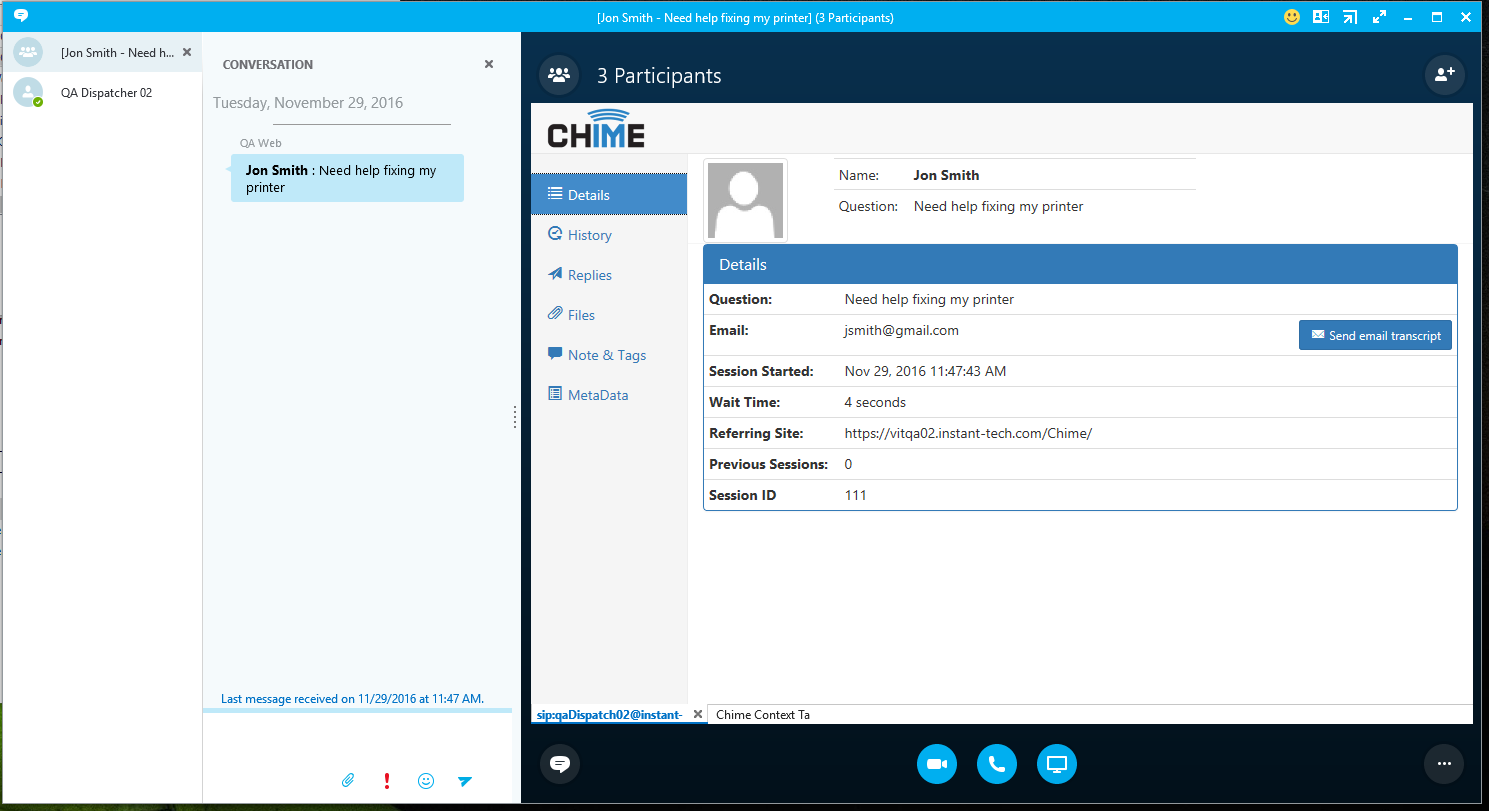
- Display the seeker's question in the conference chat with the agent, dispatcher and seeker
-
New Chart and Metrics
- Chart Statistics by Queue
Screen Shots:
 Screen Shots (4)








Bug Fixes:
- Fixed issue with Skype plug-in injecting additional code around phone numbers, causing our text resource message limit to be reached
- Fixed issue where updating an agent may cause a "An expert with this LoginName already exists" message to appear
- Fixed issue where the System Offline Text resource was not being used if the queue was offline
- Fixed issue where certain column were not sorting under Queue Dashboard > Details
- Fixed issue where RTF and HTML encoded chat message have the encoding stored in the chat history
- Fixed issue where some charts might be displaying the day before due to time zone mismatches
- Fixed issue where a queue might need to be restarted if all agents are unavailable then become available
- Fixed issue that Email transcripts were being sent when a chat wasn't connected
- Fixed issue where the Agents name in the Text resources was "Null" -- It is now the agents full name
- Fixed issue where Average Seeker Rating by Agent chart wasn't being displayed
- Fixed issue where the declined/ignored count was off in the agent dashboard
- Fixed Office365 issue where Lync and LyncOnline apps for a queue might continue to run after the queue has been shut down
- Fixed Office365 issue where an agent would be available, but show as offline
Chime 2.2 Gold - v2.2.3149 (August 18, 2015)
Main New Features:
Videos:
Bug Fixes:
- Offline queues no longer route chats that were previously closed by seekers
- Web client now supports authenticated or unauthenticated access from outside the network
- Fixed issue with inconsistency of email transcript's sending/receiving time
- Fixed issue where renaming an Office 365 queue while the queue is running causes the queue logging to fail
- Address issue where the queue was not detecting the agent's status correctly after presence change
- Fixed Lync® Office 365 issue with inbound chat sometimes not routing to available agents
- If all agents in a queue have reached their max number of daily chats, the queue will go offline until agents under the daily chat limit are available
- Fixed an issue in queue scheduling where the Wednesday stop time UTC conversion was being done incorrectly
- Improved stability when sending email transcripts
- Fixed issue with uploading files from agent context window
Chime 2.2 Release Candidate - v2.2.3013 (July 13, 2015)
Main New Features:
- Skill Tag Routing - Ability to route inbound chats based on an agent's area of expertise
- Skype for Business® support
- Rollover queues
- Office 365 Active Directory Support
- Updated Dashboard
- Prevent ability to create a dispatcher using the same Lync® account as the web client endpoints
- Prevent ability to use the same account for Lync® on premise and Lync® Office 365 web clients
- Information on how to launch the Lync® client from a web link - see video below and the FAQ
-
New Charts
-
System Level
- Available Agents Over 24 Hours
- Concurrent Chat Percentage by Agent
- Concurrent Chat Percentage by Queue
- Concurrent Chat Percentage Over Time
- Conversations by Seeker
- Sessions by Problem Tag
- Sessions by Session Tag
-
Queue Level
- Conversations by Seeker
- Available Agents Over 24 Hours
- Concurrent Chat Percentage by Agent
- Concurrent Chat Percentage over Time
- Sessions by Problem Tag
- Sessions by Session Tag
-
System Level
Videos:
Bug Fixes:
- Chime Hub connection status is no longer green before approval
- Fixed issue for long delay for a queue to go online after switching from being based on schedule to availability
- Fixed charting issue: total chat duration shows different values than total chat duration by agent
- Unconnected chats with a duration of 0 seconds are no longer being calculated in the average chat duration
- One the seeker details page, the chart reflecting seeker history now properly reflects the data in the table below
- Fixed database query getting messages in a conversation that sometimes failed to retrieve chat history
- Fixed issue: Agent's messages disappear in a chat where seeker was rolled over
- In a rollover queue, files from seeker now show up in the Files tab in the context window
- Fixed issue: No prompt to accept or decline incoming seeker request in rollover queue
- Fixed issue: Agents did not see new requests from a seeker caused by agent being mis-calculated and the routing getting jammed up
- Fixed some minor queue scheduling issues
Chime 2.1 Gold - v2.1.2632 (May 26, 2015)
Videos:
Bug Fixes:
- Max concurrent chats are now respected across multiple queues
- Queue settings now cleared when a new queue modal is opened
- Lync® on Premise - When displaying chat history, the new chat history no longer needs to wait until the window is closed before loading
- Various other fixes
Chime v2.1.2603 (May 18, 2015)
Main New Features:
- Released details for the Chime API. Please visit www.addchime.com/how-to-deploy.html for additional information
- Agent Name displayed to seeker is configurable
- Agent can upload file to web based seekers
Videos:
Known Issues:
- Max concurrent chats may not be respected across multiple queues
- Queue settings may not be cleared when a new queue modal is opened
- Lync® on Premise - When displaying chat history, the new chat history will not load until the window is closed
- May run into validation issue when adding new people or dispatchers
Bug Fixes:
- Displays queue name to seeker instead of the display name of the AD Lync account used by the queue
- Updated tooltips to improve user experience
- The Configuration Wizard will launch when the installer finishes, rather than during the install process
- Various other fixes
What's Next:
- Address outstanding issues for the 2.1 Gold release
Chime v2.1.2537 (May 6, 2015)
Main New Features:
- Addition of Queue API
- Improved support for IE7 to Chime Hub
- Ability to tag sessions as resolved or unresolved
- Improvement in authentication - Windows login should now be correctly passed to Chime app when accessing the site with a FQDN
Videos:
Known Issues:
- Max concurrent chats are not respected across multiple queues
- IE 9 file upload issues
- Read-only mode does not require manager status in order to be enabled
- Agent max concurrent chat limits are not respected across multiple queues
- When transferring an agent to a new agent, the agent has to log off Lync before they can receive a new chat
- A seeker waiting in a queue is not notified if the queue goes offline because all agents have left
- A seeker waiting in a queue is not notified if the queue goes offline because it has schedule to go offline
- Agents unable to send files to seekers
- Full names of agents are sent to the seeker
- Chime Hub - Chime Engine reconnection to Chime Hub not automatic after Chime Hub site is restarted
Bug Fixes:
- Fix issue with licenses for new queues
- Seeker ability to send files to agent in IE 11, IE 10, Firefox, Chrome, Safari, Opera
- Fixed issue keeping seekers stuck waiting in queue
- Seeker waiting message update interval being honored until queue is restarted
- Messages remaining in chat after seeker leaves
- Closed web client chats that are not accepted continue to be routed
- Dropped web client chats never timing out, newer requests are ignored
-
Adding groups:
- Group members not being displayed
- License key values for agent limits not honored by groups
- Restrict manager's ability to add/delete queue dispatchers
- Unable to add skill tag to a new person
- Unable to transfer a chat
- Web client window is blank when no agents are available
- Lync 2013 - Chat history on agent dashboard is being duplicated
What's Next:
- Configurable Agent display name
- Agent file upload to seekers
- Additional chat transcript delivery options
- Displaying Seeker question in agent chat window
Chime 2.0.2 - v2.1.2440 (April 14, 2015)
Main New Features:
- Now have option to not save content of chat sessions - we will still save meta data for statistics and analytics
- Ability to email chat transcripts
- Seeker now has the ability to rate the conversation
- Created a Read Only mode for managers - If checked its prevents managers from changing any queue settings
- Queue Scheduling - Ability to set queues to come online or go offline at particular times of the day
- Session Status and tags - group conversations by similar topic tags and whether or not they have been resolved
- SSL support
Videos:
Known Issues:
- With Lync Online, we know that there are some issues with agent awareness (and monitoring agent presence status) – we are working on this area.
- Inability to add persons with an apostrophe in the username
Bug Fixes:
- Fixed bug where changing the ExpertAccept time in the queue routing modal settings would screw up routing so that an expert could never accept conversations fast enough (value is set as seconds, timeout on retrieving expert response was expecting milliseconds; it worked when queue initially loaded, because the right conversion was made then, but not on changing the setting)
- Fixed error where changing an expert to a priority list that did not previously exist affects the routine to update priority lists
- Remove experts from queues when they are archived in the Admin section
- Updated email transcript to include session ID
What's Next:
- Seeker Dashboard
- New section to provide search capabilities to managers - located at queue level
- Fix charts related to agent ratings
- Agent dashboard will include the ability to download the context window extension
- Web client will support ability to show/hide email transcript and agent rating
Chime 2.0.1 (March 23, 2015)
Main New Features:
- Referring URL now available to agent context window for on-premise chats and chats routed through ChimeHub
- Lync® Web Meeting URL is now available for Office 365 conversations
- UI update on agent context window
- UI tweaks around tables for dashboards and settings
Bug Fixes:
- Fixed minor bugs in Admin settings
Chime Hub Integration:
For detailed instructions on how to set up an external web client with Chime Hub click here » Staging External Web Client With Chime Hub
Videos:
Chime 2.0 Beta (March 17, 2015)
Main New Features:
- Support for Lync® Online
- Support for Lync® 2013 on premise
- Chimehub.com integration – to enable chat links on external web sites via the Chime Hub cloud based proxy
- No need to use IIS – Chime 2.0 will self-host the HTTP stack
- Support for ‘standard replies’ and a configurable agent context window (via the Lync® context window extension)
Known Issues:
-
Office 365 Queues Only:
- Presence values advertised by queue endpoints when viewed in a Lync® contact list may not always match the queue’s online/offline state.
- Agent Lync® client extension window is not launched automatically, it must be supplied via text resource and launched in an external web browser.
- Dashboard loading may be slow
-
Web Client Only:
- File upload doesn't work in Internet Explorer
- File upload doesn't work in Chime Hub
- Styling is broken in <IE8
- Active Directory search for Office 365 may not work
- Stopping and then immediately restarting a Lync® Online queue is a bit fragile. This might place the queue into a strange state and restarting the queue might be difficult without a service restart
- The agent experience using a mobile device (i.e. iPad) is not working correctly when the agent accepts a session request from the Chime server. The agent can accept and send text, but is not receiving content from the other party.
Chime v1.1.1526 (August 11, 2014)
Bug Fixes:
- Removed restriction from only being able to install on SQL servers using port 1433
Chime v1.1.1352 (July 10, 2014)
Main New Features:
- Added a default license for 1 queue with 3 experts
- The Web seeker's name is prepended to the messages sent to the expert
- When added to the database, the sip will be all lowercase
Bug Fixes:
- Unauthorized users can no longer view queue settings
- Fixed various items with licensing
- Disabled modals from closing when clicking outside of them
Chime v1.1.1261 (June 27, 2014)
Main New Features:
- When adding a new Person, the Max Concurrent default is now 2
Bug Fixes:
- Fixed sip comparison being case-sensitive
Chime v1.1.1185 (June 13, 2014)
Main New Features:
- Ability to enable service desk operations with Lync 2013®
- Live monitoring of service desk traffic and a system and queue level
- Real-time monitoring of trending keywords at a queue level
- Ability to create queues to route help requests